LiveFree
Clear answer tiles
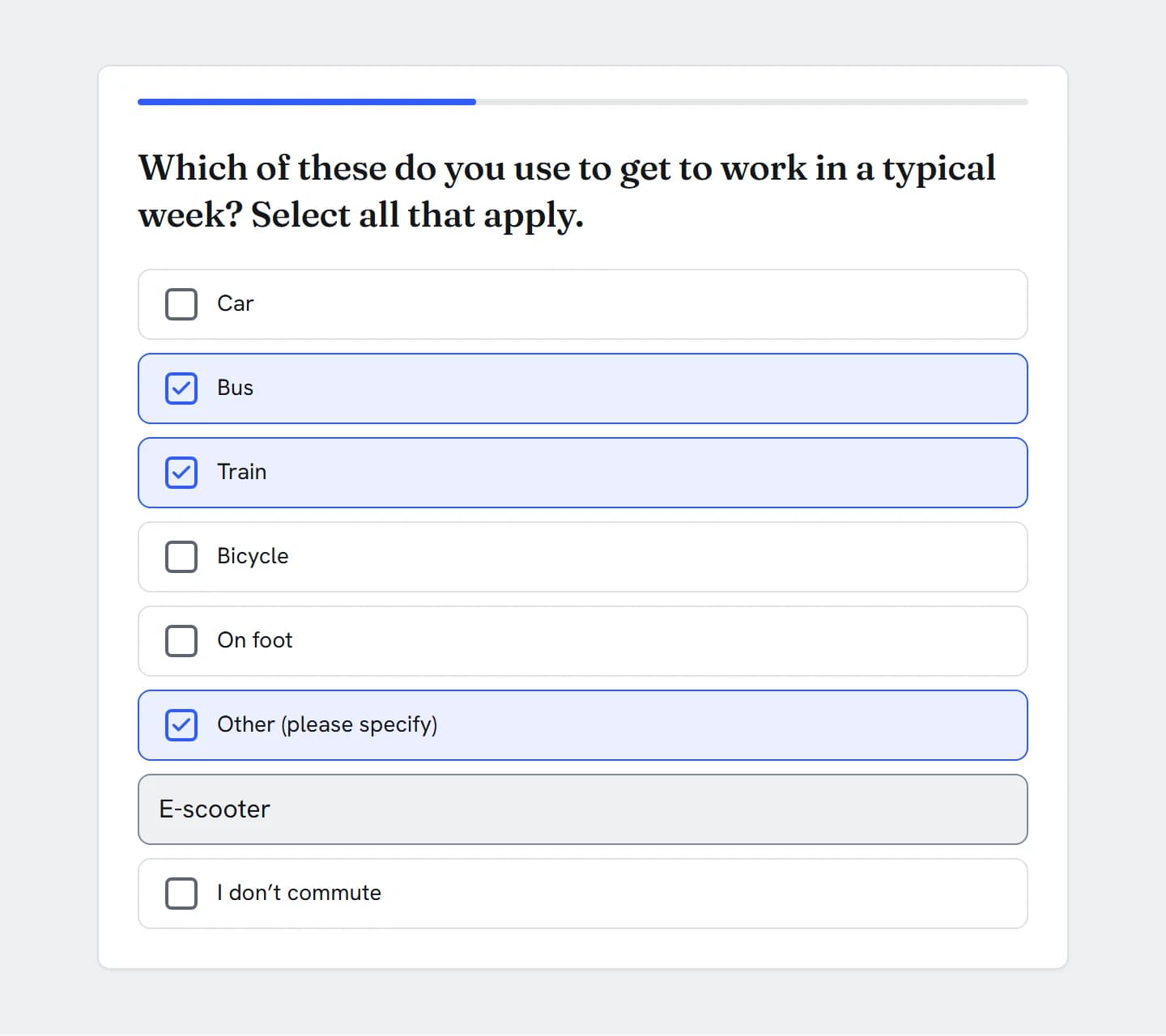
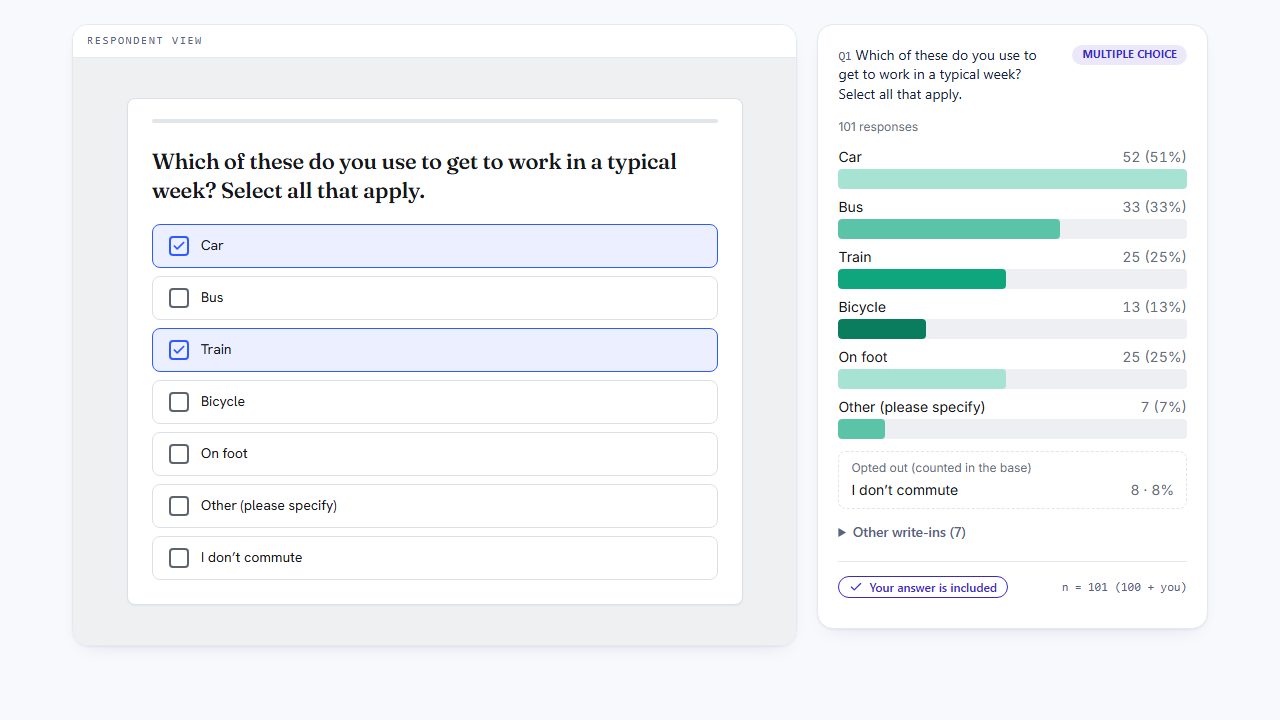
One tile per answer with a square box. Each ticked tile gets a tick in its box, a check mark and your theme’s selected style.
Live demo
This is the question your respondents get. Answer it and the chart beside it recalculates with your answer counted.
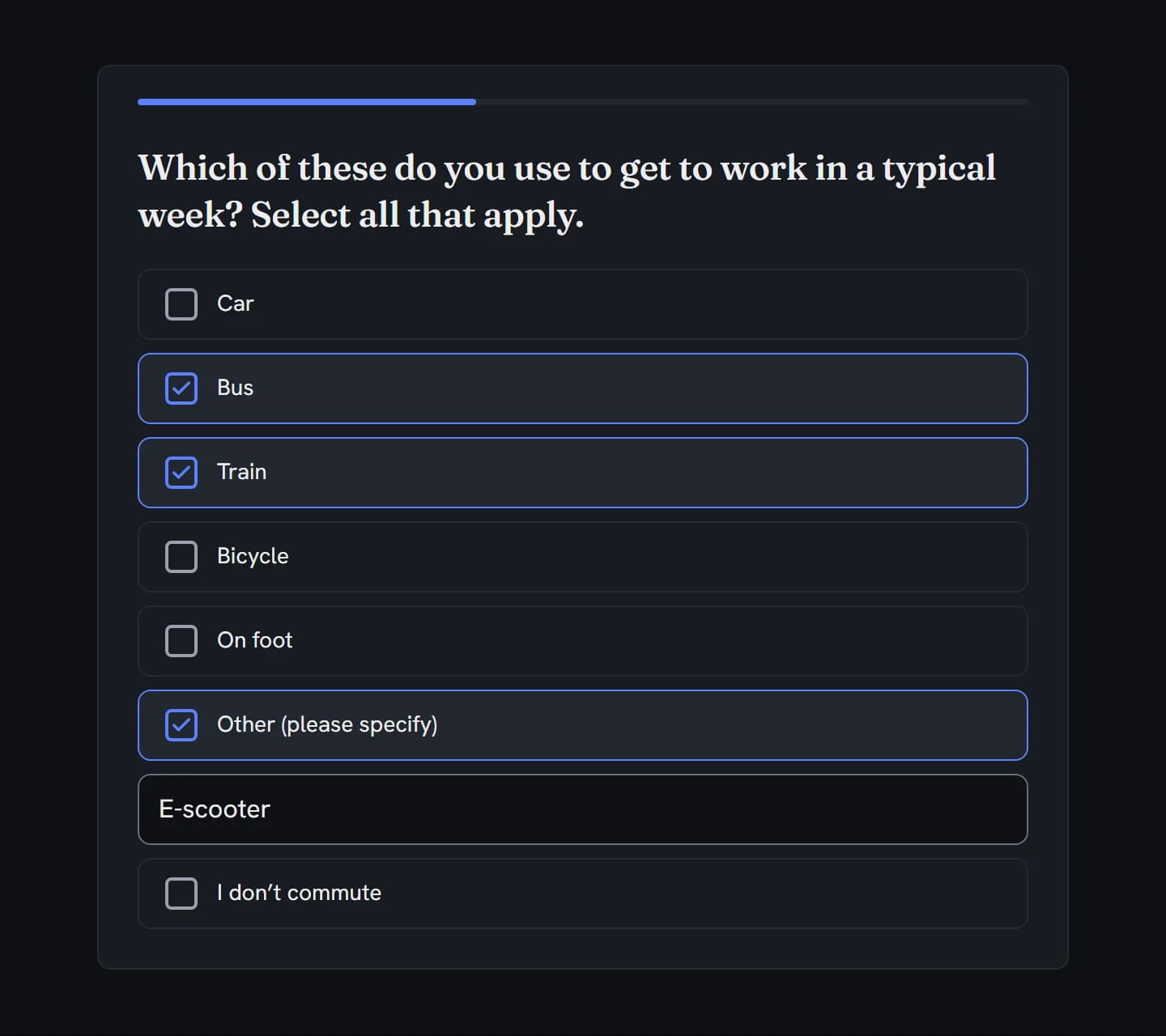
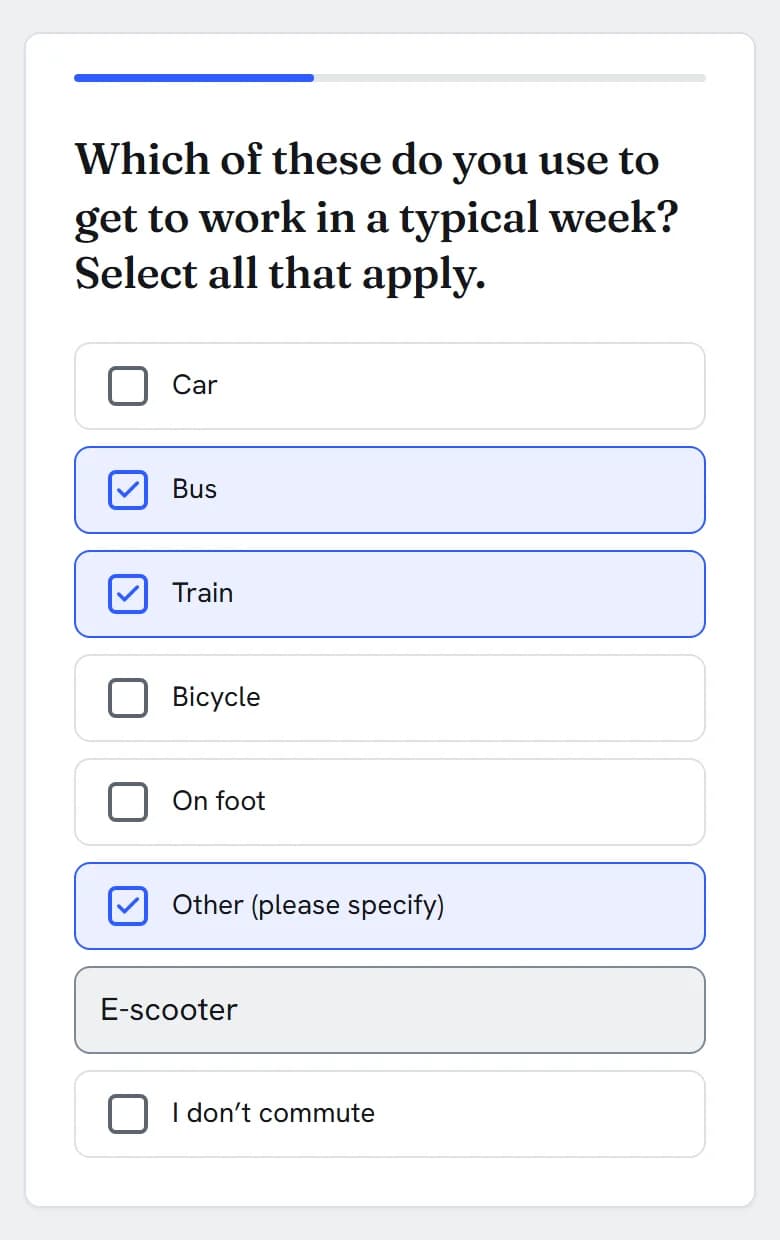
Which of these do you use to get to work in a typical week? Select all that apply.
In action
Every feature
The tick-all-that-apply question, with the limits, exclusive answers, routing and data controls researchers reach for.
One tile per answer with a square box. Each ticked tile gets a tick in its box, a check mark and your theme’s selected style.
Stack the answers, spread them over two to four columns, or lay them out as a wrapping row. Columns fold into one when the space is narrow.
Every answer is its own Tab stop, and Space or Enter ticks it. Turn on lettered answers and A, B, C tick too, with None and your limit still applied.
Give answers the same group name and they sit together under a small heading, such as Public transport. Headings translate with the survey.
A new question needs at least one tick to continue. Or warn once before a skip with your own message, or make it optional.
The question, every answer, group headings, image alt text, the “Please specify” prompt and the selection count translate per survey language.
Add Other (please specify), None of the above and Not applicable once each, with their own codes: other, none and na. None and N/A clear the other ticks.
Ticking None of the above clears every other tick, and ticking another answer clears None. Tick Exclusive (clears others) to make any answer work this way.
Ticking Other opens a “Please specify…” box. The text is kept only while Other stays ticked, and you can make it required.
Ask for at least N, up to N, or between two numbers. The count under the list updates as people tick, and a tick past the maximum is blocked with a short message.
Answers are checked again when they’re saved. Unknown or unavailable answers, an exclusive answer mixed with others, too few or too many ticks, and a missing required write-in are refused.
Each respondent gets their own order, which holds when they go Back or come back later. Each question shuffles differently.
Fix any answer in its position, or set anchors in the Randomization section. Other, None and N/A are pinned for you.
Keep the list in sequence and move the starting point for each respondent.
Sort answers alphabetically in the respondent’s language. Pinned answers keep their place.
Use shuffle or A to Z: the builder lets you pick one.
With shuffling or sorting on, the export adds a Q1_order column with the order each respondent saw.
Offer only the answers someone ticked at an earlier question, only the ones they didn’t, or all of them. A carried Other shows their own words.
“Exclude answers given in” removes answers ticked at earlier questions. Other and None always stay. If nothing is left to tick, the question is skipped and the skip is reported.
Skip, show or hide later questions when the answer contains a choice, is any of or none of a set, or when the number ticked is at least a count you set.
The survey-level skip and branching panel is on Professional+.
Answer-level display logic shows one answer only if an earlier answer says so. It runs on the server.
Set Max responses on an answer and it stops being offered once that many people have ticked it. The last place can’t be taken twice.
The cap counts every stored answer, including people who haven’t finished.
Build quota cells on contains, does not contain, is any of or is none of.
Insert the answers someone ticked into a later question as one list, in the respondent’s language. Other pipes their own text.
Bulk edit takes one answer per line, so a 30-answer list goes in at once. Paste an edited list later and each answer keeps its code and settings.
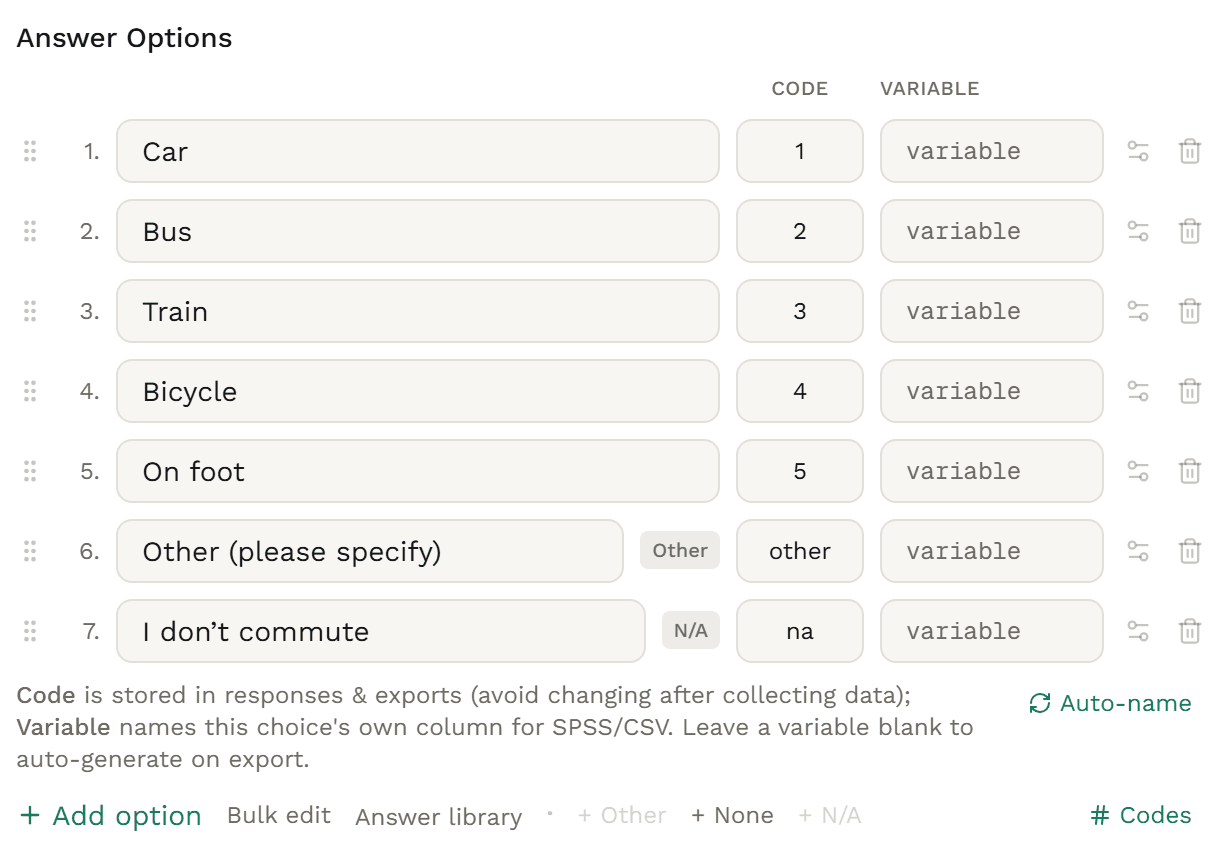
The Codes view shows the code each answer exports. New answers get the next free number, and duplicate codes are flagged and refused when you save or launch.
Set an export tag such as COMMUTE and the columns become COMMUTE_1, COMMUTE_2 and on, COMMUTE_98 for Other and COMMUTE_TEXT.
A Qualtrics multiple-answer question comes in as Multiple Choice with recode values as codes, exclusive answers as None of the above, text entry as Other, and its anchors and force response. Excel sheets and Word, PDF or text files import too.
Selection limits and column layouts don’t come across from Qualtrics or Excel, so set them after importing. In a sheet, give the type as MULTI or CHECKBOX. Word and PDF imports use AI credits.
Raising the minimum or lowering the maximum on a live survey is flagged as a stricter change.
Change a respondent’s ticks and Other text when cleaning data. Exclusive answers still clear the rest.
Not part of multiple choice: exactly one answer (use Single choice), picture-led answers (use Image Choice with more than one answer allowed), a search box above long lists, and attention checks.
Build it
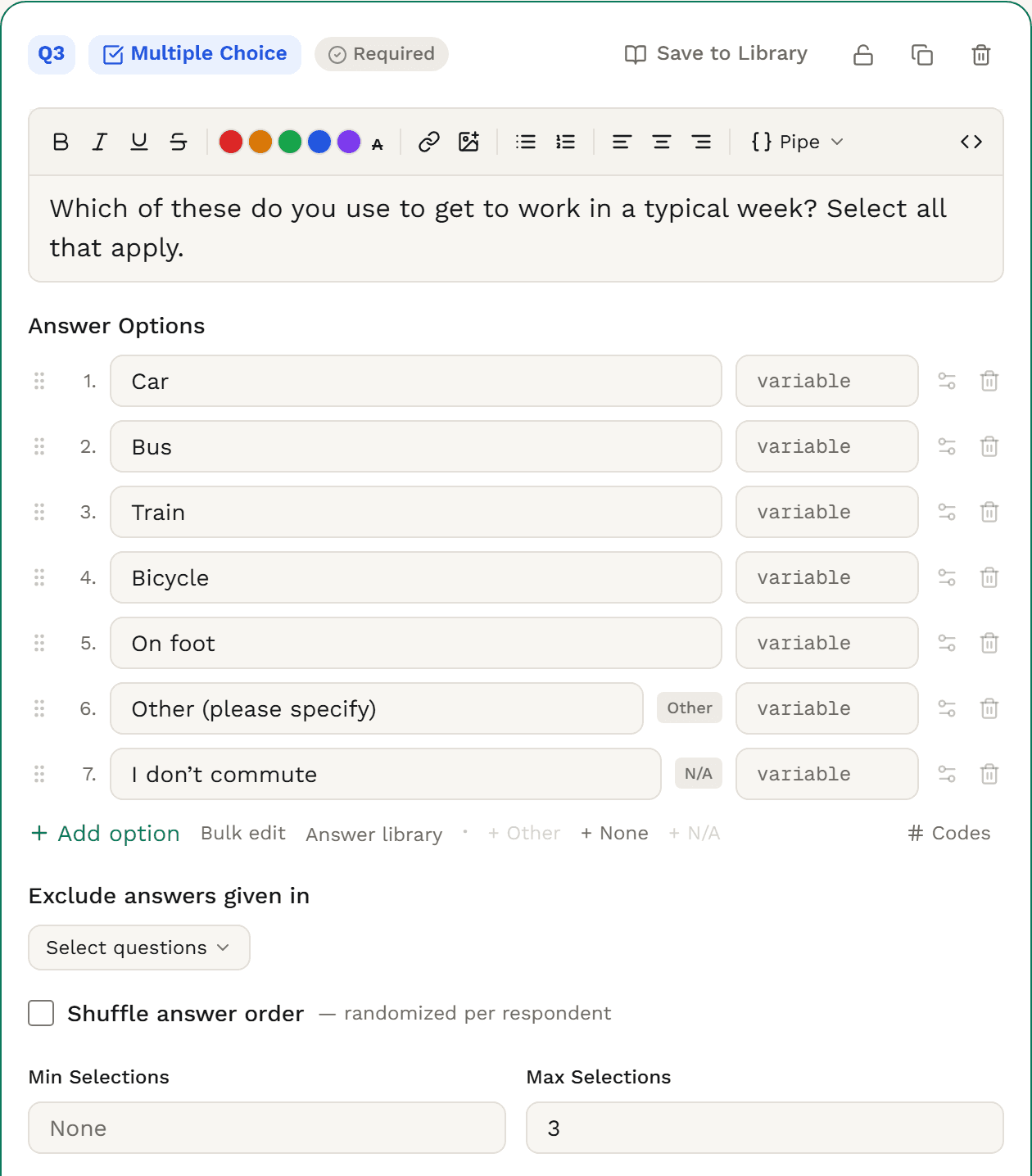
In the builder, add a question and choose Multiple Choice as its type. Put “Select all that apply” in the question so people know they can tick more than one.
Type each answer under Answer Options, or paste a whole list with Bulk edit. Drag to reorder.
Click + Other, + None or + N/A. None and N/A clear the other ticks. To make any other answer do the same, open its settings and tick Exclusive (clears others).
Fill in Max Selections for a shortlist, such as up to 3. Min Selections asks for at least that many. Leave both empty for no limit.
Tick Shuffle answer order, or open Randomization to rotate the list or pin answers in place. Other, None and N/A keep their place.
Turn on Codes to see the code each answer exports. In Rules, keep it required or make it soft required or optional. Then preview on desktop and phone.

The data you get
Each answer exports as its own column: 1 if ticked, 0 if not. The Other text gets a column of its own, and SPSS groups the columns into one multiple-response set.
| respondent_id | Q1_1 | Q1_2 | Q1_3 | Q1_4 | Q1_5 | Q1_98 | Q1_97 | Q1_TEXT |
|---|---|---|---|---|---|---|---|---|
| 47762a85-0001-4000-8000-000000000001 | 0 | 0 | 1 | 0 | 0 | 0 | 0 | (empty) |
| 47762a85-0002-4000-8000-000000000002 | 1 | 0 | 0 | 0 | 0 | 0 | 0 | (empty) |
| 47762a85-0003-4000-8000-000000000003 | 0 | 0 | 0 | 0 | 0 | 1 | 0 | E-scooter |
| 47762a85-0004-4000-8000-000000000004 | 1 | 0 | 0 | 0 | 0 | 0 | 0 | (empty) |
| 47762a85-0005-4000-8000-000000000005 | 0 | 0 | 0 | 0 | 0 | 0 | 1 | (empty) |
| 47762a85-0006-4000-8000-000000000006 | 1 | 0 | 1 | 0 | 0 | 0 | 0 | (empty) |
| 47762a85-0007-4000-8000-000000000007 | 0 | 1 | 0 | 0 | 0 | 0 | 0 | (empty) |
| 47762a85-0008-4000-8000-000000000008 | 1 | 0 | 1 | 0 | 0 | 0 | 0 | (empty) |
Trimmed to the question’s columns, exported with Include open-ended answers ticked. With shuffling on, a Q1_order column follows. Every export also carries the standard respondent columns (status, timing, weight and more).
Choose 0/1 per option (the default) or Coded, one per choice when you export. Coded gives columns Q1_1, Q1_2 and on, each holding the code of one ticked answer: as many columns as your maximum, or as answers when there is none, and never fewer than the most anyone ticked.
Columns take the question’s label (Q1) or your export tag, plus a number for each answer: its code when every code is a whole number, otherwise its place in the list. Car coded 1 is Q1_1. Other is Q1_98, None Q1_99 and N/A Q1_97.
Each column is a nominal variable labelled with its answer, and the set comes grouped as an MDGROUP (0/1 layout) or MCGROUP (coded layout), so SPSS treats the columns as one question.
The write-in exports in Q1_TEXT when you tick Include open-ended answers. Leave it unticked and the column reads [OPEN_ENDED] for everyone who wrote one.
Someone who answered has a 0 or 1 in every column. Someone who never saw the question has empty cells, which SPSS reads as system-missing.
Weighted exports carry a weight column, and the SPSS syntax sets WEIGHT BY weight. The 0/1 values are never changed. Weighting is on Research Team.
Charts & analysis
Every multiple choice question is charted for you as the share of respondents who ticked each answer. Crosstab it against any other question, test the differences, and weight it.

Ways of getting to work, by ageColumn %, letters at 95% and 99%
Crosstabs · Solo+Letters · Professional+
Put the question in the rows, one row per answer, or in the banner, one column per answer. Columns can overlap, because one person can tick several.
CrosstabsWith the question as a banner, two columns can share respondents. Surveti tests them with an overlap-aware two-proportion z-test, not as if they were separate groups.
Significance testingGroup answers into a net, such as Public transport for Bus or Train. Someone who ticked both is counted once.
CrosstabsA frequency table per question with significance letters, footnoted: “More than one answer was allowed, so percentages can add to more than 100%.”
Weights carry through to Results, crosstabs, dashboards and exports. To weight by a variable, ask it as single choice: a multiple choice question can’t be a weighting target.
Text analysis finds themes and sentiment in the Other write-ins, only from people who ticked Other, and lets you code them.
Filter any Results view to the people who ticked an answer, such as everyone who takes the train.
How Surveti compares
| Capability | Surveti | SurveyMonkey | Qualtrics | Typeform | Alchemer |
|---|---|---|---|---|---|
| Exclusive “None of the above” that clears the other ticks | yesAny answer can be exclusive; the server checks it too | yes1Whether earlier ticks clear isn’t stated | yes26, 25Deselects the others | yes46Clears the others, Other too | yes67, 68Can’t be combined; clearing not stated |
| Minimum, maximum or exact number of selections | partialAt least, up to or between; no separate exact setting | partial1, 3Range or limit; question must be required | partial25Minimum or range; no exact | yes46Exact number or range | partial67Min and max; no exact |
| Carry forward ticked or unticked answers | yesEvery plan, plus hide answers already given | paid8 | yes28Selected and unselected | partial49“Hide answer choices” rules | paid70, 83, 84Professional and Full Access |
| Logic on “includes X” or the number ticked | yesContains, any of, none of, count at least | unclear9Checkbox conditions not documented | yes30Is Selected, Selected Count | partial49, 57“Includes” in calculations only | partial79Count through a hidden value |
| Quotas or caps on an answer | yesPer-answer caps and quota cells, every plan | paid10One quota per survey | paid34, 42Not on the free account | no59 | yes72Answer option quotas; partials count |
| One column per answer (0/1) in exports | yes0/1 per answer or coded columns, every plan | paid11, 13, 21Split columns described for SPSS | yes35, 25, 42Split columns or comma-separated | partial50, 48Separate columns; cell values not stated | yes67, 83A column per answer |
| SPSS with value labels and multiple-response sets | paidLabels and MDGROUP / MCGROUP sets · Professional+ | paid13Split columns; sets not mentioned | unclear36, 42Labels and sets not described | no50CSV and XLSX only | paid74, 830/1 coding; Full Access only |
| Crosstabs with a multi-answer question | paidRows or banner · Solo+ | paid14, 21Premier | paid38, 42Not as both row and column | unclear56Not documented | yes76, 83Plan not readable on the licence grid |
| Significance testing that allows for multiple answers | paidOverlap-aware z-test · Professional+ | no15Checkboxes not listed | paid38, 42“Answering” z-test | unclear56, 55Not documented | partial76Tests listed; multiple answers not addressed |
| Shares of respondents, not of responses | yesResults, crosstabs, dashboards and tab books | unclear17, 1Base not named | yes38, 43All vs Answering; respondent metric | unclear56, 58Base not stated | partial76, 67Crosstab totals count respondents |
Partial means partly built in or possible only with a documented workaround; paid means built in on paid tiers or licences only; unclear means the vendor’s docs don’t settle it. Google Forms, QuestionPro and SurveySparrow were also reviewed. Google Forms is free, with an Other answer, shuffled answers and “at least, at most or exactly” limits on checkboxes; it documents no exclusive None, and responses go to CSV or Sheets with no SPSS export. QuestionPro has an exclusive option and limits on its free plan, and lets you choose whether percentages are of responses or respondents. SurveySparrow documents unlimited, exact or range limits, and its crosstab widget counts respondents for multi-select totals.
Every answer column is labelled, and the set arrives grouped as a multiple-response set, MDGROUP for 0/1 columns or MCGROUP for coded ones, so you can tabulate it straight away. SPSS export is on Professional+.
Export a 0/1 column per answer or coded columns, one per choice, on every plan. The Other text always gets its own column instead of being mixed into the answers.
When the question is the banner, columns share people. Significance letters use an overlap-aware test for those columns. Crosstabs are on Solo+, letters on Professional+.
Skip, show or hide later questions on contains, is any of, is none of, or how many answers were ticked. Question-level logic is on every plan and needs no workaround; the survey-level skip and branching panel is on Professional+.
Results, crosstabs, dashboards and tab books show the share of respondents who ticked each answer, and nets count each person once.
Carry the ticked answers, or the unticked ones, into the next question, hide answers already given, and cap or quota an answer. All on every plan.
When to use it
“Which of these do you use to get to work in a typical week? Select all that apply.” Car · Bus · Train · Bicycle · On foot · Other (please specify) · I don’t commute
Accessibility
Every answer is announced with its label and whether it’s ticked, inside a group named by the question. When you set a limit, changes to the count under the list are read out as they happen.
Each answer is its own Tab stop, and Space or Enter ticks or unticks it. With lettered answers on, A, B, C tick too, and None and your limit still apply.
A ticked answer gets a tick in its box and a check mark as well as your theme’s colour, so the choice reads without colour vision.
Every answer tile is at least 44px tall, and the whole tile is the tap target.
Use it in
Template
“Which of the following brands are you aware of?” alongside usage and ranking.
Template
“What factors influenced your purchase decision?”
Template
“Which areas of the website need improvement?”
Solution
Field, crosstab, test and report a study in one place.
Not in Surveti. Many tools call any pick-from-a-list question multiple choice. Here, Multiple Choice lets people tick one or more answers, the kind often called a checkbox question, and Single Choice takes exactly one. If only one answer can be true, use single choice.
Each answer is a share of the people who answered, and one person can tick several. In Results, crosstabs, dashboards and tab books, 51% on Car means 51% of respondents ticked Car.
Yes. Set Max Selections for “up to N”, Min Selections for “at least N”, or both for a range. People see a running count under the list, a tick past the maximum is blocked with a short message, and the server checks both limits.
Add None of the above or Not applicable with one click, or tick Exclusive (clears others) on any answer. Ticking it clears the other answers, ticking another answer clears it, and the server rejects an answer that mixes the two.
By default, one 0/1 column per answer, such as Q1_1 for Car, plus Q1_TEXT for the Other text when you include open-ended answers. You can export coded columns, one per choice, instead. SPSS (Professional+) adds value labels and a multiple-response set.
Yes. Carry forward offers only the answers ticked at an earlier question, only the ones not ticked, or all of them, on every plan. “Exclude answers given in” does the opposite and hides answers already given.
Use Crosstabs (Solo+) to put the question against any banner. On Professional+, significance letters mark the answers that differ between columns, with an overlap-aware test when the question itself is the banner. On Research Team, weights carry into the same tables.