LiveResearch Team
Starts ready to edit
By default, a new Card Sort starts with three cards and two groups, saved with the question. Before your first launch, Surveti checks it has cards, and a closed one has groups.
Card Sort question · Ranking
Find out how people group things: features, pages, products or ideas. Give them your groups, or let them name their own, inside the survey you’re already running. Results shows where each card went and which cards people put together most often.
Live demo
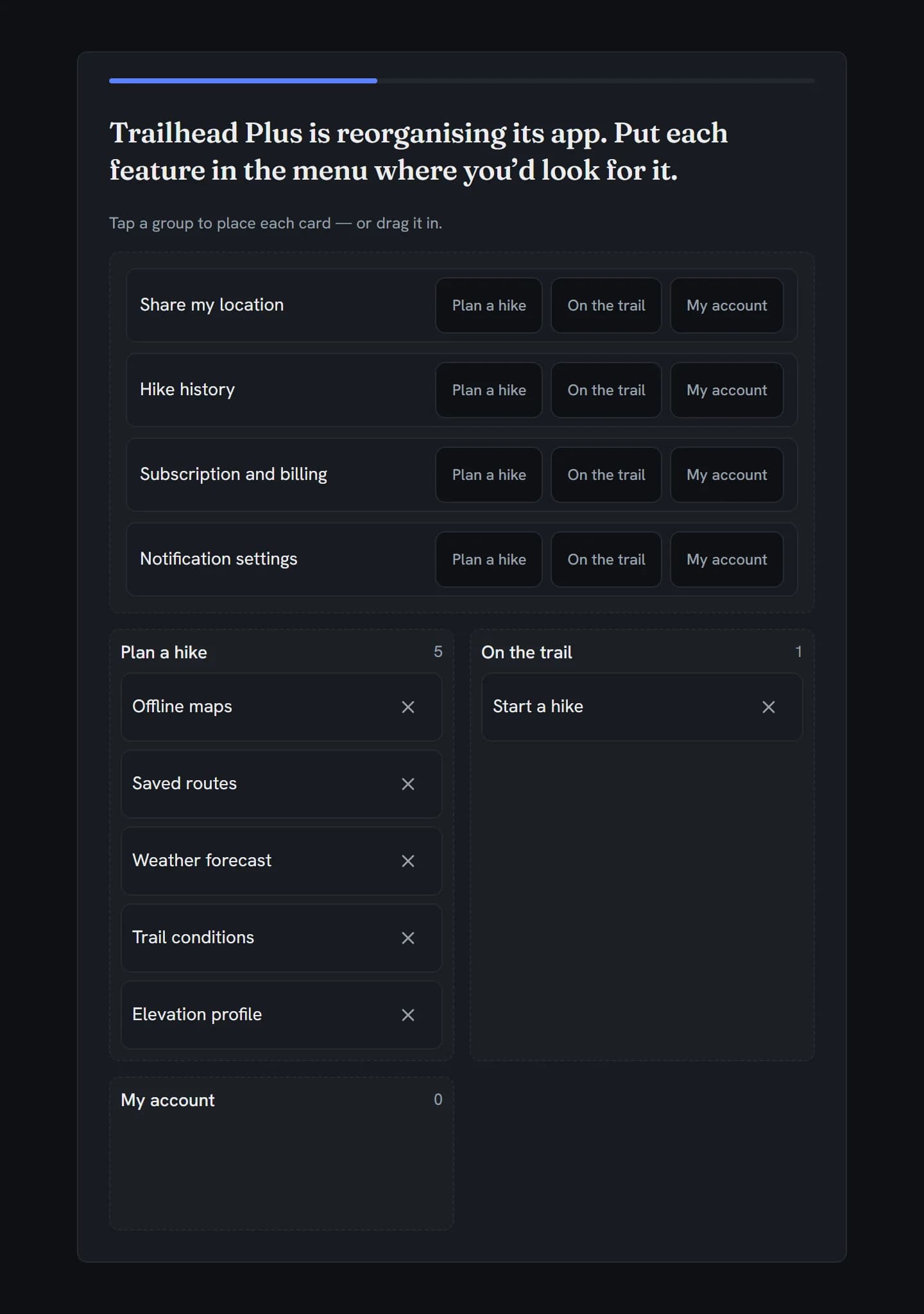
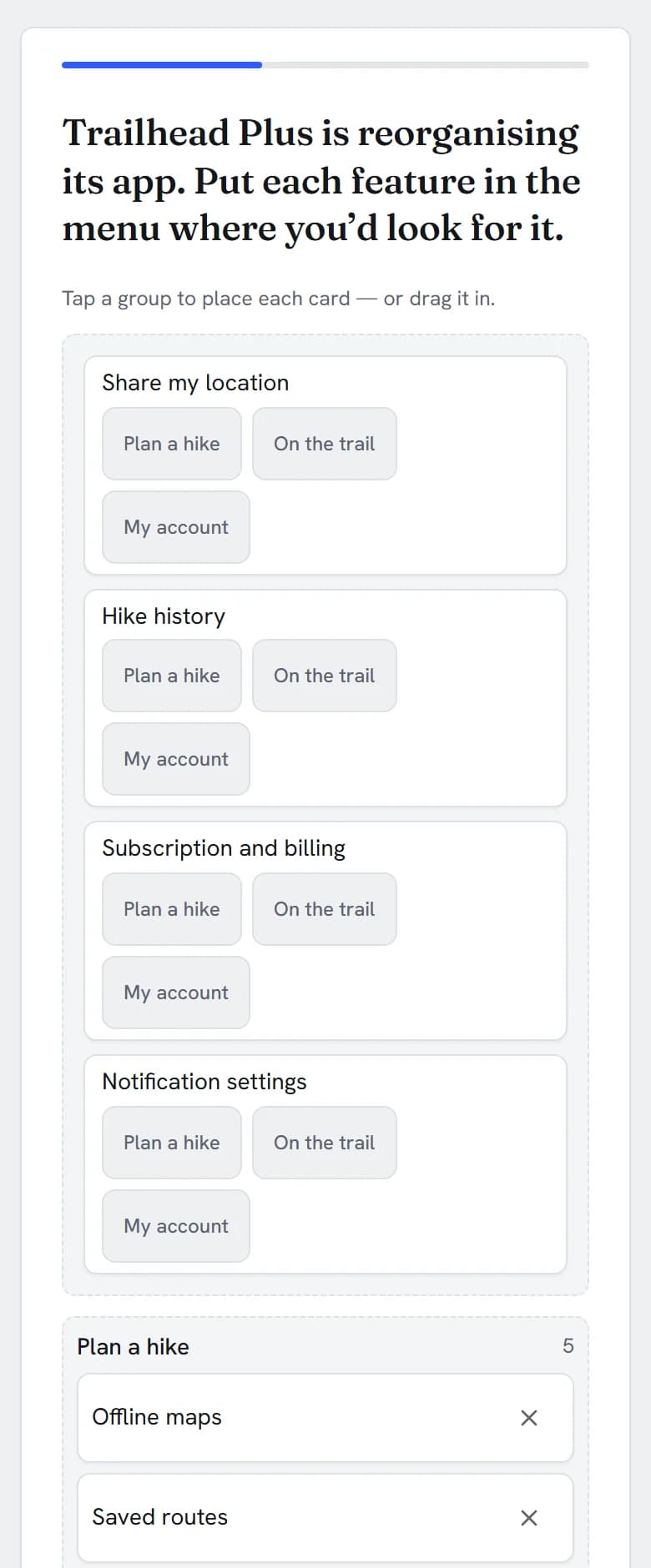
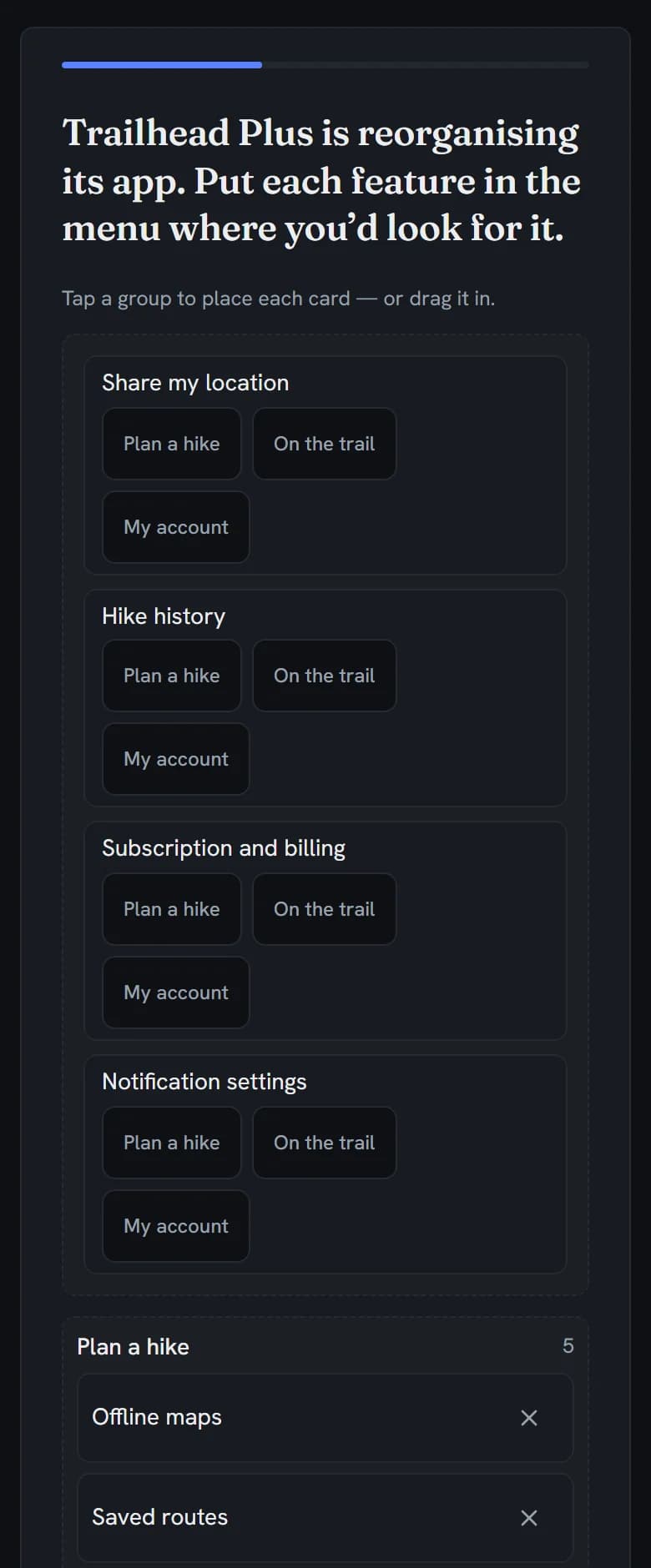
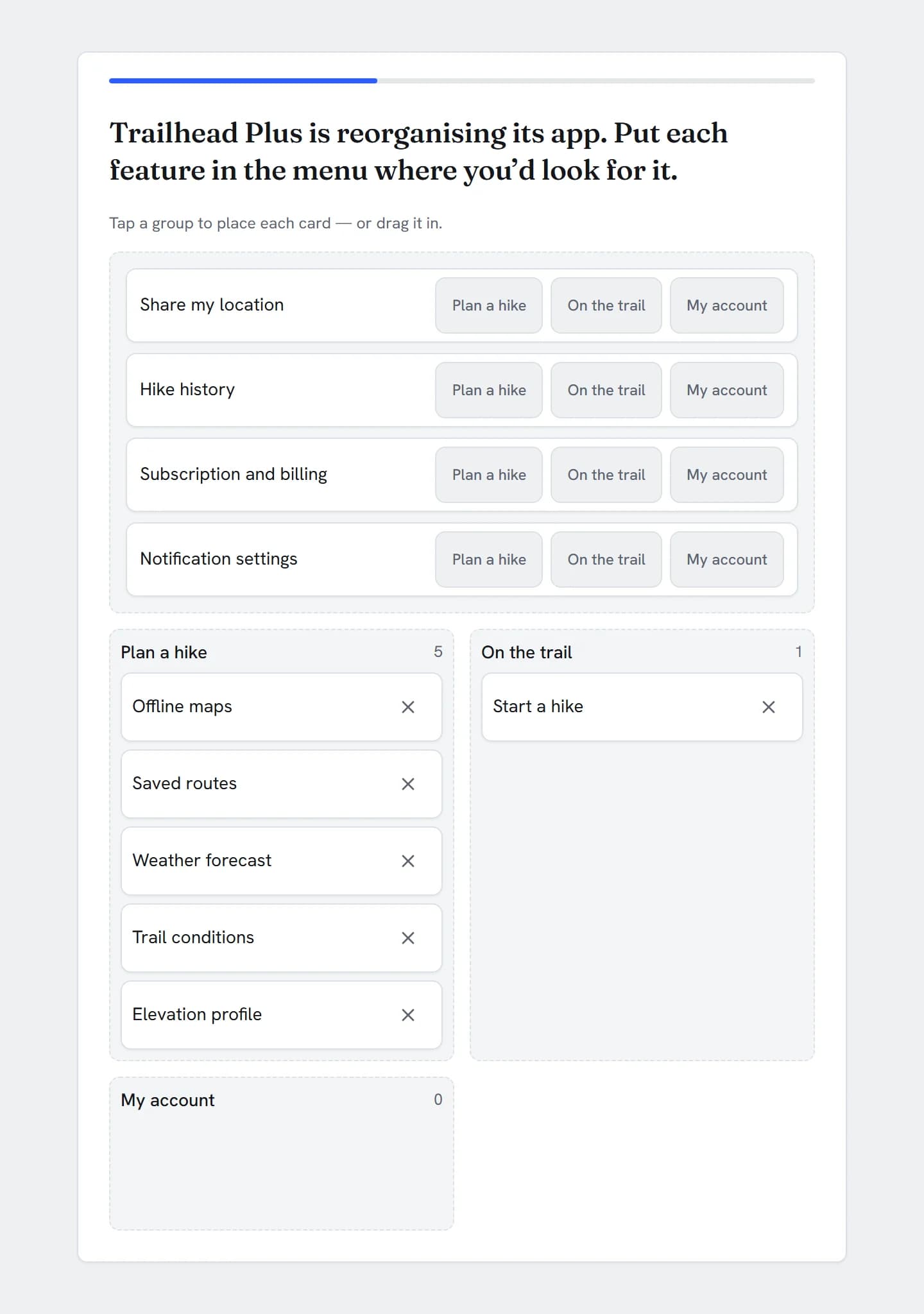
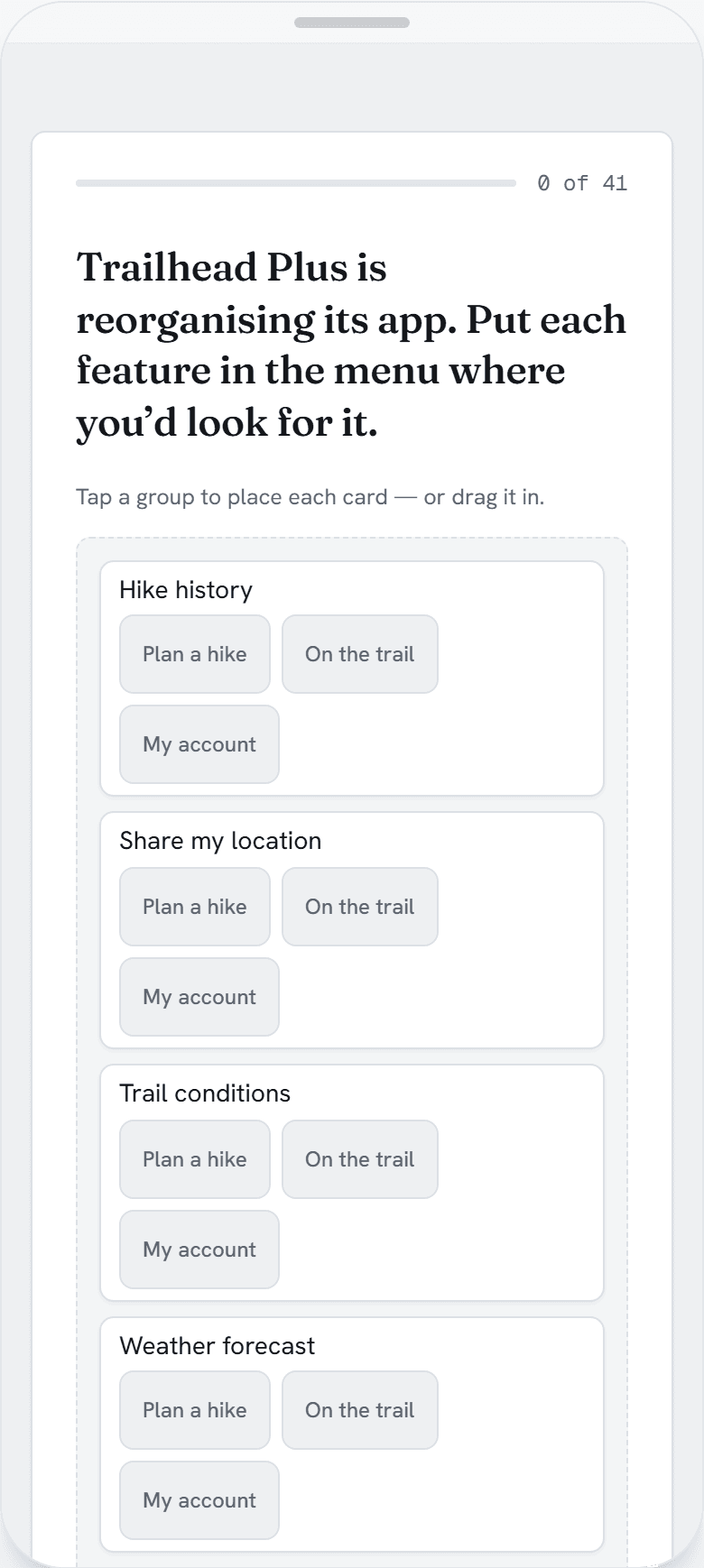
This is the question your respondents get. Tap a group on each card, or drag cards in with a mouse. Once every card is in a group, the results beside it count you, and you see the row your answer becomes in the export.
Trailhead Plus is reorganising its app. Put each feature in the menu where you’d look for it.
Tap a group to place each card — or drag it in.
Every feature
Your groups or theirs, a shuffled order per person, and a table of where every card went.
By default, a new Card Sort starts with three cards and two groups, saved with the question. Before your first launch, Surveti checks it has cards, and a closed one has groups.
A closed sort uses your groups. An open sort lets people create, name, rename and remove their own.
Write as many cards as you need, at least two, and in a closed sort at least one group.
Group names are labels, with no descriptions.
Add an image to any card from its settings, by image link. It shows small, beside the card’s text.
There’s no upload for card images yet, and a card with a picture needs its text too.
Show the cards in a different order to each person. The order each person saw is saved with their answer.
Next needs every card in a group.
An optional card sort can be skipped, but not left half sorted: people take any placed cards back to skip it.
Show, skip or end the survey on whether people put any card in a group, such as a follow-up for people who used On the trail.
Rules test whether a group holds a card, not which cards are in it. In an open sort, match the group name exactly as people typed it.
Quotas can count people who put a card in a group.
Card names and the question translate with your survey.
Group names, and the sorting instructions people see, stay in English for now.
Each card in the pool has a button for every group. Tap one to place the card, or tap a placed card’s × to send it back.
With more than six groups, each card gets a menu of groups instead of buttons.
On a phone, people tap. With a mouse, they can drag cards into groups too. The groups wrap to fit the screen.
In an open sort, people type a name under New group, add it, then tap it on each card.
New group sits after the groups, so on a phone it’s below them.
Every move is a button that names the card and the group. Tab to it and press Space or Enter.
Cards, groups and buttons follow the survey’s theme and dark mode.
A table of how many people put each card in each group.
Open-sort names aren’t merged, so each spelling is its own group.
The ten pairs of cards people put in the same group most often, with how many did.
No similarity matrix, dendrogram or clusters.
Filter Results to a group of people, and the table and pairs recount for them.
Results can’t yet be filtered by how cards were sorted.
Q1 holds every group with its cards, labelled with your question.
Each group’s name is followed by the numbers of its cards. The Excel file’s Value Labels sheet says which card each number is.
With shuffled cards, Q1_order lists the cards in the order each person was shown them.
An open sort’s cell holds names people typed, so exports leave it out until you tick Include open-ended answers.
Not part of card sorts yet: hybrid sorts, where people use your groups and add their own; a limit on cards per group; leaving some cards unsorted; shuffling the groups; descriptions on cards or groups; ranking inside a group; showing each person a subset of the cards; uploading card images; a similarity matrix or dendrogram; merging group names; piping how cards were sorted; and card sorts in crosstabs, tab books, dashboards or report decks.
Choosing
A card sort asks people to put every card in a group. A quick sort can let them leave some cards out. A ranking asks for an order, not groups.
Need an order inside each group as well? Pick, Group & Rank (Research Team) asks for both.
Build it
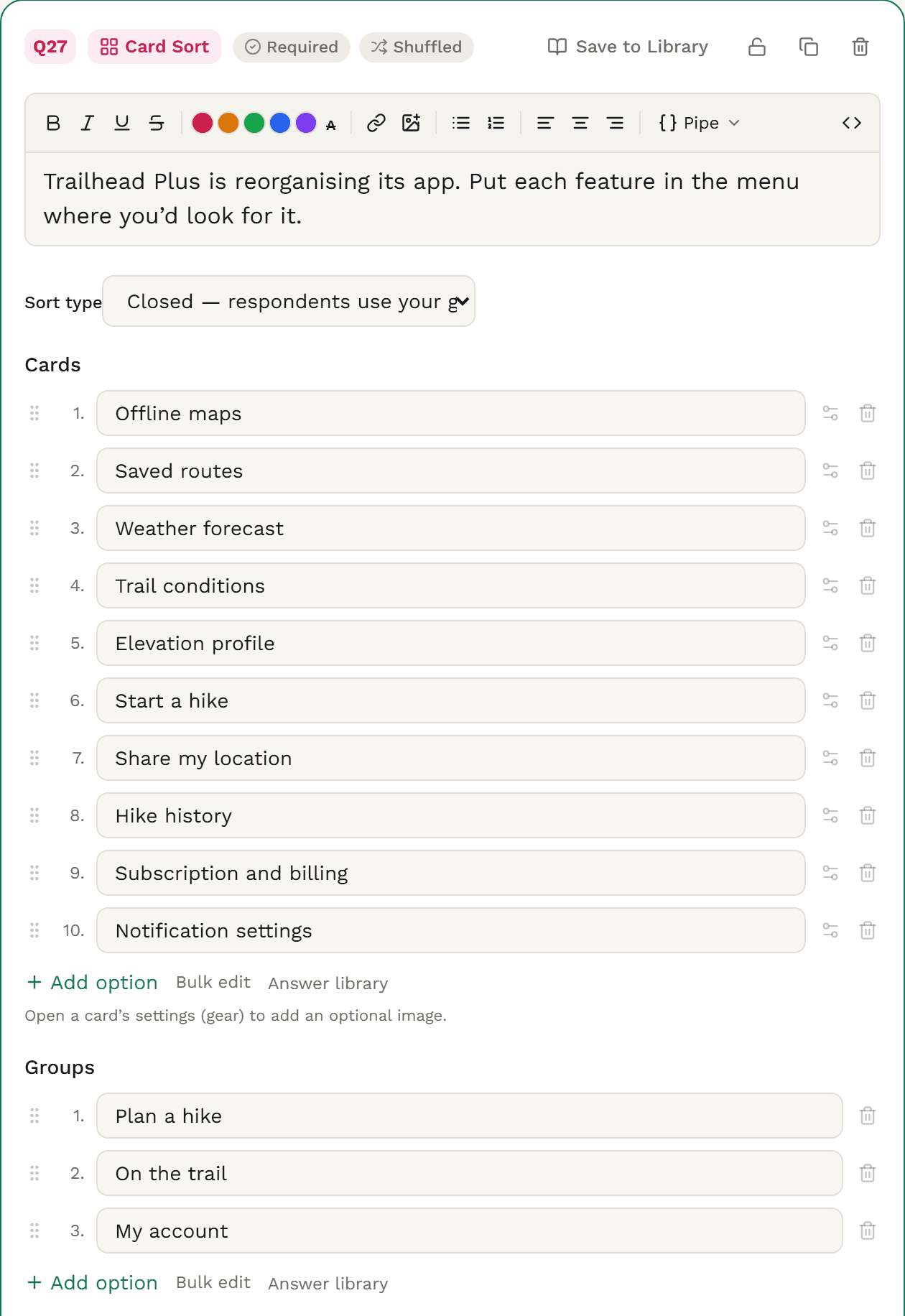
In the builder, choose Card Sort (“Sort cards into groups”) from the Ranking group, and write the question, such as “Trailhead Plus is reorganising its app. Put each feature in the menu where you’d look for it.” It starts with three cards and two groups, saved with the question, ready to rename.
Set Sort type to “Closed — respondents use your groups”, or “Open — respondents name their own groups”. A new card sort is closed by default.
Edit the Cards, at least two. In a closed sort, edit the Groups too. To put a picture on a card, open its settings and add an image link. Settle your cards and groups before the survey goes live.
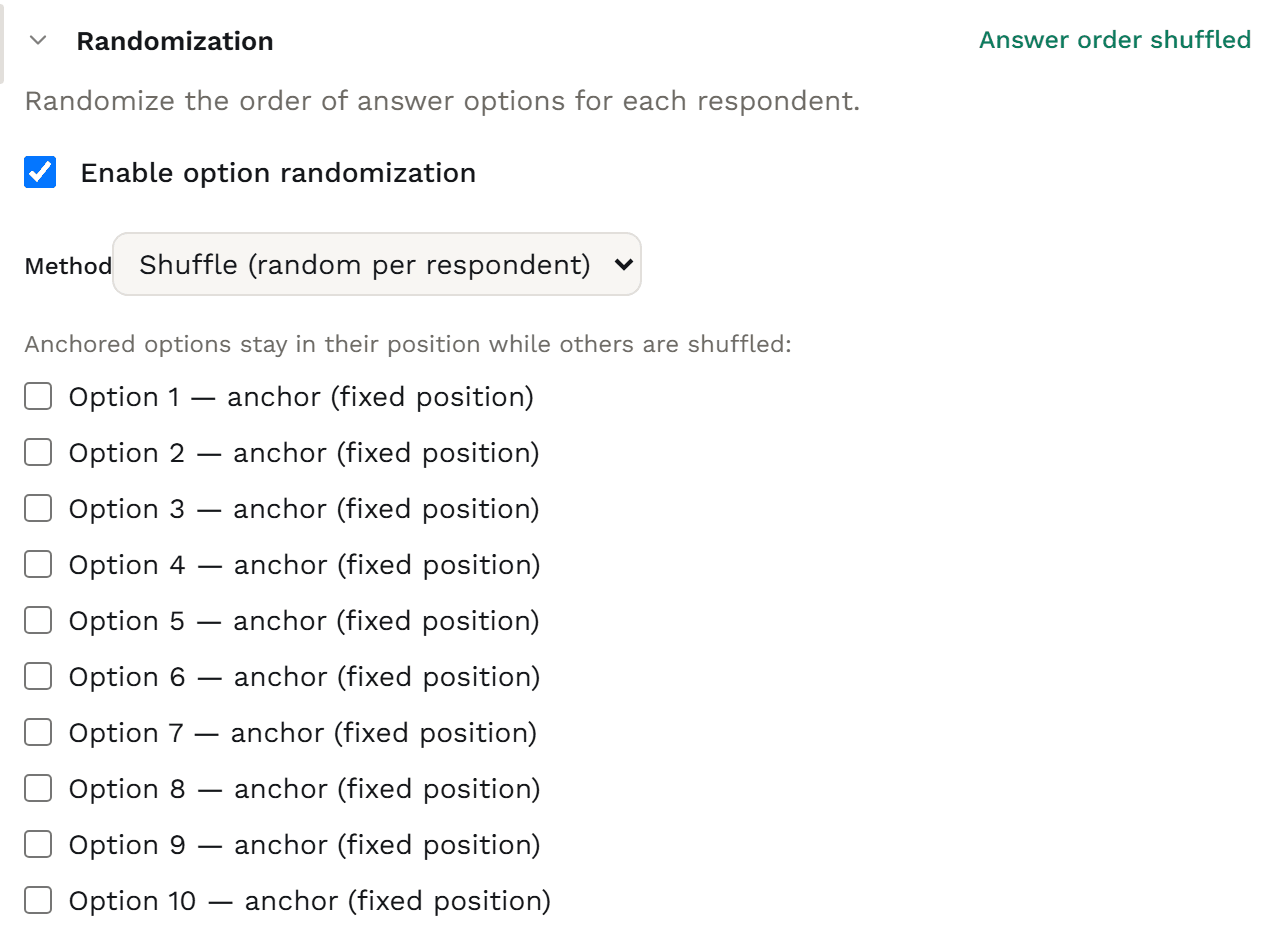
On the Logic tab, open Randomization and tick Enable option randomization to show the cards in a different order to each person. The order each person saw is saved with their answer.
In show, skip and quota rules, test whether people put a card in a group, such as a follow-up for people who used a group.
A card sort is required by default: Next needs every card in a group. Preview on a phone and a laptop. Before your first launch, Surveti checks the card sort has cards, and a closed one has groups.
The data you get
A card sort gives one column: each group’s name, then the numbers of the cards in it. With shuffled cards, a second column holds the order each person saw.
| respondent_id | Q1 | Q1_order |
|---|---|---|
| 47762a85-0001-4000-8000-000000000001 | Plan a hike=2|5|4|1|3; On the trail=7|6; My account=10|9|8 | 10|7|9|6|2|5|4|8|1|3 |
| 47762a85-0002-4000-8000-000000000002 | Plan a hike=3|1|5|4|2; On the trail=7|6; My account=10|8|9 | 10|8|3|1|5|4|9|2|7|6 |
| 47762a85-0003-4000-8000-000000000003 | Plan a hike=4|1|2|5; On the trail=6|3|7; My account=8|10|9 | 6|4|8|3|7|1|10|9|2|5 |
| 47762a85-0004-4000-8000-000000000004 | Plan a hike=6|3|2; On the trail=1|5; My account=7|10|4|9|8 | 6|1|7|10|5|3|4|9|8|2 |
| 47762a85-0005-4000-8000-000000000005 | Plan a hike=3|5|2|4|1; On the trail=7|6; My account=10|9|8 | 3|10|9|5|2|7|4|1|6|8 |
| 47762a85-0006-4000-8000-000000000006 | Plan a hike=4|5|3|8; On the trail=6|7|1; My account=9|10|2 | 6|4|5|9|7|3|10|1|2|8 |
| 47762a85-0007-4000-8000-000000000007 | Plan a hike=4|5|3; On the trail=1|6|8|7; My account=10|2|9 | 10|1|6|2|8|4|5|7|9|3 |
| 47762a85-0008-4000-8000-000000000008 | Plan a hike=3|2; On the trail=1|7|4|6|5; My account=10|8|9 | 3|2|1|7|10|8|9|4|6|5 |
Trimmed to the question’s columns. Every export also carries the respondent columns (status, language, timing and more).
Q1 holds every group a person made or used, labelled with your question.
Each group’s name is followed by the numbers of its cards, such as Plan a hike=2|5|4|1|3; On the trail=7|6; My account=10|9|8. The Excel file’s Value Labels sheet says which card each number is.
With shuffled cards, Q1_order lists the cards in the order each person was shown them.
An open sort’s cell holds names people typed, so exports leave it out, as [OPEN_ENDED], until you tick Include open-ended answers.
Charts & analysis
Results shows how many people put each card in each group, and the pairs of cards sorted together most often.
Trailhead Plus is reorganising its app. Put each feature in the menu where you’d look for it.Results · closed sort · 200 answers
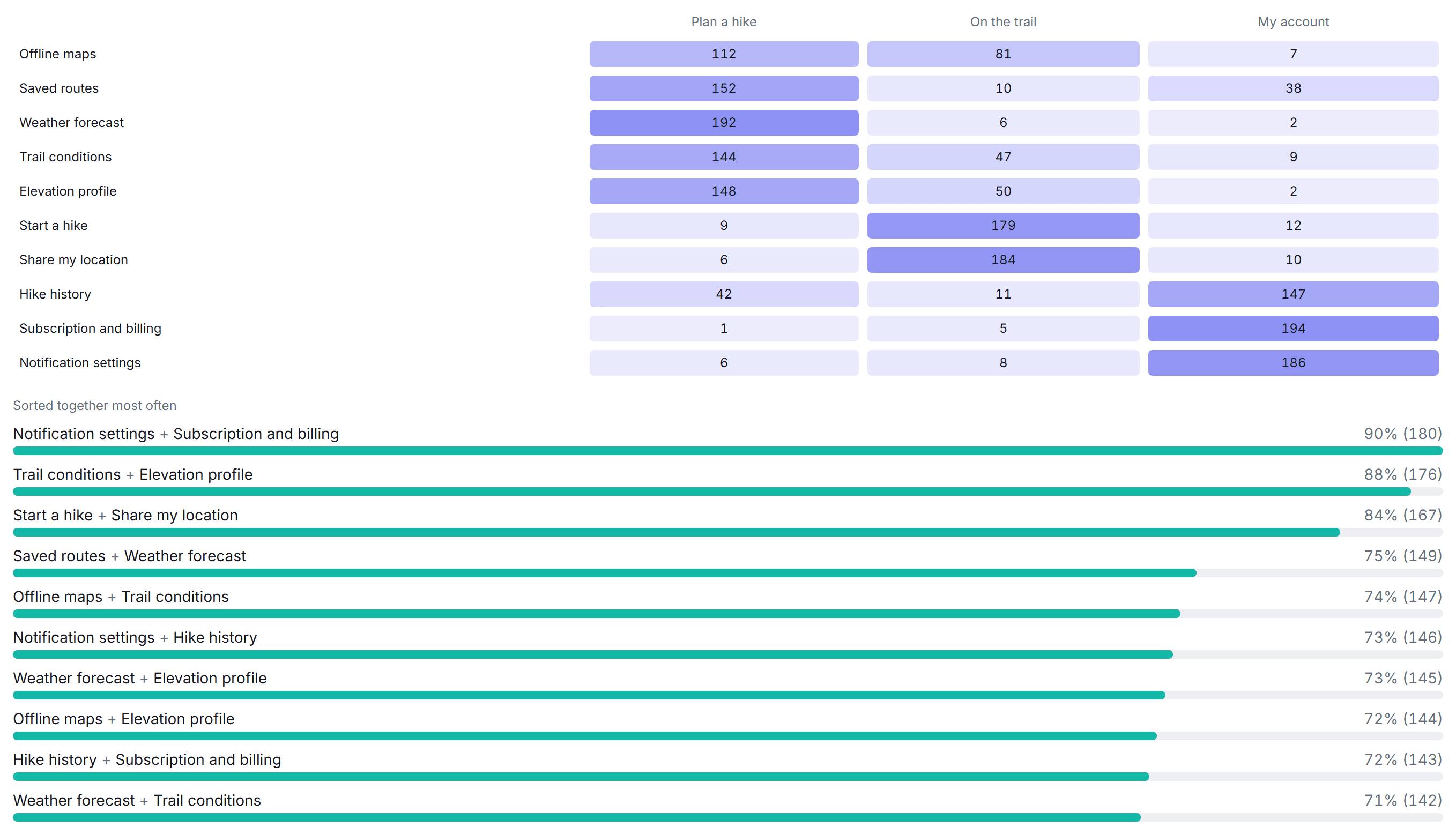
A table of how many people put each card in each group, and the ten pairs of cards sorted together most often. It’s a table of counts and the top pairs: no similarity matrix, dendrogram or clusters, and open-sort names aren’t merged, so each spelling is its own group.
Filter Results to a group, such as people who hike every week, and the table and pairs recount. Results can’t yet be filtered by how cards were sorted.
Every answer is one text cell you can split in a spreadsheet or a script, for a similarity matrix or clustering in the tool you already use.
How Surveti compares
| Capability | Surveti | Optimal Workshop | Maze | Qualtrics | QuestionPro | Alchemer |
|---|---|---|---|---|---|---|
| Card sort as its own question or study | yesA survey question | yes1A study type | yes9A block | partial21Pick, Group & Rank | yes26, 27 | yes28, 29Two question types |
| Open sort (respondents make groups) | yes | yes2 | paid9, 10Team or Enterprise | unclear21, 24Community: not built in | yes27 | yes29 |
| Closed sort (your groups) | yes | yes2 | yes9 | yes21 | yes26 | yes28 |
| Hybrid sort | no | yes2, 3 | no9, 11 | unclear21 | unclear26 | unclear28, 29 |
| Require every card, or allow unsorted | partialEvery card, or skip the whole question | yes4Required by default; can turn off | yes9“Continue without completing” | partial21A total, min / max | yes26Exactly, at least or at most N of M | unclear28, 29 |
| Card limit per group | no | yes3 | yes9 | yes21“Each group contains” | yes26“Each Category Contains” | unclear28, 29 |
| Shuffle the cards | yesOrder saved per respondent | unclear1, 3, 4 | yes9 | unclear21 | yes26, 27 | unclear28, 29 |
| Shuffle the groups | no | yes3On by default | yes9 | unclear21 | unclear26 | unclear28 |
| Images on cards | partialA small image beside the text, from a link | yes1 | yes9, 11 | unclear21 | unclear26, 27 | yes28, 29 |
| Card or group descriptions | no | partial3Groups | yes9Cards and groups | unclear21 | unclear26 | unclear28 |
| Rank inside groups | noPick, Group & Rank is a separate type | unclear3 | yes9 | yes21 | yes26 | unclear28 |
| Card × group table in results | yesCounts in Results | yes2Closed sorts | yes10, 11Agreement matrix | yes21“Groups” data source | yes26, 27Count and % per item | yes28, 29Count and frequency |
| Pairs sorted together (similarity) | partialThe ten pairs sorted together most often | yes2Open and hybrid | yes10, 11 | unclear21 | unclear26, 27 | unclear28, 29 |
| Dendrogram or clustering | no | yes2, 5, 7Two methods, PCA, 3D clusters | yes11FAQ mention | unclear21 | unclear26, 27 | unclear28, 29 |
| Merge open-sort group names | noEach spelling is its own group | yes6 | partial10Exact names combined | unclear21 | unclear27 | unclear29 |
| Export layout documented | yesOne text column per card sort | unclear1 | partial11Export; format not given | yes21Group and rank per item | partial26Excel; layout not given | yes28, 29One column per item |
| On the free or entry plan | paidResearch Team | paid8No free plan | paid9 | paid23Not on the free account | paid26, 27Research Edition | unclear28 |
Partial means partly built in, or possible through a documented workaround; unclear means the vendor’s public docs don’t settle it. Also documented elsewhere: UXtweak includes card sorting on its free plan (20 cards and 10 responses per study) and documents hybrid sorts; Lyssna documents hybrid sorts and a balanced subset of cards for each participant. SurveyMonkey and Google Forms have no card sort question type.
A card sort is a question like any other, with screeners, logic, quotas and the rest of your survey around it.
Give people your groups, or let them create and name their own, with one Sort type setting.
With up to six groups, each card has a button for every group, so people sort on a phone with a tap. With a mouse they can drag cards too.
See how many people put each card in each group, and which pairs of cards were sorted together most often.
Shuffle the cards for each person, and the order they were shown comes with their answer in every export.
An open sort’s typed names stay out of exports until you tick Include open-ended answers.
When to use it
“Trailhead Plus is reorganising its app. Put each feature in the menu where you’d look for it.” Groups: Plan a hike, On the trail, My account.
Accessibility
Every move is a button that names the card and the group, such as “Move Offline maps to Plan a hike”. A placed card has a button to send it back.
Tab to a group’s button on a card and press Space or Enter to place it. With more than six groups, each card gets a menu of groups instead of buttons.
Tap a group on each card to place it. With a mouse, people can drag cards into groups too.
Where a card is shows by its position and each group’s count, and every control shows a focus ring.
Use it in
Solution
How users group your features and pages, for a menu or a roadmap that matches how they think.
Solution
Each participant’s groups in one column you can split for your own analysis, in CSV, Excel or SPSS.
Solution
Organise a website’s menu or a product range the way your customers would.
Example
“Trailhead Plus is reorganising its app. Put each feature in the menu where you’d look for it.” for 200 people, sorting ten features from Offline maps to Notification settings into three menus.
A question that gives people a set of cards and asks them to put each one in a group. In the builder it’s Card Sort (“Sort cards into groups”), one question in your survey, so the rest of the survey can ask everything else.
Run an open sort to learn how people would group things and what they’d call the groups: they create, name, rename and remove their own. Run a closed sort to test groups you already have: people put each card in one of yours.
How many people put each card in each group, and the pairs of cards sorted together most often, with how many people did. There’s no similarity matrix or dendrogram, and open-sort names aren’t merged. For those, export the answers to a specialist tool.
Not in a card sort. It’s required by default, and Next needs every card in a group. An optional card sort can be skipped, but not left half sorted. To let people leave cards out, use a Quick Sort question with unsorted cards allowed.
Each card has a button for every group: they tap one to place the card, and tap the card’s × to send it back. With a mouse they can drag cards too. With more than six groups, each card gets a menu of groups instead. By keyboard, Tab to a group’s button and press Space or Enter.
One column per card sort, holding each group’s name and the numbers of its cards. The Excel file’s Value Labels sheet says which card each number is. With shuffled cards, a second column holds the order each person saw. An open sort’s cell is left out until you tick Include open-ended answers.
On whether people put any card in a group: show, skip or end the survey on it, or use it in a quota. A rule can’t test which cards are in a group. In an open sort, match the group name exactly as people typed it.
Yes, a small one beside the card’s text, added by image link in the card’s settings. There’s no upload for card images yet, so keep every card’s text: it’s what people read and what the buttons say.
Card sorts are on Research Team, with open and closed sorts, shuffled cards, Results, and CSV, Excel and SPSS exports.
One ordered list, no groups. Free.
Groups, and an order inside each. Research Team.