LiveProfessional+
Your own pairs of words
Type a left word and its opposite for each row, and add as many pairs as the question needs.
Semantic differential · Rating
Put a brand, a product or an idea between pairs of opposite words, such as Cheap and Premium or Boring and Exciting, and let people pick a point on each line. Surveti asks every pair on one screen, lays them out for phones, and gives you a column per pair to analyse.

Live demo
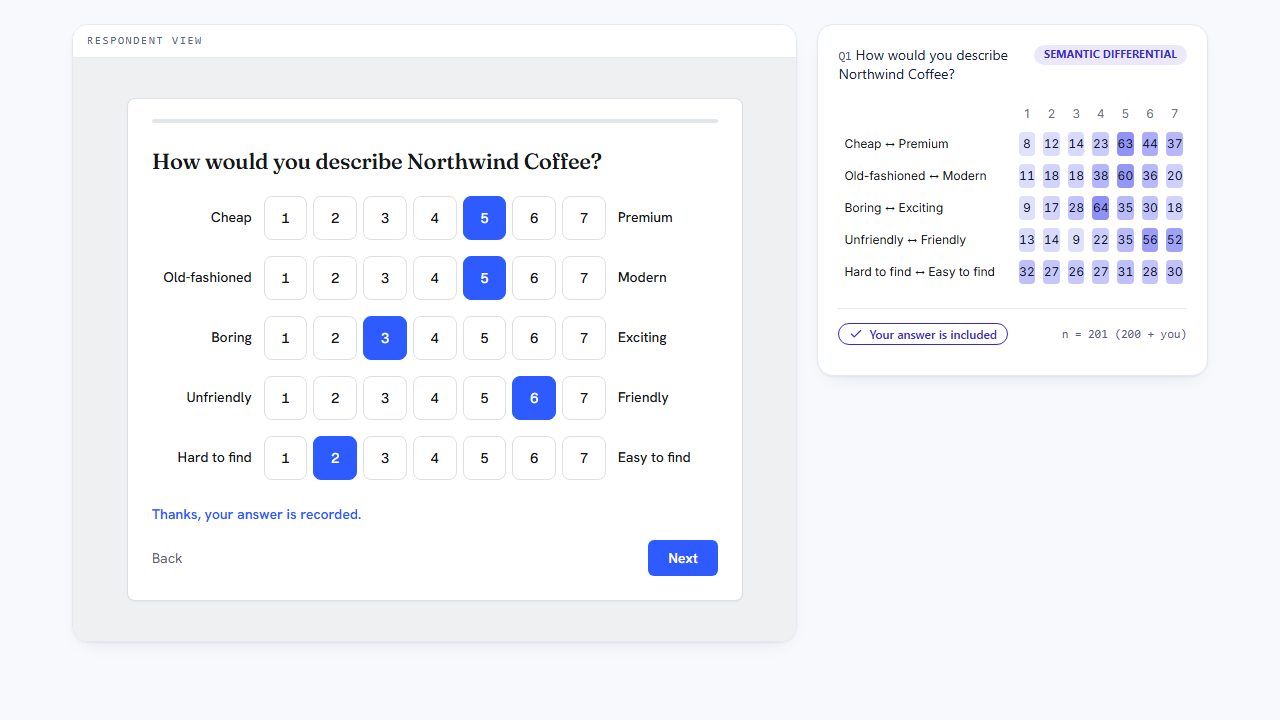
This is the question your respondents get. Pick a number between each pair of words, and the results grid beside it counts your answer.
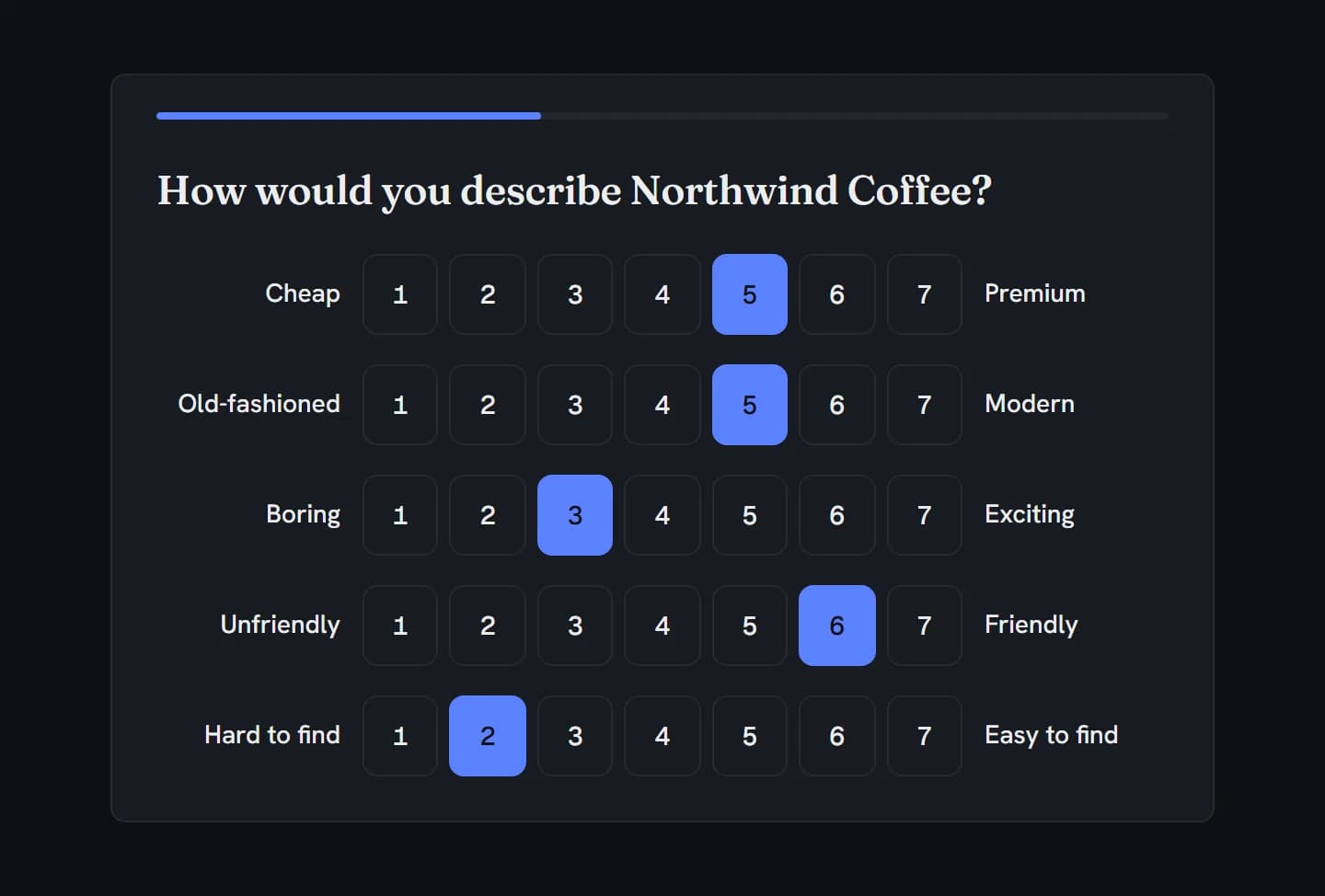
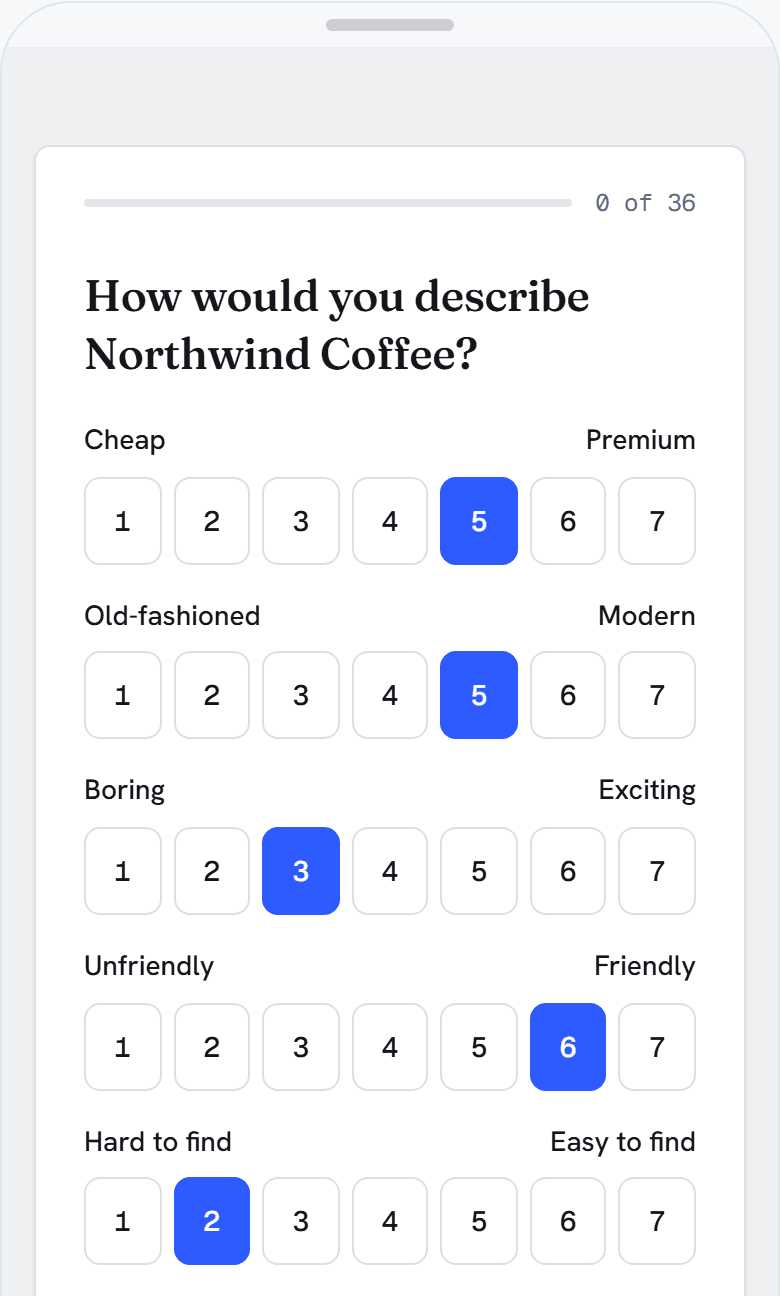
How would you describe Northwind Coffee?
CheapPremium
Old-fashionedModern
BoringExciting
UnfriendlyFriendly
Hard to findEasy to find
In action
Every feature
Your own pairs of words, the number of points you want, pairs in random order, and a column per pair in your data.
Type a left word and its opposite for each row, and add as many pairs as the question needs.
Seven by default. Pick an odd number for a true middle; every pair uses the same scale.
Show the pairs in a different order to each person. Each pair keeps its words on the same sides.
The order someone saw isn’t saved with the answer.
Required asks for every pair before Next; soft required warns once, then lets people leave pairs out; optional lets them with no warning.
Every pair’s words translate with the rest of the survey.
Screen-reader wording around the words is in English.
Numbered buttons sit between each pair, at least 44px tall by default, in your survey’s theme.
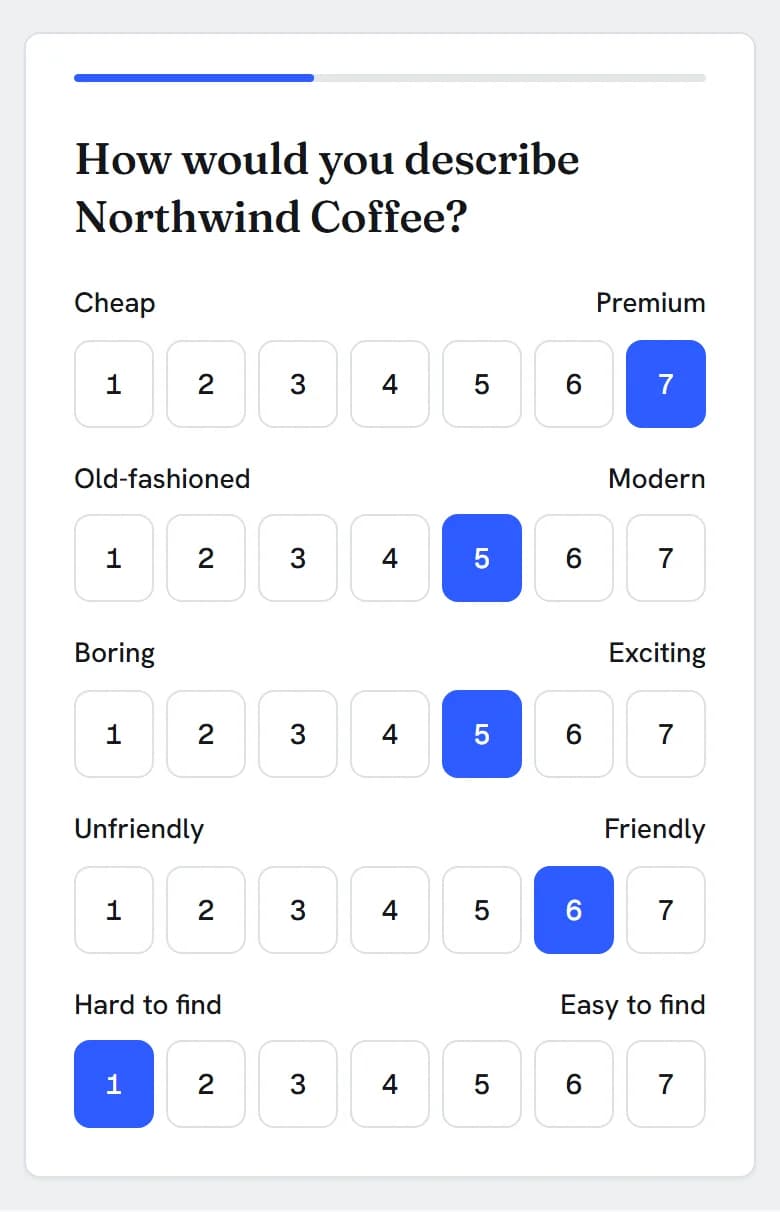
On a narrow screen both words sit on one line above the numbers, so a right-hand word never reads as the next pair’s title.
One Tab stop per pair; the arrow keys move along it and pick the point. Each pair is a radio group named by its two words.
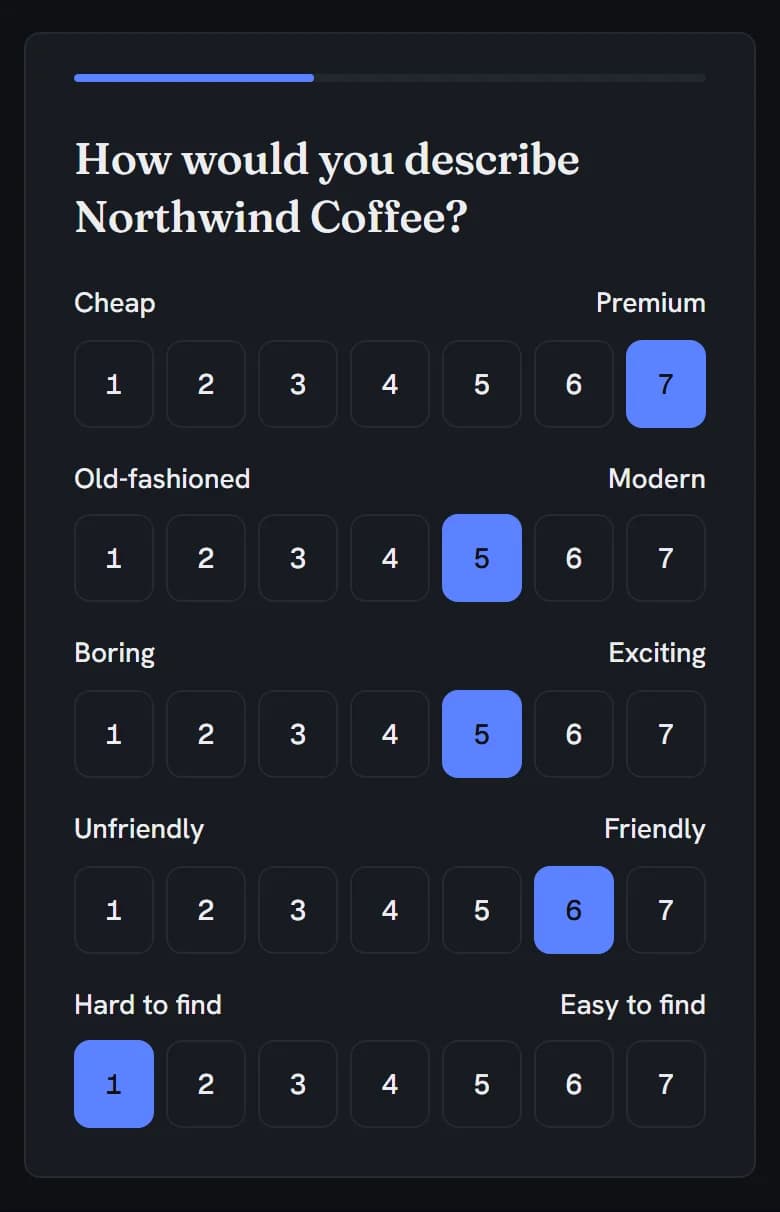
Words and buttons follow the survey’s theme and dark mode.
One row per pair, one column per point, and how many people chose it, shaded so the busiest points stand out.
Counts, not percentages or means.
Filter Results to a group and the grid recounts for that group.
One column per pair, such as Q1_1, with both words in its label; 1 is the left word.
Each pair is an ordinal variable labelled with its two words.
Not part of the semantic differential yet: a not-applicable option, means and a profile chart, crosstabs and tab books, dashboards and report decks, branching or piping on a pair, and reverse-scored pairs.
Choosing
Both put several items on one screen. A semantic differential gives each row its own pair of opposite words. A rating grid asks every statement on the same scale, such as agree to disagree.
Rating just one thing on one scale? Use a rating scale (Free).
Build it
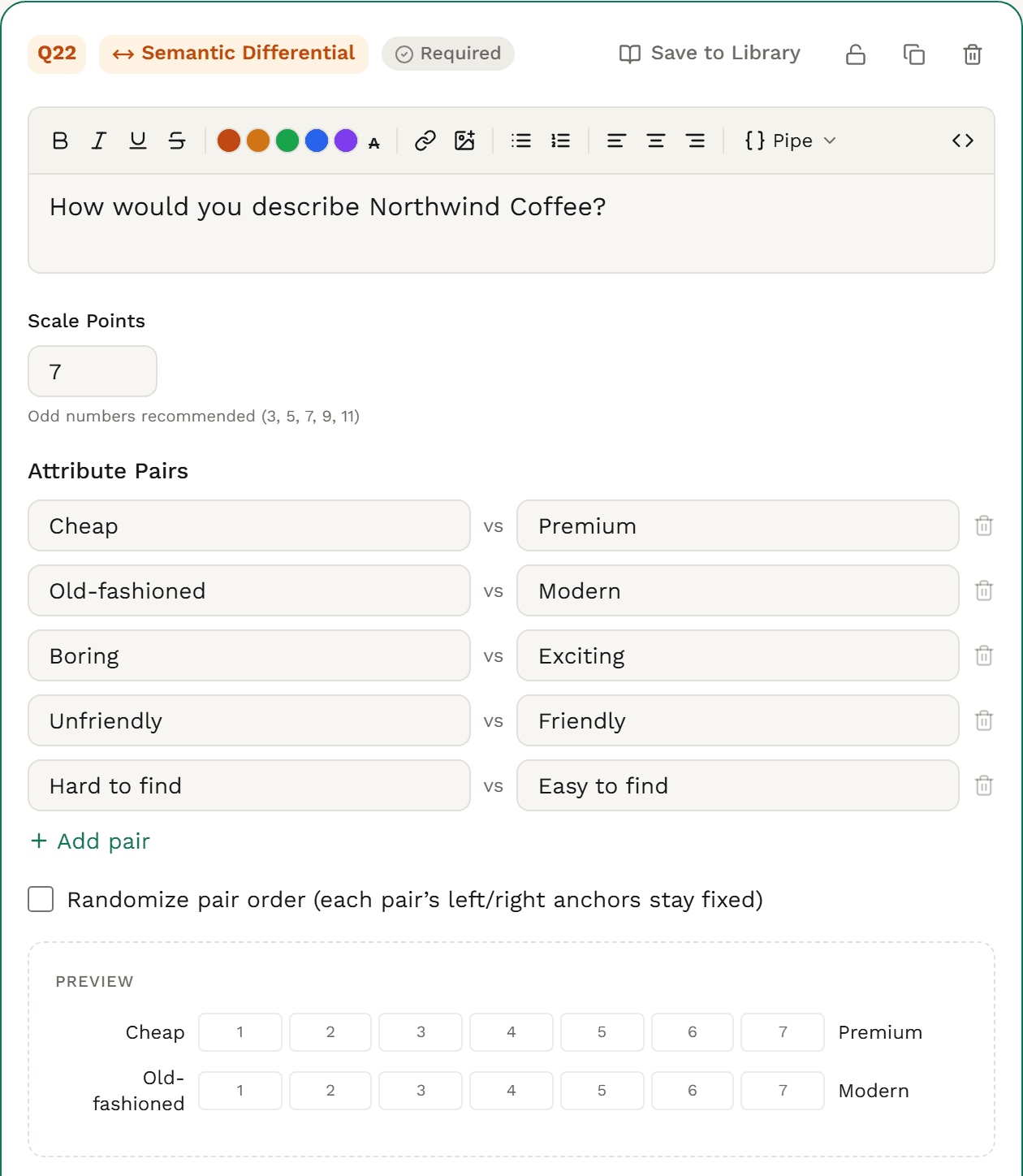
In the builder, choose Semantic Differential from the Rating group, and name what people are rating in the question, such as “How would you describe Northwind Coffee?”
Under Attribute Pairs, replace the starter pairs with your own: the left word, and its opposite on the right. Choose Add pair for each one after that.
Set Scale Points. Seven is the default; an odd number gives a true middle.
Tick Randomize pair order to show the pairs in a different order to each person. Each pair keeps its words on the same sides.
Required asks for every pair before Next. Soft required warns once, then lets people leave pairs out. Optional lets them with no warning.

The data you get
Each pair lands in its own column, named after the question, with both words in the column label. 1 is always the left word and the highest number the right.
| respondent_id | Q1_1 | Q1_2 | Q1_3 | Q1_4 | Q1_5 |
|---|---|---|---|---|---|
| 47762a85-0001-4000-8000-000000000001 | 5 | 5 | 3 | 6 | 2 |
| 47762a85-0002-4000-8000-000000000002 | 7 | 5 | 5 | 6 | 1 |
| 47762a85-0003-4000-8000-000000000003 | 6 | 5 | 5 | 1 | 3 |
| 47762a85-0004-4000-8000-000000000004 | 6 | 7 | 7 | 3 | 1 |
| 47762a85-0005-4000-8000-000000000005 | 7 | 6 | 7 | 4 | 7 |
| 47762a85-0006-4000-8000-000000000006 | 5 | 5 | 3 | 5 | 6 |
| 47762a85-0007-4000-8000-000000000007 | 6 | 5 | 4 | 7 | 6 |
| 47762a85-0008-4000-8000-000000000008 | 6 | 5 | 5 | 7 | 4 |
Trimmed to the question’s columns. Every export also carries the respondent columns (status, language, timing and more).
Named after the question and the pair’s place, such as Q1_1 to Q1_5, labelled “How would you describe Northwind Coffee? Cheap – Premium”.
Points run from 1 at the left word to 7 (or your top point) at the right. If you mix sides, recode those pairs in your stats tool.
On an optional or soft required question, a pair someone left out is an empty cell, never a guess.
Randomising the pairs never moves the columns: each answer stays with its pair.
Average each column of the CSV or SPSS export to draw the classic profile line of means, brand against brand.
Charts & analysis
Results shows a grid for each semantic differential: one row per pair, one column per point, and how many people chose it. Filter to a segment and the grid recounts.
Northwind Coffee: how people describe itResults · semantic differential grid · 200 answers

Filter Results to a group, such as people who buy coffee weekly, and the grid recounts for that group.
Pick a survey language in Results and each pair you translated shows in that language.
Each pair is its own column, ordinal in SPSS, so a mean per pair or a profile line is one step from the CSV or SPSS export, in SPSS, R or Excel.
How Surveti compares
| Capability | Surveti | SurveyMonkey | Qualtrics | Typeform | Alchemer |
|---|---|---|---|---|---|
| A semantic differential question type | yesIts own type · Professional+ | no1Matrix / rating scale instead | yes3Matrix, Bipolar variation | no7Opinion scale per pair | paid10, 11Full Access only |
| Its own pair of opposite words on each row | yes | no2Rows are items; shared columns | yes3 | partial7One pair per opinion scale | yes10left|right rows |
| Number of points set by the author | yes3–11, default 7 | partial2Matrix columns | unclear3 | partial75–11 steps, one pair | yes10Editable columns |
| Randomise the pair order | yesOrder isn’t saved | partial2Matrix rows | partial3Matrix tables in general | unclear | unclear10 |
| Not-applicable option | no | partial2With weights only | unclear3 | unclear | unclear10 |
| Require every row | yesEvery pair before Next | yes2 | unclear3 | unclear | unclear10 |
| Per-row distribution in results | yesGrid of counts | yes2Counts or % | unclear3 | unclear | yes10Values and % |
| Mean per row in results | no | yes2With weights | unclear | unclear | unclear10 |
| One export column per row | yesWords in the label | partial2Coded by position | yes3 | unclear | yes10 |
| SPSS export | yesOrdinal · Professional+ | unclear | partial5On the free account | no9CSV or XLSX only | paid11Full Access |
| On the entry plan | paidProfessional+ | unclear | partial5Matrix listed; variations not | no7No such type | no11Not on Collaborator |
Partial means partly built in or possible only with a documented workaround; paid means built in on paid plans or licences; unclear means the vendor’s public docs don’t settle it. QuestionPro has a Bipolar Matrix with a slider answer type; Alchemer codes its points −2 to +2 by default and hides the numbers from respondents. Google Forms has no semantic differential type.
A semantic differential is its own question, with its own pairs, not a grid or a stack of single questions dressed up as one.
On a narrow screen both words sit on one line above each row of numbers, so a right-hand word never reads as the next pair’s title.
One Tab stop per pair, arrow keys to move along it, and a visible focus ring on every point.
Every pair translates with the rest of the survey, and Results shows each pair you translated in the language you pick.
Randomise the pair order; each answer still lands in its own pair’s column.
One column per pair, both words in the label, ordinal in SPSS.
When to use it
“How would you describe Northwind Coffee?” Cheap … Premium · Old-fashioned … Modern · Boring … Exciting · Unfriendly … Friendly · Hard to find … Easy to find
Accessibility
Each pair is a radio group named by its two words, inside a group named by the question.
Tab moves between pairs; the arrow keys move along a pair and pick the point.
Every point shows a focus ring and is at least 44px tall by default.
On narrow screens both words sit above the numbers, so the row reads in order.
Use it in
Solution
Brand image and concept tests, side by side with MaxDiff, conjoint and grids.
Solution
Osgood-style attitude scales, with clean columns for SPSS and R.
Solution
How a client’s brand is seen against its rivals, one question per brand.
Example
“How would you describe Northwind Coffee?” on five pairs, from Cheap … Premium to Hard to find … Easy to find.
A question that puts the thing you’re asking about between pairs of opposite words, such as Cheap and Premium, with a row of points between each pair. People pick the point that fits best. It was developed by Charles Osgood to measure what things mean to people, and it’s widely used for brand image.
From 3 to 11, with 7 as the default. An odd number gives a true middle point. Every pair in the question uses the same number of points.
One column per pair, numbered 1 at the left word up to your top point at the right, with both words in the column label. In SPSS each column is an ordinal variable.
Not yet. Results shows a grid of how many people chose each point on each pair. For a mean per pair or a profile line, average the columns of the CSV or SPSS export in SPSS, R or Excel.
Yes. Tick Randomize pair order and each person sees the pairs shuffled, with each pair’s words on the same sides. Answers always land in their pair’s column. The order someone saw isn’t saved with the answer.
There’s no not-applicable option. A required question asks for every pair; make it optional or soft required to let people leave pairs out, and those cells stay empty in your data.
The semantic differential is on Professional+, with every setting, the Results grid and CSV, Excel and SPSS exports.