Survey Builder
Piping a Prior Answer into a Later Question
Insert a respondent's earlier answer into later question text with the Pipe button — "You mentioned smartphones — which brand?"
Overview
Insert a respondent's earlier answer into later question text with the Pipe button — turning "Which brand was your last one?" into "You mentioned smartphones — which brand was your last one?". Piped questions read like a conversation.
Step-by-step
Edit the later question's text — click into the question text editor. The formatting toolbar includes a { } Pipe button.
Insert the token — click { } Pipe and choose the source question. A token like
${Q1}is inserted where your cursor is; at runtime it's replaced with that respondent's actual answer.Review under Settings → Logic — the Piping & Carry-forward section of the question's Logic tab lists the tokens in use, so you can audit them without hunting through text.
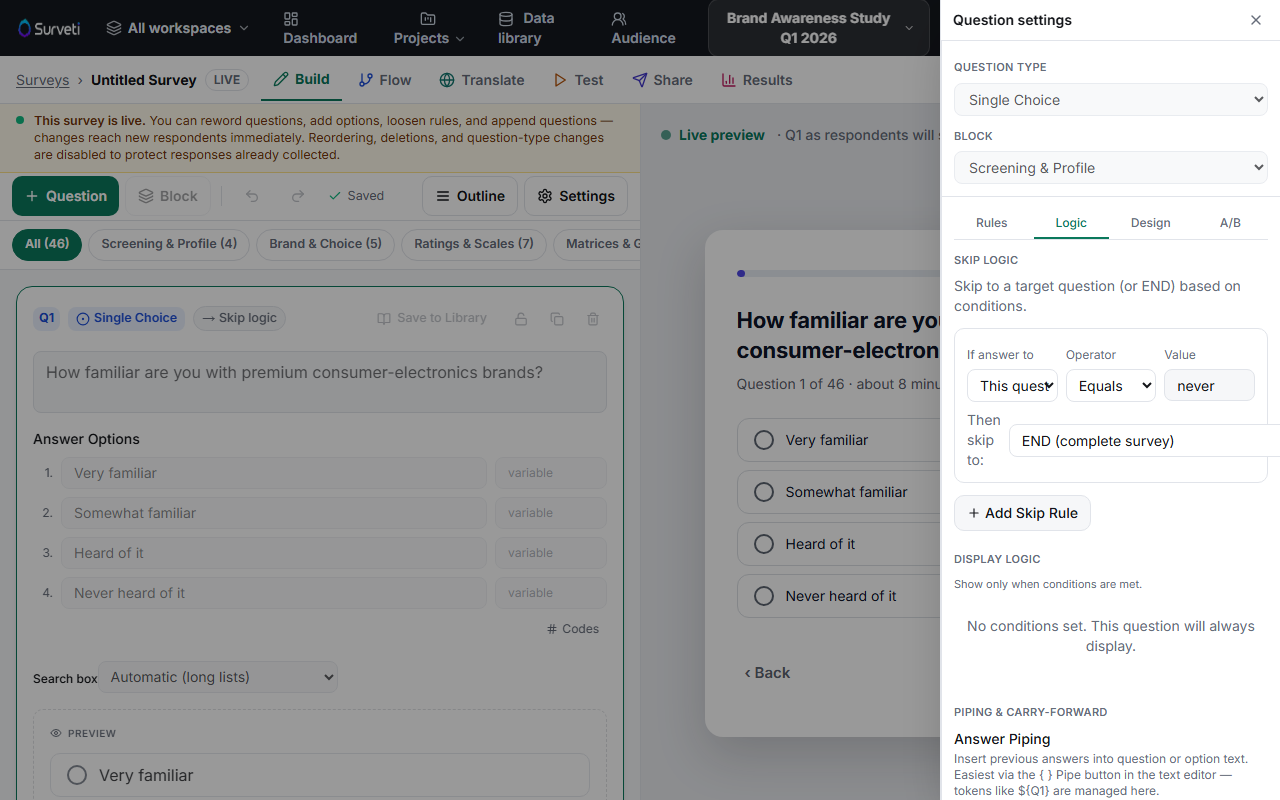
Guarantee the source has an answer — pipe only from questions that are Required, or gate the piped question with display logic so it never shows when the source was skipped. An empty pipe reads as a hole in the sentence.
Tips
Tip: Piping also works in End screens — thank-you messages can include
${Q1.selectedOption}or embedded data like${ed.firstName}(see Survey settings → End screens).
Note: Carry-forward is piping's big sibling: instead of inserting text, it populates a later question's options from what the respondent selected earlier. It lives in the same panel.
Related articles
- How to Show or Hide a Question Based on a Prior Answer — gate piped questions safely
- Customizing the Survey Completion Screen Message — piping into end screens