Results & Analysis
Generating a Shareable Public Link to a Report
Share a report with stakeholders via a link — no Surveti account or seat required for them to read it.
Overview
Share a report with stakeholders via a link — no Surveti account or seat required for them to read it. The fastest way to get findings in front of people who'll never log in.
Step-by-step
Open Reports — click Reports and choose the project from Select Project.
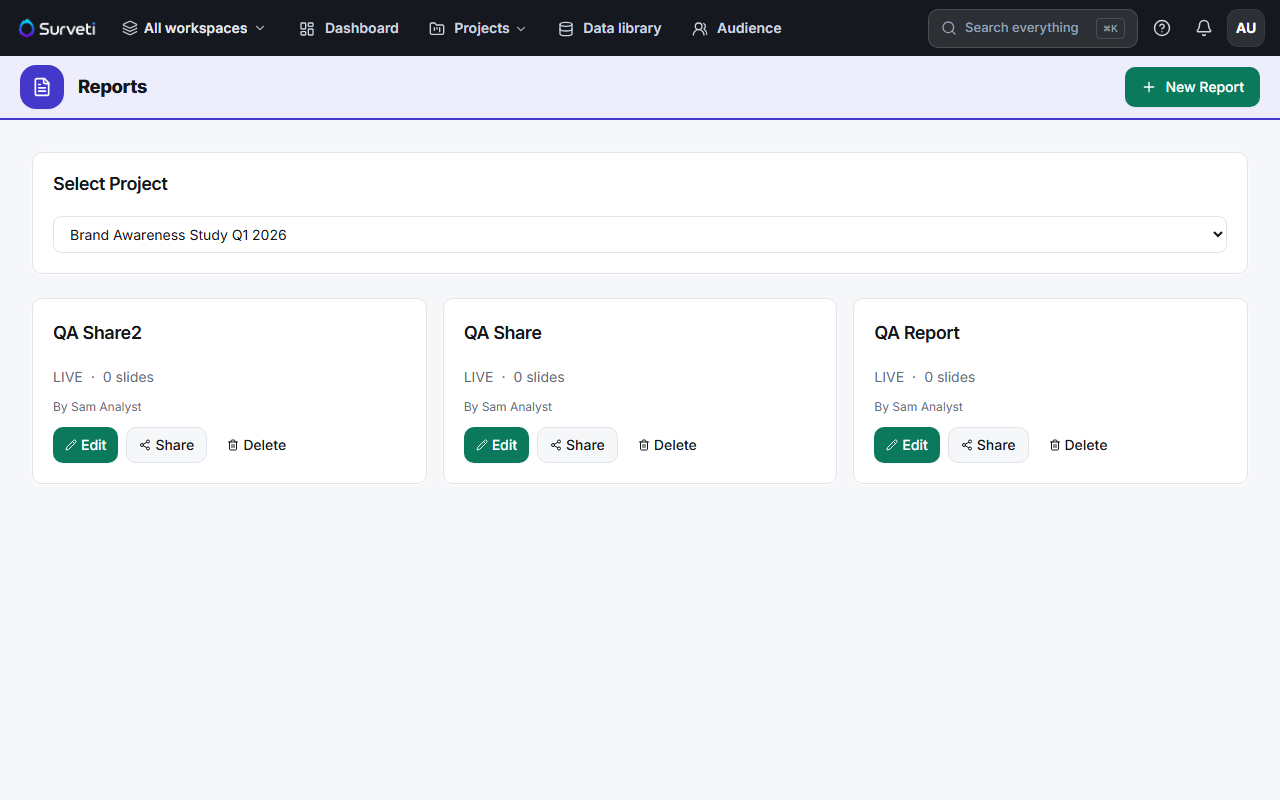
Find your report — each card shows its status (LIVE), slide count, and author.
Click Share — this generates the shareable link for that report.
Send the link — anyone with it can view the report in their browser, no login needed.
Tips
Tip: A share link is the low-friction alternative to a viewer seat. Use links for one-off stakeholders and reserve Client Viewer seats for people who need ongoing access to the live workspace.
Note: A public link is exactly that — anyone who has it can open the report, and it can be forwarded. Don't share reports containing PII or commercially sensitive findings this way; check what's on the slides first.
Related articles
- Inviting Team Members to Your Workspace — viewer seats for ongoing access
- Reading Your Survey Results Dashboard at a Glance — the data behind reports