Getting Started
Inviting Team Members to Your Workspace
Invite colleagues to your Surveti workspace by email and choose the role that controls what they can see and do.
Overview
Invite colleagues to your Surveti workspace by email and choose the role that controls what they can see and do. Invitations count against the seats included in your plan.
Prerequisites
- You need an Owner or Admin role in the workspace to invite members.
- Your plan must have a seat available (see the Key options table below).
Step-by-step
Open Team & workspaces — click your avatar in the top-right corner, choose Settings, then select Team.
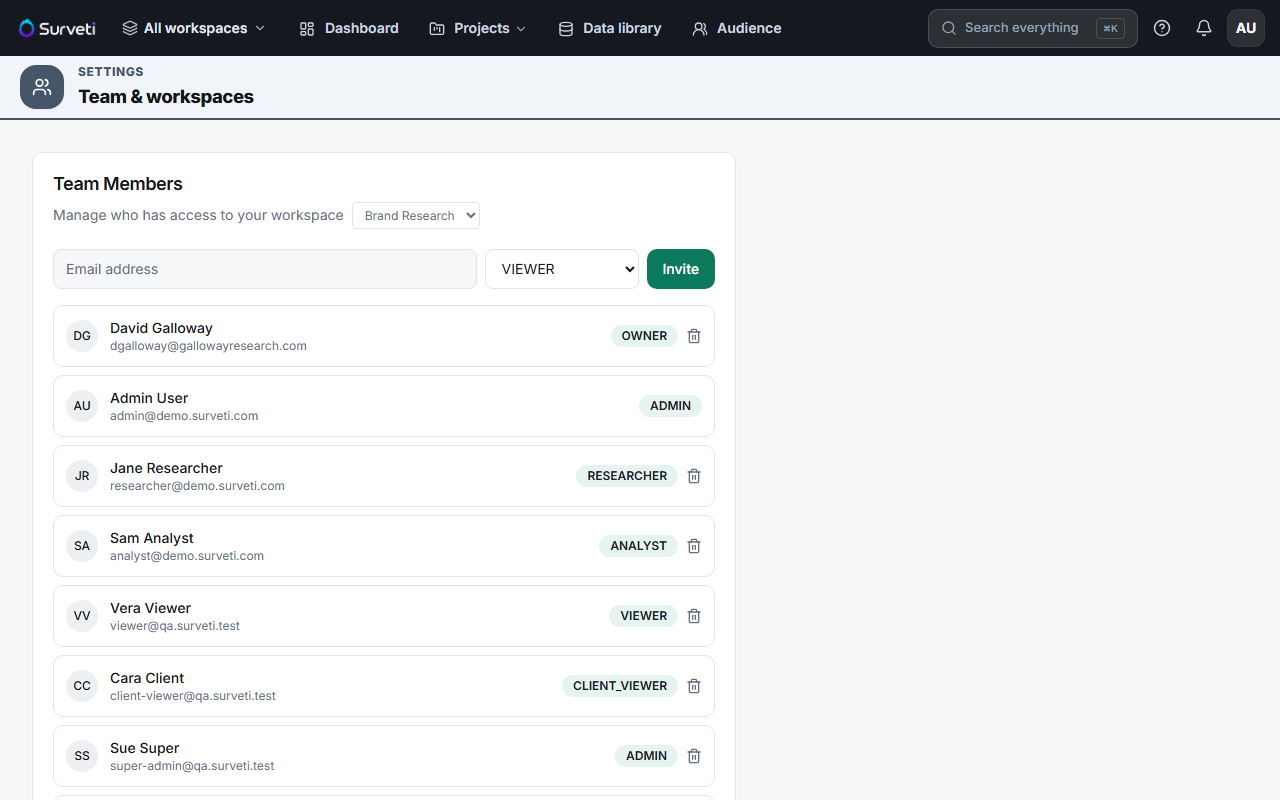
Pick the workspace — if your organization has more than one workspace, choose it from the dropdown next to "Manage who has access to your workspace".
Enter the invitee's email and role — type their email address, select a role from the dropdown, and click Invite. You can only grant roles at or below your own authority.
The invitee accepts by email — they receive an invitation link. New users create their account through it; existing users are added directly. Once accepted, they appear in the member list with their role chip.
Key options
| Role | What it does |
|---|---|
| Owner | Full control, including billing and workspace management |
| Admin | Manage surveys, members, and settings |
| Researcher | Build and field surveys |
| Analyst | Work with results and analysis |
| Viewer | Read-only access (uses a viewer seat, not a full seat) |
| Client Viewer | Read-only access for external stakeholders (viewer seat) |
Tips
Tip: Viewer and Client Viewer roles use separate viewer seats — on Professional you get 3 full seats plus 2 viewer seats, so read-only stakeholders don't consume a builder seat.
Note: If the invite is rejected with a seats message, you've reached your plan's seat limit. Add an extra seat ($15/seat/month) or upgrade — see How to Upgrade Your Plan.
Related articles
- How to Upgrade Your Plan — get more seats
- Setting Up Your Workspace Name and Profile — how names and organizations work
- What Is Included in Each Billing Tier — seat counts by plan