Getting Started
How to Create a Surveti Account
Create a free Surveti account in under a minute and get a workspace ready for your first survey.
Overview
Create a free Surveti account in under a minute and get a workspace ready for your first survey. Every new account starts on the Free plan — no credit card required.
Step-by-step
Open the sign-up page — go to app.surveti.com/register.
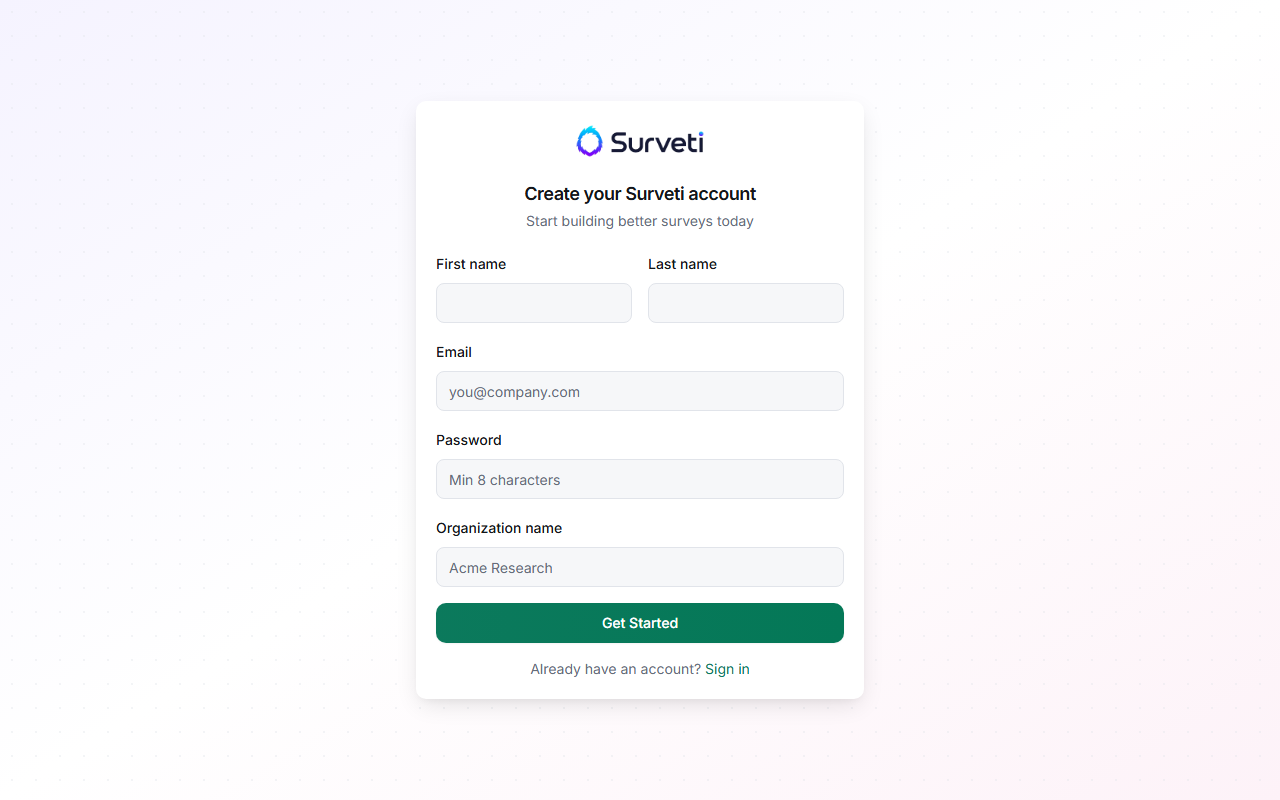
Enter your name and work email — fill in First name, Last name, and Email. Use the email address you want teammates to recognize when you invite them later.
Choose a password — passwords must be at least 8 characters. Pick something unique to Surveti.
Name your organization — the Organization field (for example, "Acme Research") becomes the name of your Surveti account. Your teammates join this organization when you invite them, so use your company or team name rather than a personal one.
Click Create account — Surveti signs you in immediately and takes you to your dashboard. Your organization starts with a workspace called Default Workspace, and you are its Owner.
Tips
Tip: The Free plan includes 100 completed responses per month, 1 project, and 1 GB of storage — enough to build and field a real survey before deciding on a paid plan.
Note: Each email address can only be registered once. If you see "Email already registered", use Resetting Your Password to regain access to the existing account instead of creating a new one.
Related articles
- Understanding the Surveti Dashboard Layout — take a tour of what you see after signing in
- Inviting Team Members to Your Workspace — bring colleagues into your new organization
- Creating Your First Survey from Scratch — jump straight into the builder