Getting Started
How to Collect Your First Responses
Choose the right distribution channel for your first survey — direct link, QR code, email campaign, or embed — and start collecting responses.
Overview
Choose the right distribution channel for your first survey — direct link, QR code, email campaign, or embed — and start collecting responses. All channels live in the Share tab.
Prerequisites
- A Live survey — see Publishing Your First Survey and Sharing the Link.
Step-by-step
Open the Share tab — in the builder, click Share. The channel tabs run across the top: Direct Link, Personal links, Campaigns, Preview, Embed, Widget, Webhooks, and Routing.
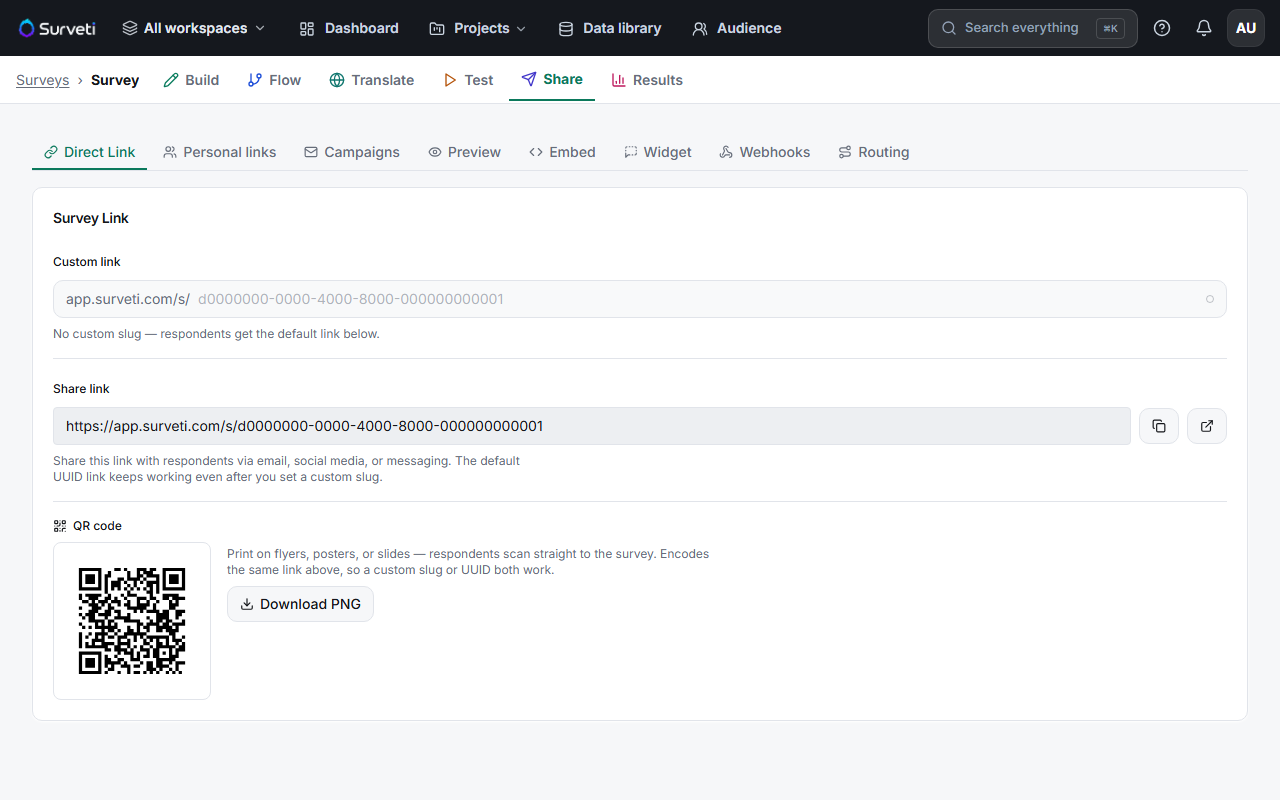
Start with the Direct Link — copy the Share link and send it wherever your audience already is. This is the fastest path to your first response, and the QR code (Download PNG) covers print and in-person situations.
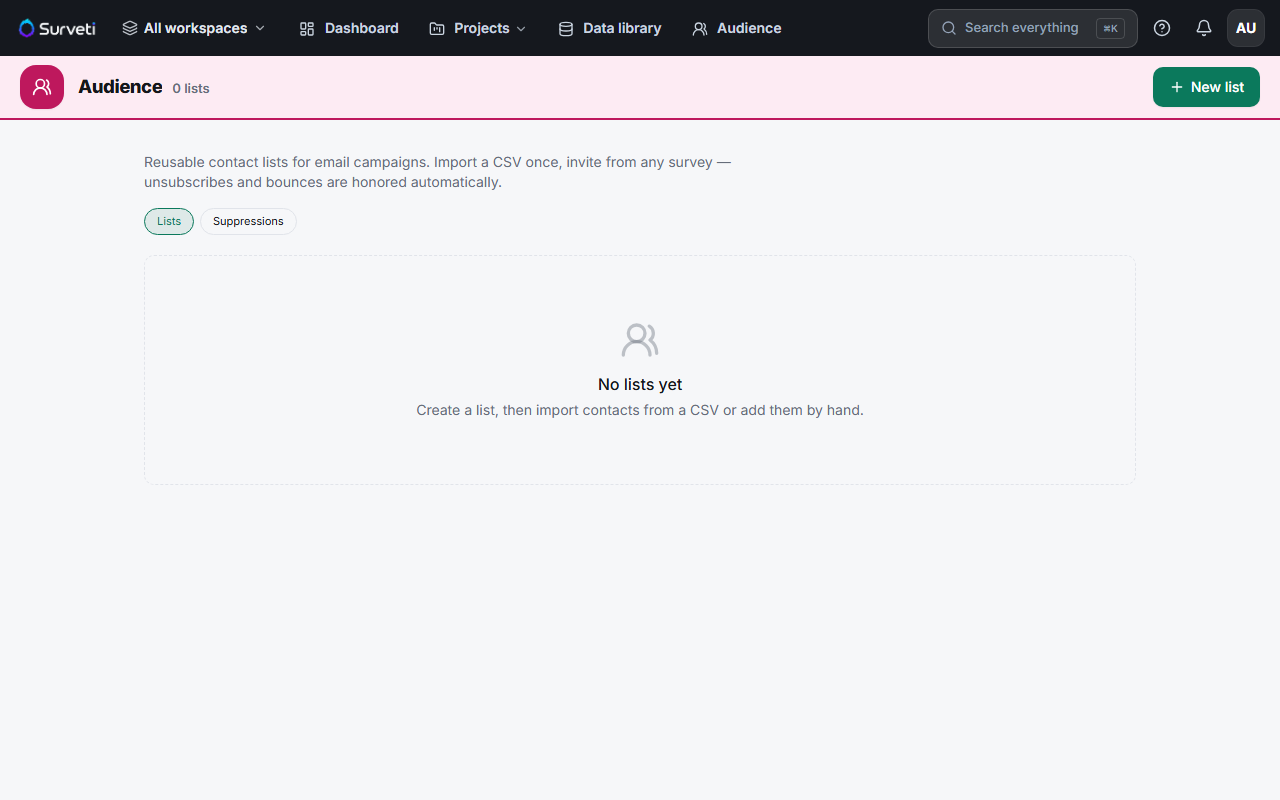
Use Campaigns for email lists — if you have respondent emails, import them under Audience in the top navigation, then compose an invitation under Campaigns. Surveti tracks delivery and completion per recipient. Email campaigns are available on Solo and up.
Embed for website traffic — the Embed and Widget tabs give you code to place the survey on your own site, including trigger options like time delay, scroll percentage, or exit intent.
Watch responses arrive — check the Results tab as responses come in; summaries auto-refresh every 30 seconds.
Key options
| Channel | Best for |
|---|---|
| Direct Link | Sharing anywhere by hand — chat, social, newsletters |
| QR code | Print, events, packaging, slides |
| Personal links | Knowing exactly who responded (one unique link per person) |
| Campaigns | Email lists with tracking and reminders (Solo+) |
| Embed / Widget | Intercepting visitors on your own website |
Tips
Tip: On the Free plan the direct link and QR code are your channels — email campaigns need Solo or higher (2,500 emails/month on Solo).
Note: Each plan includes a monthly completed-response quota (Free: 100). See Understanding Monthly Response Limits by Plan before a large send.
Related articles
- Publishing Your First Survey and Sharing the Link — the step before this one
- Viewing Survey Results After Responses Come In — the step after
- Understanding Monthly Response Limits by Plan — quotas by plan