Getting Started
Creating Your First Survey from Scratch
Build your first survey in the Surveti builder — create it, add questions, and watch the live preview update as you work.
Overview
Build your first survey in the Survey Builder — create it, add questions, and watch the live preview update as you work.
Prerequisites
- A project to put the survey in — see How to Create a New Project.
Step-by-step
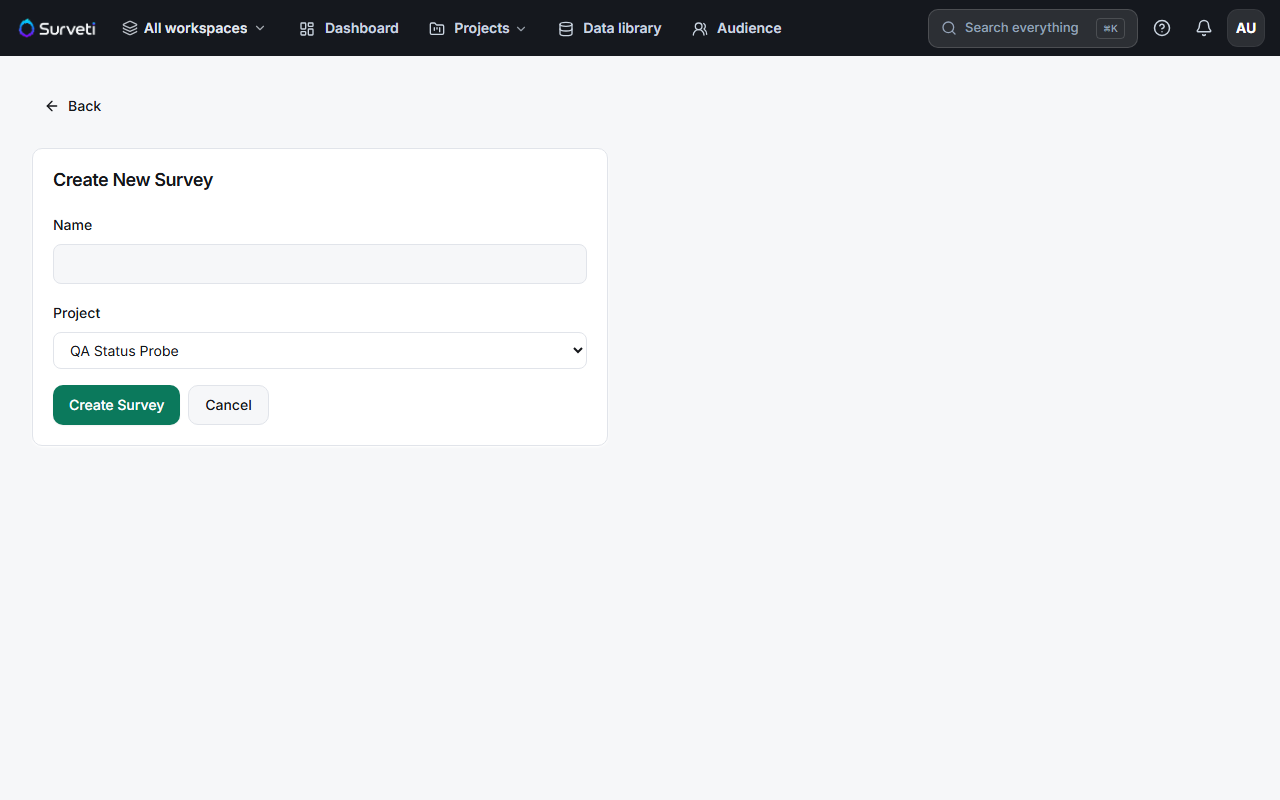
Create the survey — go to Surveys in the top navigation and click + New Survey. Give it a name, pick the project it belongs to, and click create. You land in the builder.
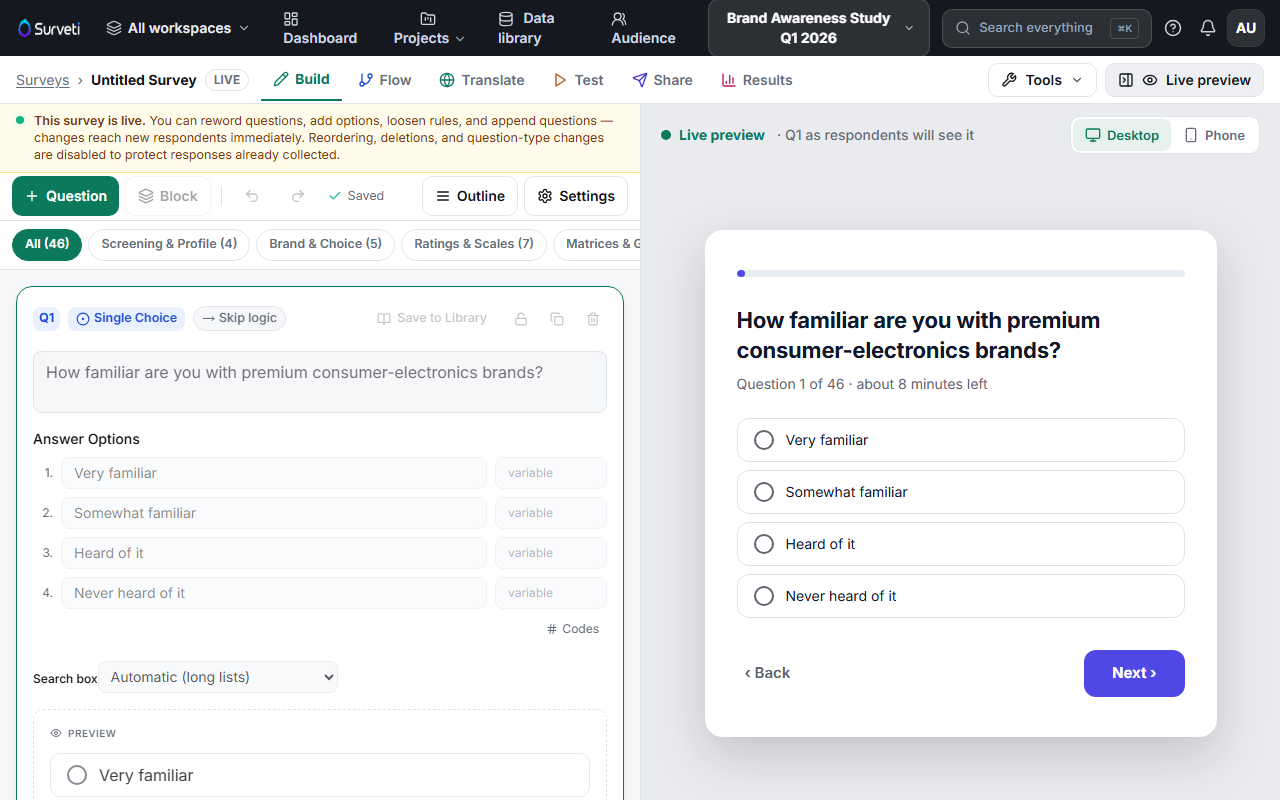
Get oriented in the builder — the left side is your editing canvas; the right side is a Live preview showing the current question exactly as respondents will see it (toggle Desktop or Phone). The tabs across the top — Build, Flow, Translate, Test, Share, Results — cover the whole survey lifecycle.
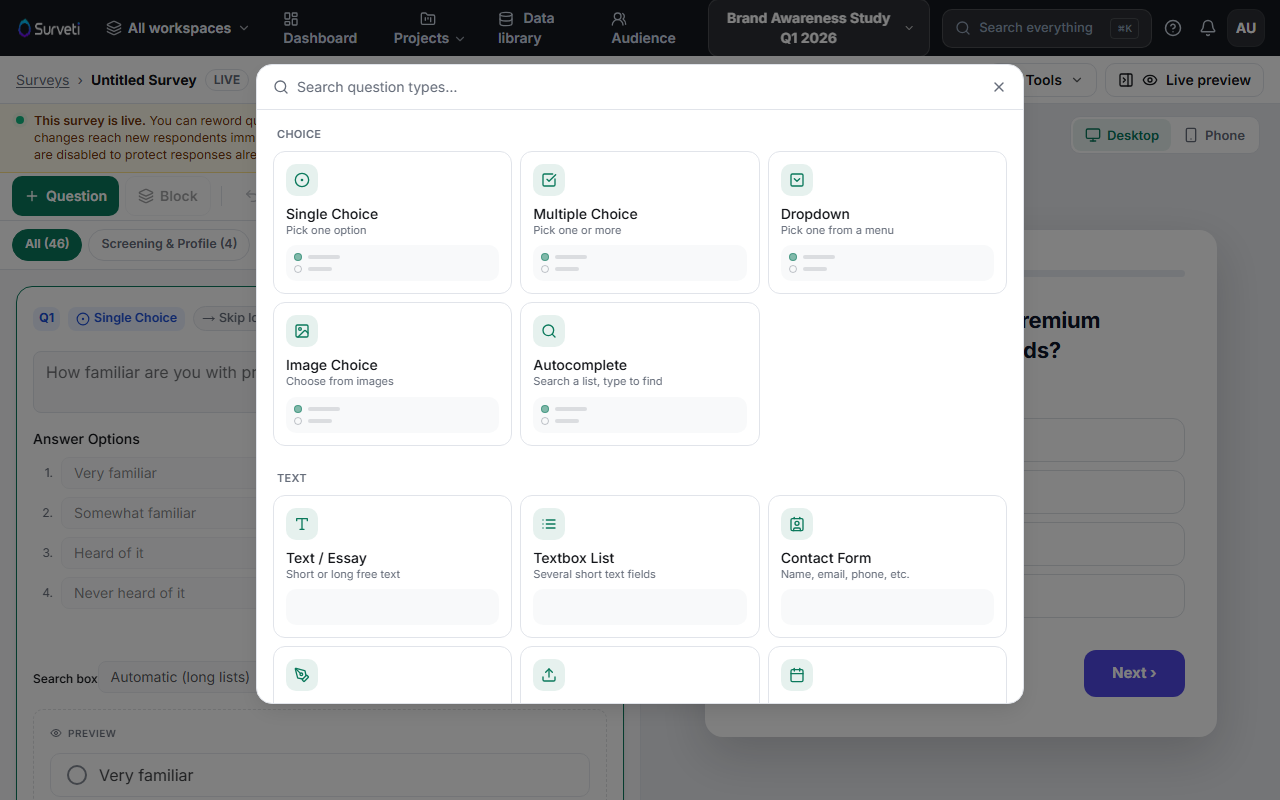
Add your first question — click + Question and pick a question type from the picker. Start simple: a Single Choice question is the workhorse of most surveys.
Write the question and its options — type the question text and fill in the answer options. The live preview updates as you type. Everything saves automatically — watch for the Saved indicator in the toolbar.
Keep building — add more questions with + Question, or use Block to group questions into sections. The block chips above the canvas let you filter to one section at a time.
Test it before going live — open the Test tab to click through the survey yourself, then see Publishing Your First Survey and Sharing the Link.
Tips
Tip: Don't aim for perfection on the first pass. Draft all your questions quickly, then refine wording with the live preview — it's faster than polishing one question at a time.
Note: There is no Save button — the builder autosaves every change. If you see Unsaved in the toolbar, wait a moment for it to flip back to Saved before closing the tab.
Related articles
- Choosing the Right Question Types for Your Goals — which type fits which research question
- How to Name and Save Your Survey — naming and autosave explained
- Publishing Your First Survey and Sharing the Link — take it live