Distribution & Fieldwork
Sharing a Read-Only Preview Link with Stakeholders Before Launch
Send colleagues a client preview link to review the survey without collecting real data or affecting results.
Overview
Send colleagues a preview link to review the survey without collecting real data or affecting your results — the safe way to get sign-off before launch.
Step-by-step
Open the Preview channel — in the Share tab, click Preview.
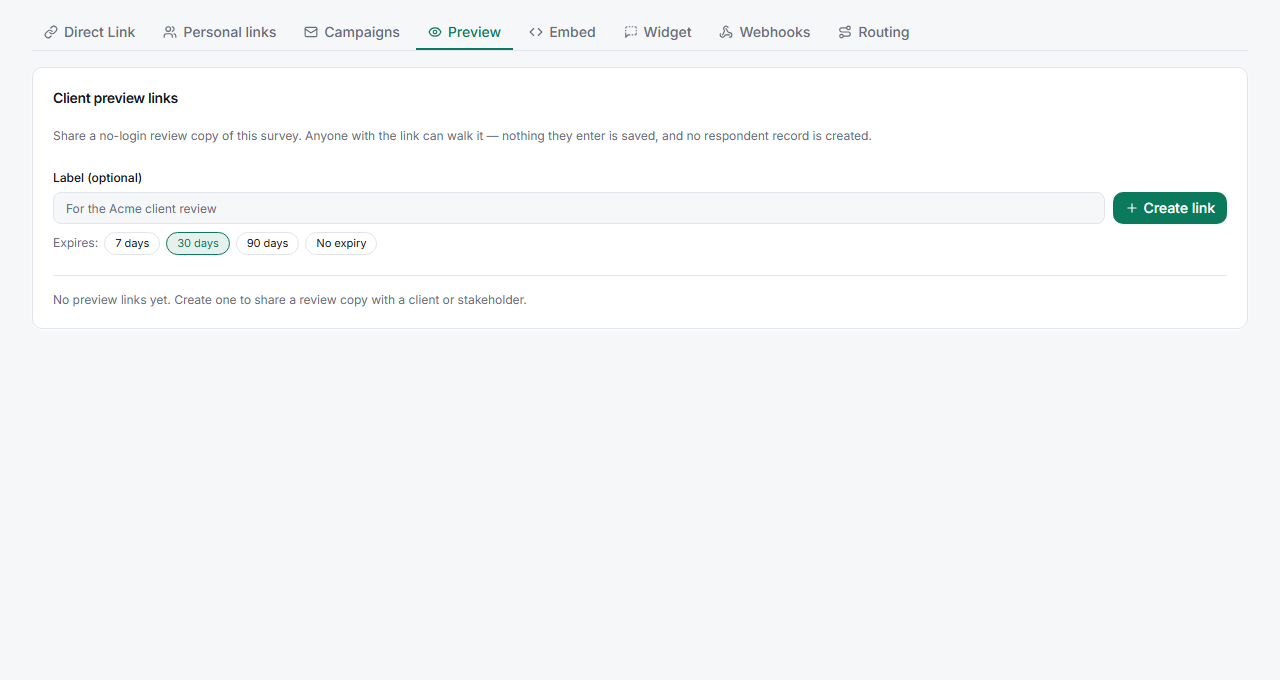
Generate a client preview link — create a shareable link that opens the survey in preview mode.
Send it to stakeholders — they can click through the whole survey, including logic, exactly as a respondent would.
Collect feedback and revise — nothing they submit is recorded, so they can test freely.
Tips
Tip: Ask reviewers to actually complete the preview, not just skim it. Broken logic and confusing wording only surface when someone walks the full path and picks real answers.
Note: Preview links are for review, not fieldwork. They don't record responses — so if you need a real test submission in your data, use the direct link on the Live survey instead.
Related articles
- How Preview Mode Works Without Recording Real Respondent Data — what preview does and doesn't do
- Manually Launching a Survey from Draft to Live Status — go live after sign-off