Distribution & Fieldwork
Setting Up a Simple Response Quota to Cap Total Completions
Cap how many completes a survey (or a segment) collects with a response quota that closes automatically when full.
Overview
Cap how many completes a survey — or a specific segment — collects with a response quota that closes automatically when the target is reached. Quotas keep fieldwork on-budget and balanced.
Step-by-step
Open the Quotas page — from the survey, go to Quotas (or the survey's Quotas tab).
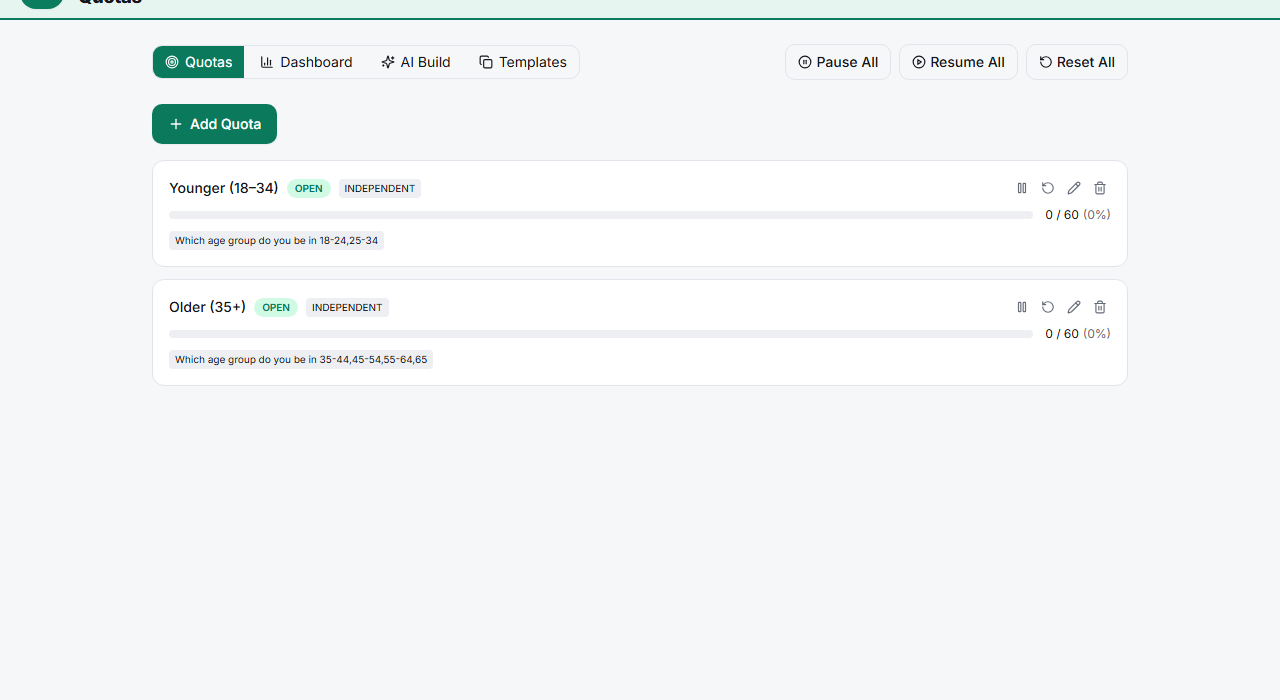
Click Add Quota — give it a name (e.g. "Younger (18–34)").
Set the target and conditions — enter a Target Count and, for a segment quota, the question and answers it applies to (e.g. age = 18–24, 25–34).
Choose the Over-Quota Action — what happens to respondents who match once the quota is full: they're marked quota-full and can be redirected.
Save — the quota tracks fill in real time and stops counting matching respondents when full.
Key options
| Option | What it does |
|---|---|
| Target Count | How many completes this quota allows |
| Conditions | Which respondents count toward it (a segment) |
| Independent / Interlocked | Whether quotas count separately or as cross-cells |
| Over-Quota Action | What happens to matching respondents once full |
Tips
Tip: A survey-wide cap is just a single quota with no conditions — set one Target Count and no segment to stop the whole survey at N completes.
Note: Quota-full respondents count toward your plan's monthly completes only if they reached a billable state. Screen them out before the quota check if you don't want near-fills consuming quota.
Related articles
- Using the Quota Fill Rate Dashboard to Monitor Field Progress — watch quotas fill
- Scheduling Your Survey to Open and Close at Specific Dates and Times — time-based limits