Distribution & Fieldwork
Sending a Test Email to Preview Your Campaign Before Launch
Send yourself a test of your campaign to check the subject, merge variables, and survey link before it goes to your whole list.
Overview
Send yourself a test of your campaign to check the subject, merge variables, and survey link before it goes to your whole list. It's the cheapest insurance in email distribution.
Step-by-step
Finish composing — subject, body, merge tokens, and the
{{surveyLink}}all in place.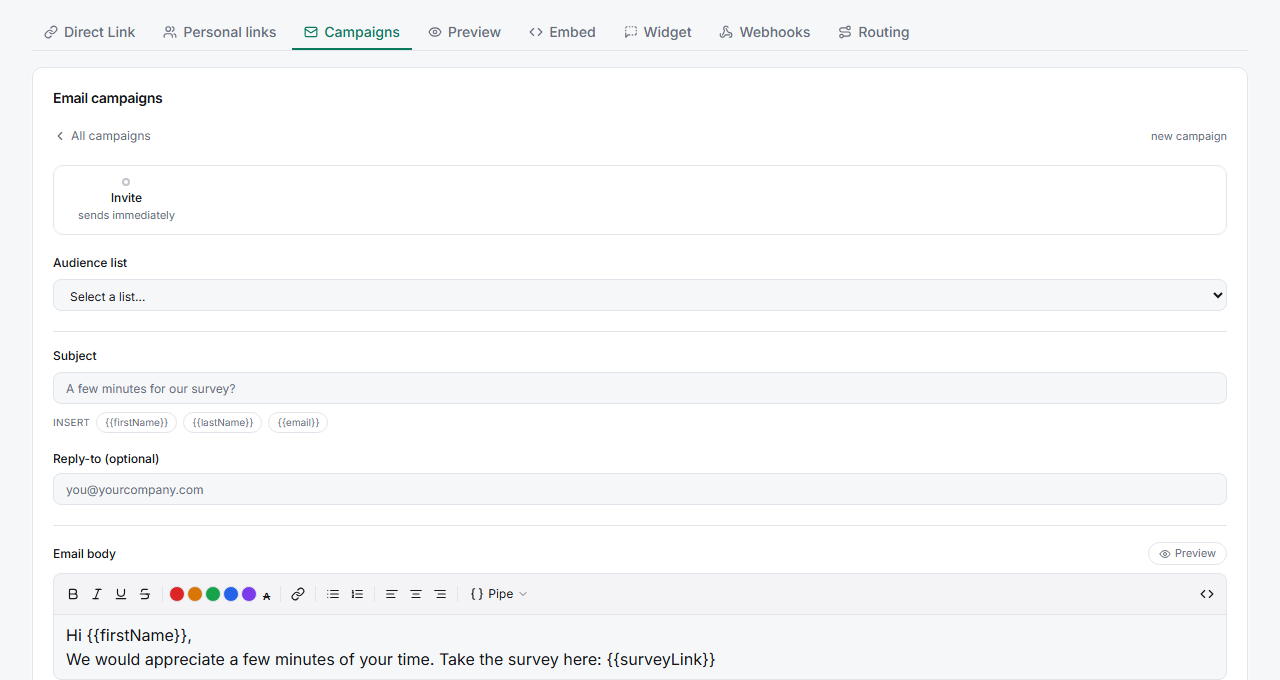
Send a test — use the composer's test-send option to email a preview to yourself.
Check it in your inbox — confirm the merge tokens filled in correctly, the subject reads well, and clicking
{{surveyLink}}opens the live survey.Fix and re-test — adjust anything that's off and send another test until it's right, then launch to the list.
Tips
Tip: Click the survey link in the test email and complete a response — that verifies the whole path end to end, not just that the email looks right.
Note: Test sends count toward your monthly email quota, but they're metered carefully to prevent runaway loops. A handful of tests is fine; you don't need to test to the whole list.
Related articles
- How to Create and Send Your First Email Campaign — launch after testing
- Using Merge Variables to Personalize Campaign Emails — what to verify in the test