Distribution & Fieldwork
Scheduling an Email Campaign for a Future Date and Time
Set a campaign to send at a specific future date and time instead of firing immediately.
Overview
Set a campaign to send at a specific future date and time instead of firing immediately — so invitations land when your audience is most likely to open them.
Prerequisites
- A campaign in progress — see How to Create and Send Your First Email Campaign.
Step-by-step
Build the campaign — pick the audience list, write the subject and body in the composer.
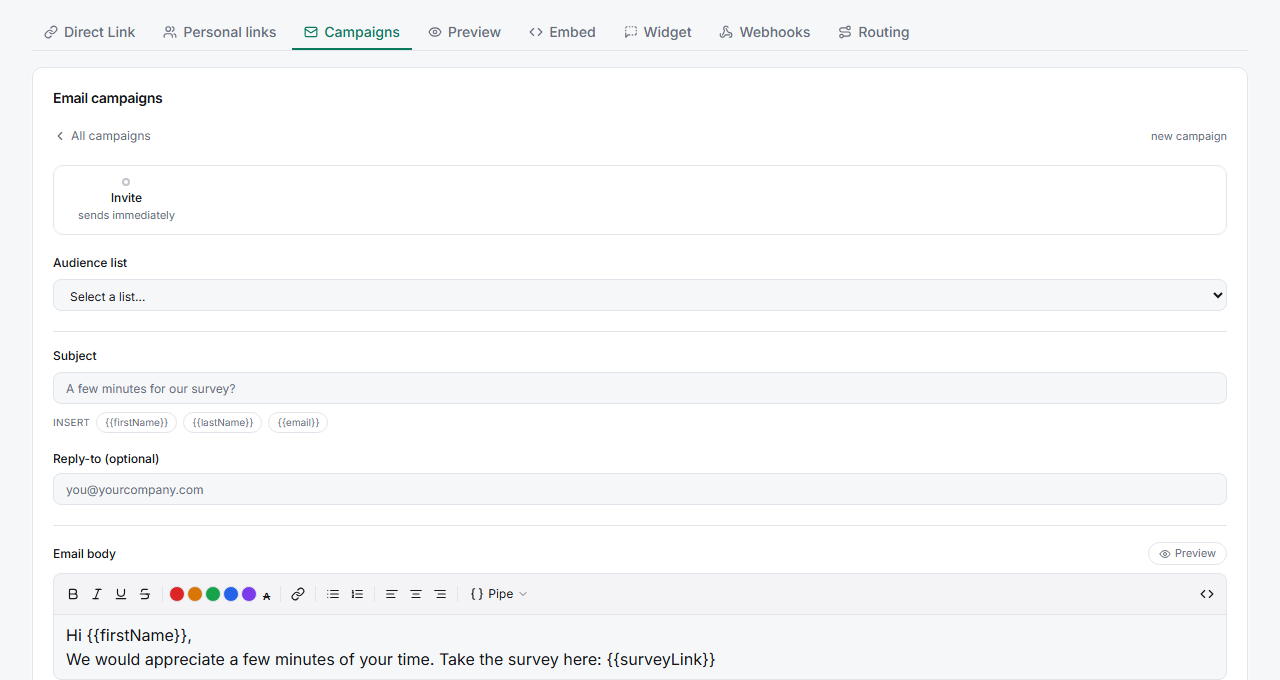
Choose Schedule instead of send now — in the campaign's Schedule step, set the send date and time rather than sending immediately.
Confirm — the campaign waits until the scheduled moment and then sends to the whole list.
Tips
Tip: Mid-morning on a weekday (in your respondents' timezone) usually beats evenings and weekends for B2B audiences. Test a couple of send times across waves and compare open rates.
Note: Scheduling only controls when the batch sends. Automated reminders for non-responders are configured separately in the campaign's Reminders step — see Setting Up Automated Follow-Up Reminder Emails for Non-Respondents.
Related articles
- How to Create and Send Your First Email Campaign — the full campaign flow
- Setting Up Automated Follow-Up Reminder Emails for Non-Respondents — reminders