Distribution & Fieldwork
Preventing Duplicate Responses by Enabling Re-Entry Lock
Stop the same person from submitting twice by locking re-entry after they finish the survey.
Overview
Stop the same person from submitting twice by locking re-entry after they finish the survey — cleaner data without a login.
Step-by-step
Open the Routing channel — in the Share tab, click Routing.
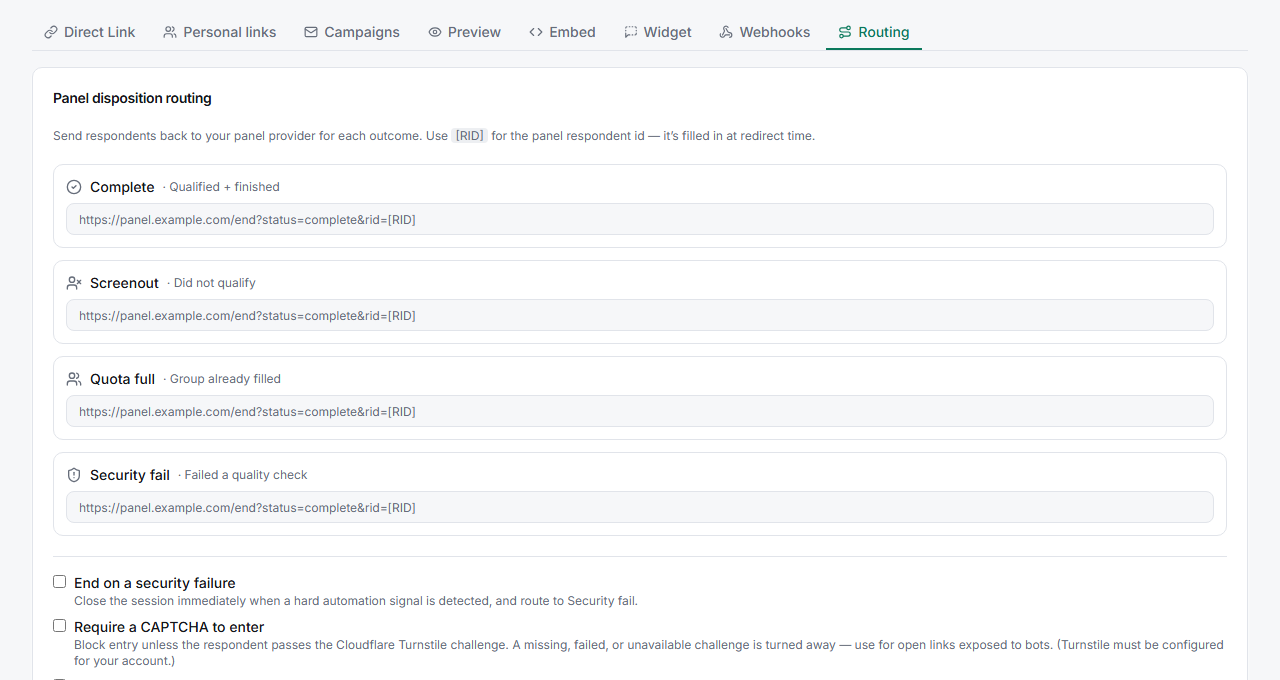
Enable Lock re-entry after finishing — tick the option. Once a respondent completes, returning to the link won't let them start again.
Combine with a password or personal links for stronger control if the survey is high-stakes.
Tips
Tip: Re-entry lock is the right default for open links you post publicly — it removes the easiest form of duplicate submission with zero friction for legitimate respondents.
Note: The lock is device/browser-based, so it's a strong deterrent, not an identity guarantee — someone determined can clear their browser or switch devices. For guaranteed one-response-per-person, use personal links.
Related articles
- Password-Protecting Your Survey to Control Who Can Respond — gate entry
- Generating Personal Trackable Links in Bulk for Individual Contacts — one link per person
- Understanding the Fraud Signals That Cause a Respondent to Be Flagged — deeper quality control