Distribution & Fieldwork
Password-Protecting Your Survey to Control Who Can Respond
Require a password before anyone can enter your survey, so only people you've given the password can respond.
Overview
Require a password before anyone can enter your survey, so only people you've given the password can respond — a simple gate for private or internal studies.
Step-by-step
Open Access control — in the builder, go to Tools → Access.
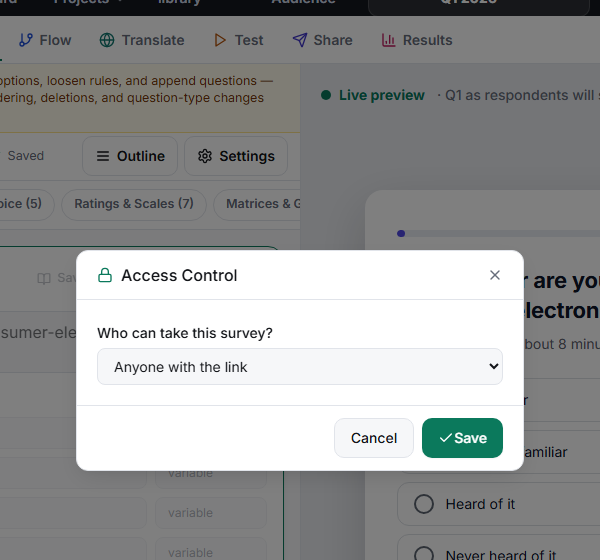
Choose Password required — under Who can take this survey?, switch from Anyone with the link to Password required.
Set the Password — enter the password respondents must type to enter.
Share the password separately — send it through a different channel than the link itself.
Key options
| Access mode | Who can respond |
|---|---|
| Anyone with the link | Anyone who has the URL |
| Password required | Only people who enter the correct password |
| Signed panel token | Respondents arriving with a valid signed token (panel integrations) |
Tips
Tip: For real audience control, share the password over a separate channel from the link — putting both in the same email defeats the purpose.
Note: A password gates entry, not identity. Everyone uses the same password, so it controls who can get in, not who each respondent is. For per-person identity, use personal links or a campaign.
Related articles
- Preventing Duplicate Responses by Enabling Re-Entry Lock — one response per person
- Generating Personal Trackable Links in Bulk for Individual Contacts — per-person access