Distribution & Fieldwork
Generating Personal Trackable Links in Bulk for Individual Contacts
Generate a unique link per contact so you know exactly who responded — without sending through Surveti's email campaigns.
Overview
Generate a unique link per contact so you know exactly who responded — useful when you distribute through your own channel (your CRM, your own email tool) but still want per-person tracking.
Step-by-step
Open the Personal links channel — in the Share tab, click Personal links.
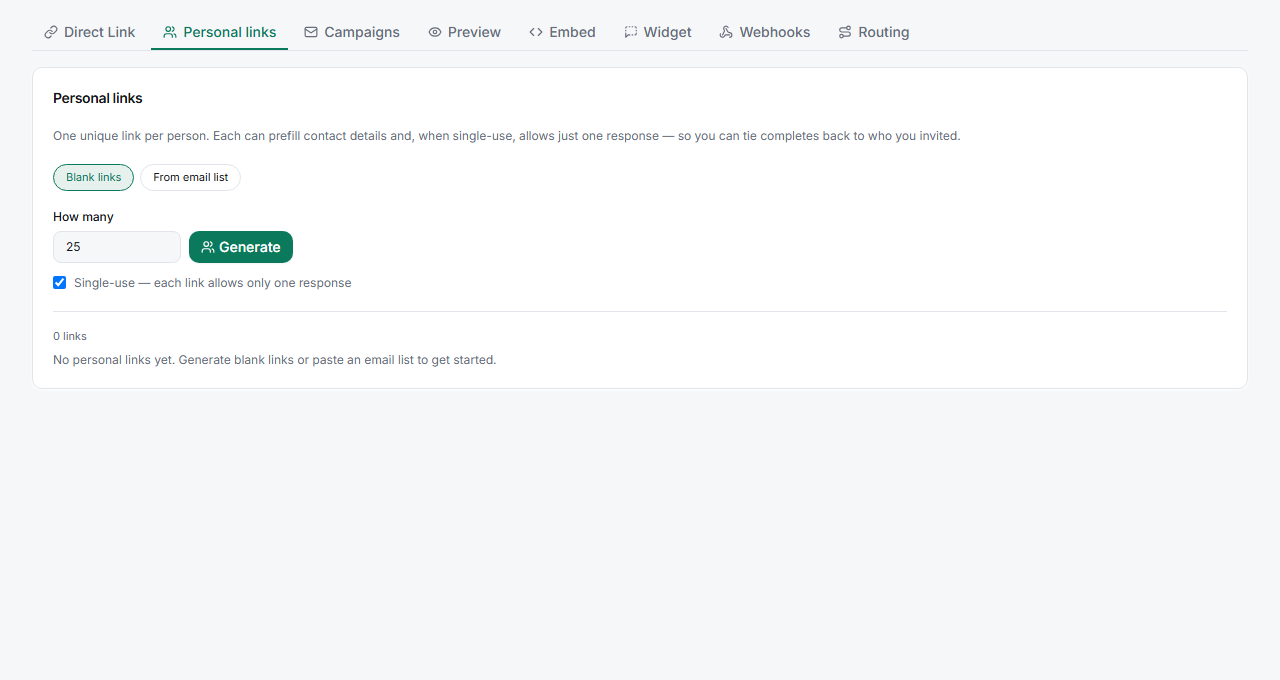
Generate links in bulk — create a batch of unique links, each tied to an individual identifier.
Export and distribute — send each contact their own link through whatever channel you use. When they respond, the answer is tied to that link.
Tips
Tip: Personal links give you campaign-style tracking without sending through Surveti's email — ideal when your own ESP or CRM owns the relationship and you just need to know who completed.
Note: Each link is single-person by design. Don't post a personal link publicly or share it across people — responses would all attribute to the same identifier.
Related articles
- How to Create and Send Your First Email Campaign — Surveti-sent per-person links
- Sharing Your Survey with a Direct UUID-Based Link — one anonymous link for everyone