Distribution & Fieldwork
Creating a Memorable Vanity Slug for Your Survey URL
Replace the long ID in your survey URL with a short, readable custom slug that's easy to say and type.
Overview
Replace the long ID in your survey URL with a short, readable custom slug — turning app.surveti.com/s/d0000000-… into app.surveti.com/s/summer-feedback. Perfect for saying out loud or printing.
Step-by-step
Open the Share tab — click Share, then the Direct Link channel.
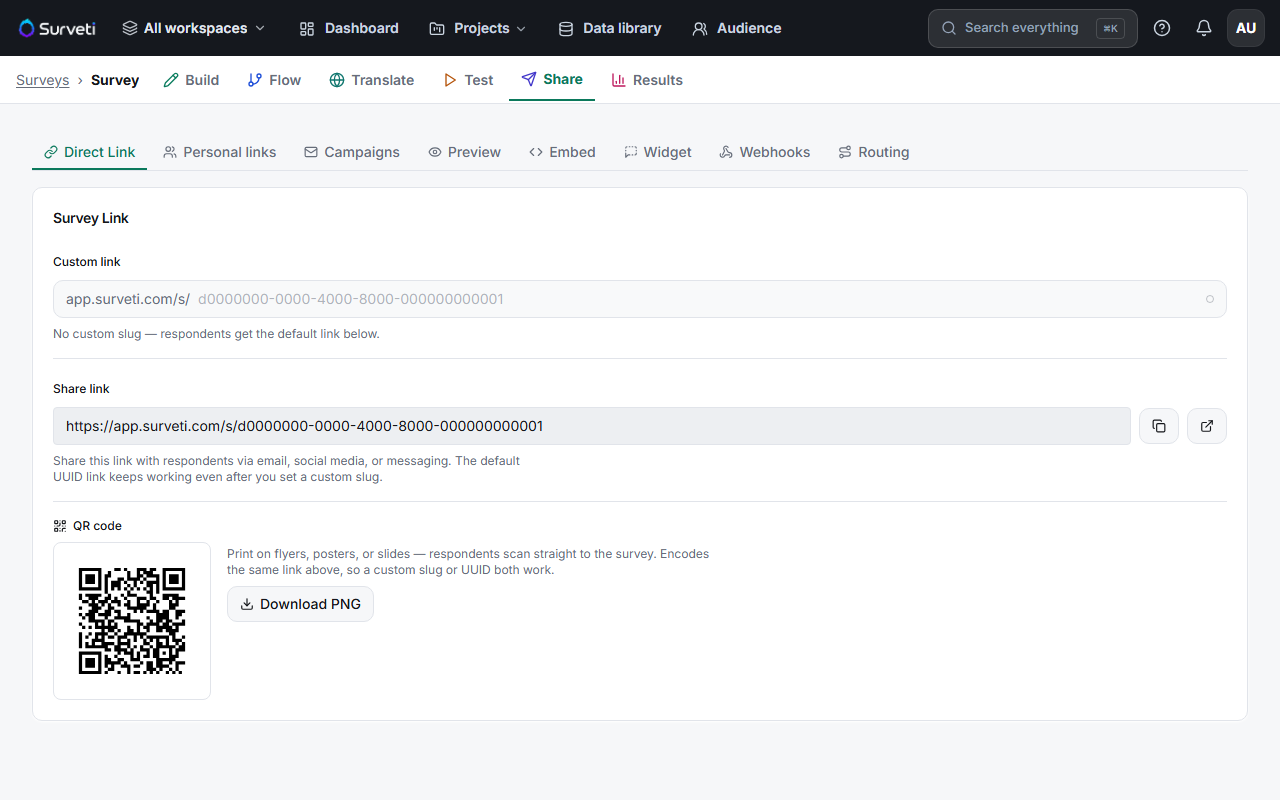
Enter a Custom link — type a slug in the Custom link field (e.g.
summer-feedback). Use lowercase words and hyphens.Save — the survey is now reachable at the vanity URL.
Tips
Tip: Keep slugs short and unambiguous — no numbers people might mishear, no words that are awkward to spell out. If you'll read it aloud at an event, test saying it first.
Note: The original UUID link keeps working after you set a slug, so any links you already shared don't break. Both point to the same survey.
Related articles
- Sharing Your Survey with a Direct UUID-Based Link — the default link
- Generating and Downloading a QR Code for Your Survey Link — the slug encodes into the QR too