Distribution & Fieldwork
Adding a Pop-Up Modal Survey Overlay to Your Website
Show your survey as a pop-up modal or slide-in widget on your website, triggered by time, scroll, or exit intent.
Overview
Show your survey as a pop-up modal or slide-in widget on your website, triggered by time on page, scroll depth, or exit intent — capturing feedback in the moment without a separate page.
Step-by-step
Open the Embed channel — in the Share tab, click Embed.
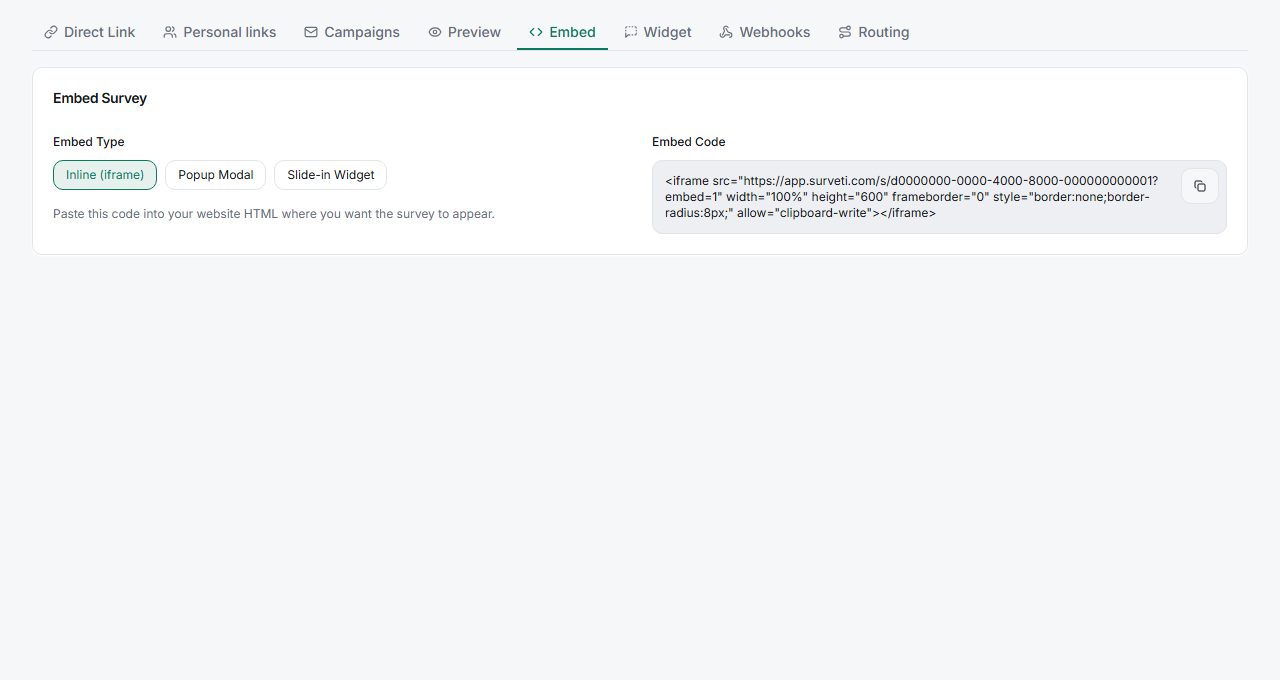
Choose Popup Modal or Slide-in Widget — switch the Embed Type from Inline to the overlay style you want.
Set a trigger — configure when it appears: After time delay, After scroll percentage, or Exit intent (when the cursor leaves toward the browser chrome).
Copy and paste the snippet — drop it into your site's HTML.
Key options
| Trigger | Fires when |
|---|---|
| After time delay | The visitor has been on the page N seconds |
| After scroll percentage | The visitor scrolls past a set % of the page |
| Exit intent | The cursor moves to leave the page |
Tips
Tip: Exit-intent is the least disruptive trigger — you only interrupt people who were leaving anyway. Time and scroll triggers get more responses but risk annoying engaged visitors, so set generous thresholds.
Note: One overlay per page. Stacking a popup and a slide-in on the same page competes for attention and tanks completion for both.
Related articles
- Embedding Your Survey in a Web Page with an iFrame Snippet — inline instead of overlay
- Sharing Your Survey with a Direct UUID-Based Link — the standalone link