Advanced Research
Setting Up a Labeled Likert Scale with Per-Point Labels
Give every point on your scale its own words, so respondents don't have to guess what a "3" means.
Overview
Give every point on your scale its own words, so respondents don't have to guess what a "3" means. Fully labeled scales measure more consistently than endpoint-only ones.
Step-by-step
Add or open a Scale question — select it in the builder.
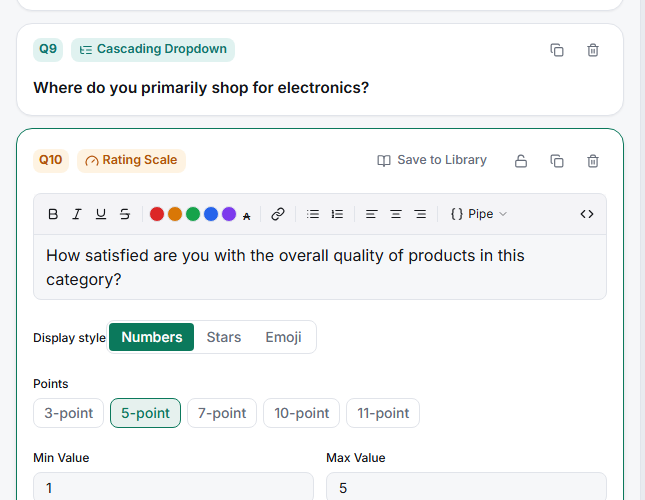
Choose your point count — the Points presets offer 3, 5, 7, 10, and 11.
Label each point — fill in the per-point label fields so every option carries wording (Strongly disagree / Disagree / Neutral / Agree / Strongly agree).
Check the preview — the Live preview shows exactly what respondents see.
Tips
Tip: Fully labeling a 5-point scale is one of the cheapest quality wins available. Respondents interpret words far more consistently than bare numbers, which means less noise and cleaner comparisons between waves.
Note: Labeling gets impractical past about 7 points — there aren't 11 distinct English words for agreement. For 10- and 11-point scales, label the ends (and midpoint) and leave the rest numeric.
Related articles
- Choosing a Scale Preset from 3-Point Through 11-Point Options — picking the point count
- Setting Low, Mid, and High Anchor Labels on a Scale Question — the minimum labeling