Advanced Research
Setting Low, Mid, and High Anchor Labels on a Scale Question
Anchor your scale with low, midpoint, and high labels — the minimum wording every scale needs to be interpretable.
Overview
Anchor your scale with Low Label, Midpoint Label, and High Label — the minimum wording every scale needs to be interpretable. Without anchors, a "4" means whatever each respondent decides it means.
Step-by-step
Open your Scale question in the builder.
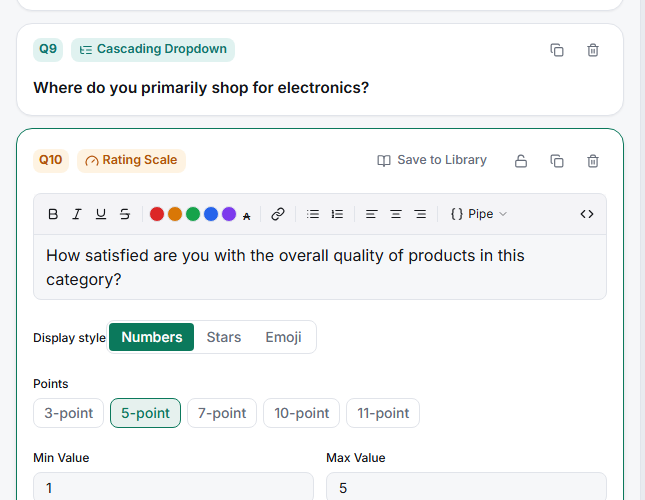
Fill in the Low Label — what the bottom of the scale means ("Strongly disagree", "Not at all satisfied").
Fill in the High Label — the top end ("Strongly agree", "Extremely satisfied").
Fill in the Midpoint Label — the middle ("Neutral"). This one is optional but valuable on agreement scales.
Preview it — check the anchors read clearly, including on Phone.
Tips
Tip: Make your anchors genuine opposites of equal strength. "Terrible" ↔ "Good" is an unbalanced scale that quietly pushes answers upward; "Very poor" ↔ "Very good" is balanced.
Note: A labeled midpoint is a real design decision. Labeling it "Neutral" gives fence-sitters a legitimate home; leaving it blank nudges people to commit either way. Pick deliberately — and keep the choice consistent across waves.
Related articles
- Setting Up a Labeled Likert Scale with Per-Point Labels — label every point
- Choosing a Scale Preset from 3-Point Through 11-Point Options — how many points
- Adding Low Mid and High Anchor Labels to a Likert Scale — the Question Types walkthrough