Advanced Research
Setting Item Count and Items Per Set in a MaxDiff Study
Size your MaxDiff so every item gets seen enough times to rank reliably, without exhausting respondents.
Overview
Size your MaxDiff so every item gets seen enough times to rank reliably, without exhausting respondents. Three settings interact: total Items, Items per set, and Number of sets.
Step-by-step
Open the MaxDiff editor — select your MaxDiff question.
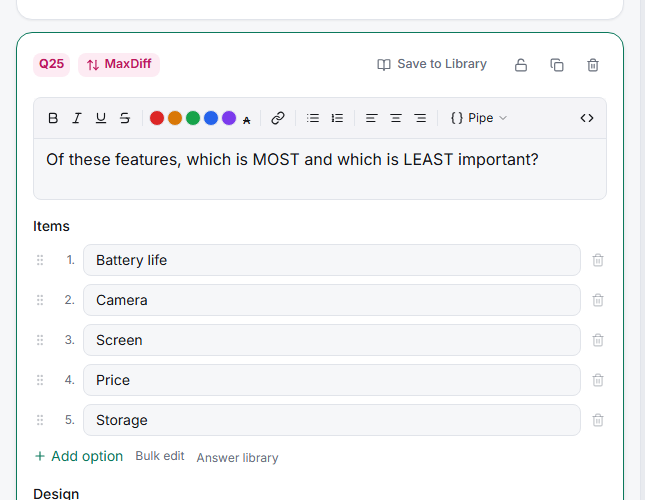
List your Items — 10–20 items is the comfortable range. MaxDiff handles more than a ranking question can, but the list still needs to be finite.
Set Items per set — 4–5 is the standard. Fewer gives too little information per screen; more makes the "most vs least" judgment slow and noisy.
Set Number of sets — enough that each item appears at least 3 times across a respondent's sets. That's the rule of thumb for a stable score.
Sizing rule of thumb
Each respondent sees sets × items-per-set item slots. Divide by your item count to get appearances per item — aim for 3+.
Example: 12 items, 4 per set, 12 sets → 48 slots ÷ 12 items = 4 appearances each. Comfortable.
Tips
Tip: If you can't reach 3 appearances per item without a punishing number of sets, your item list is too long. Cut it — or accept that the tail of the ranking will be noisy and only trust the top and bottom.
Note: Every respondent doesn't need to see every item. The design rotates items across people, so the aggregate ranking covers the full list even though each individual sees a subset.