Advanced Research
Defining Attributes and Levels for a CBC Study
Set up the attributes and levels that make up your conjoint profiles — the decisions that shape everything downstream.
Overview
Set up the attributes and levels that make up your conjoint profiles. An attribute is a dimension (Price); a level is a value it can take ($699). Get these right and the rest of the study follows.
Step-by-step
Open the conjoint editor — select your Conjoint question.
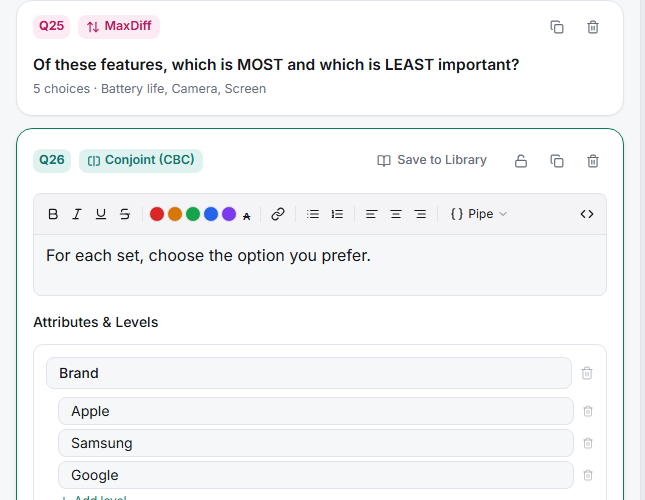
Add an attribute — name it plainly, as a buyer would say it ("Price", not "price_tier_v2").
Add its levels — the concrete values respondents will see. Keep levels within each attribute mutually exclusive and realistic.
Add prohibited pairs if needed — Prohibited pairs (optional) stops impossible combinations (a budget brand at a premium price) from ever appearing.
Or upload a design — Upload design (CSV, optional) lets you bring a design generated elsewhere.
Tips
Tip: Levels must be believable together. If a respondent sees a combination that couldn't exist in the market, they answer the absurdity rather than the trade-off — that's what prohibited pairs are for.
Note: Keep the number of levels balanced across attributes. An attribute with many more levels than the others can pick up artificial importance simply because it varies more.
Related articles
- How Many Attributes Should Your Conjoint Study Include — how much is too much
- Choosing the Right Number of Tasks and Cards Per Task — design sizing
- Understanding Attribute Importance Scores in Conjoint Analysis — how levels drive importance