Account & Billing
What Happens When a Payment Fails and Your Account Is Past Due
A failed payment doesn't cut you off immediately — here's the sequence, and the point where you actually lose your tier.
Overview
A failed payment doesn't cut you off immediately. Surveti follows Stripe's dunning process, and your plan keeps working while it runs.
The sequence
A charge fails — Stripe marks the subscription past due and begins retrying (dunning).
Your account shows PAST DUE — but keeps its tier. This is the important part: past due does not downgrade you. Your quotas, seats, and features all keep working while Stripe retries.
Fix the card and it resolves — a successful retry returns the subscription to active. Nothing was lost.
If dunning ends unresolved — when the subscription reaches a terminal state (unpaid or canceled), the tier drops to Free and paid add-ons are removed: extra seats, storage packs, and the custom-domain add-on all reset.
Step-by-step: fixing it
Open Settings → Billing and click Manage billing.
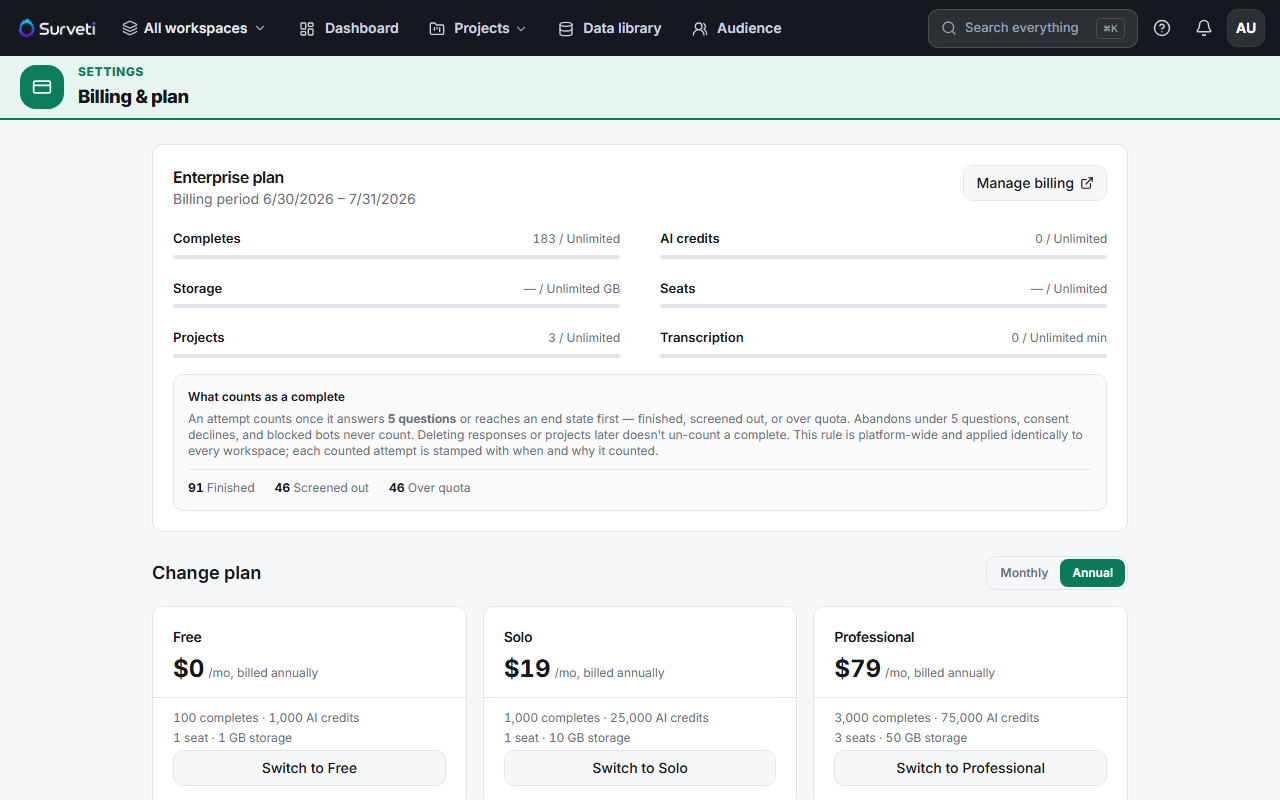
Update your payment method in the Stripe portal.
Let the retry settle — once a charge succeeds, your status returns to active automatically.
Tips
Tip: Past due is a grace window, not a penalty — use it. Updating the card during dunning costs you nothing; letting it lapse to canceled drops you to Free, re-imposes the 100-completes blocking cap, and strips your add-ons.
Note: Dropping to Free doesn't delete your data. Surveys, responses, and projects remain — but collection is capped and features above Free are gated until you resubscribe.
Related articles
- Updating Your Payment Method via the Stripe Billing Portal — the fix
- Downgrading Your Plan and When the Change Takes Effect — what a tier drop means
- What Happens When You Hit Your Free Plan Response Cap — life back on Free