Account & Billing
Understanding the Six Workspace Roles in Surveti
Surveti has six workspace roles in a clear hierarchy — here's what each one is for and which seat it consumes.
Overview
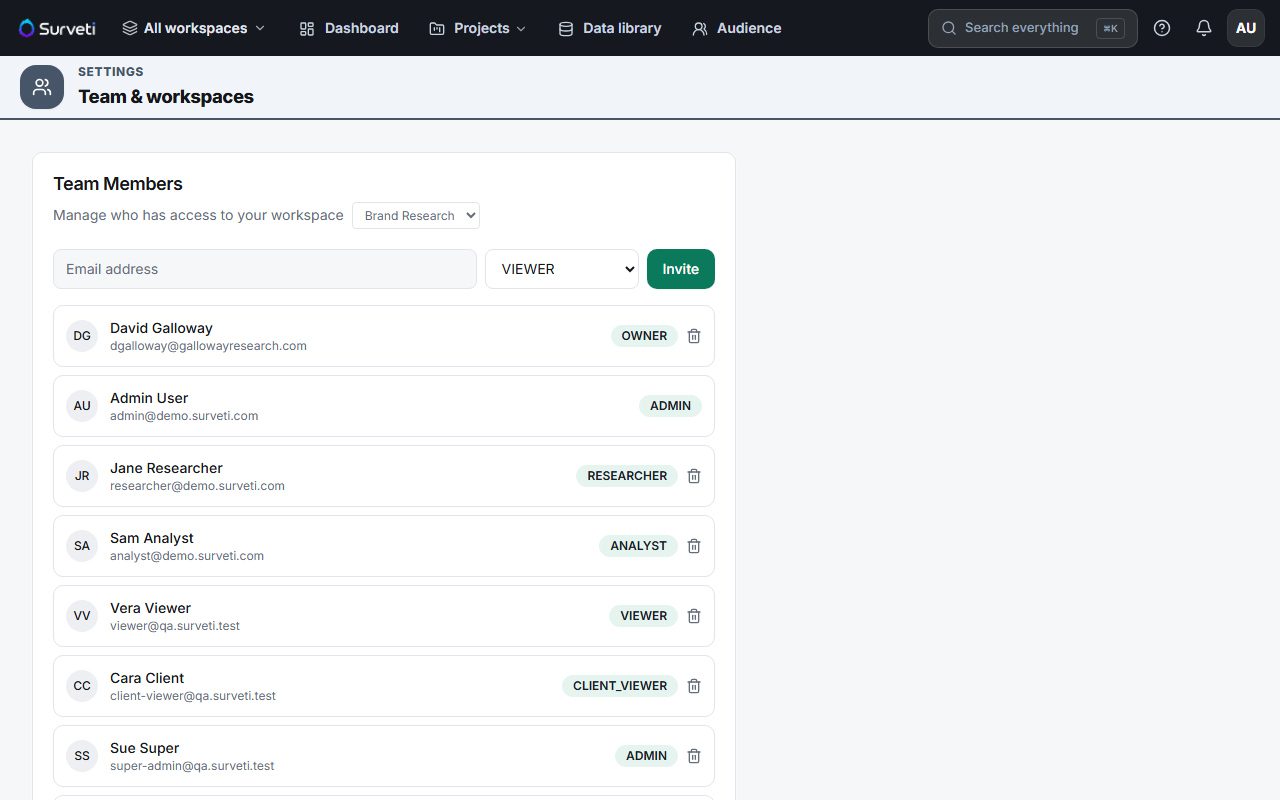
Surveti has six workspace roles in a clear hierarchy. Picking the right one is both a security decision and a billing one, because roles map onto seat types.
The six roles
| Role | For | Seat |
|---|---|---|
| Owner | The account holder — full control including billing | Full |
| Admin | Manages surveys, members, and settings | Full |
| Researcher | Builds and fields surveys | Full |
| Analyst | Works with results and analysis | Full |
| Viewer | Internal read-only access | Viewer |
| Client Viewer | External stakeholder read-only access | Viewer |
They form a hierarchy in that order — Owner is highest, Client Viewer lowest — and permissions cascade down it.
Tips
Tip: Default to the lowest role that lets someone do their job. A stakeholder who wants to see results needs Viewer, not Admin — and Viewer costs you a viewer seat rather than a builder seat.
Note: You can only grant roles at or below your own authority. An Admin cannot mint an Owner; that's deliberate, so nobody can escalate past the person who owns the account.
Related articles
- Owner Versus Admin: What Each Role Can and Cannot Do — the top two
- How Builder Seats and Viewer Seats Differ in Surveti — the billing side
- Changing a Team Member's Role After Invitation — fixing a wrong choice