Account & Billing
Removing a Team Member from a Workspace
Updated
Remove someone's access when they leave the team — and free the seat they were using.
All Account & Billing articles
Overview
Remove someone's access when they leave the team — and free the seat they were using.
Prerequisites
- Owner or Admin role.
Step-by-step
Open Settings → Team.
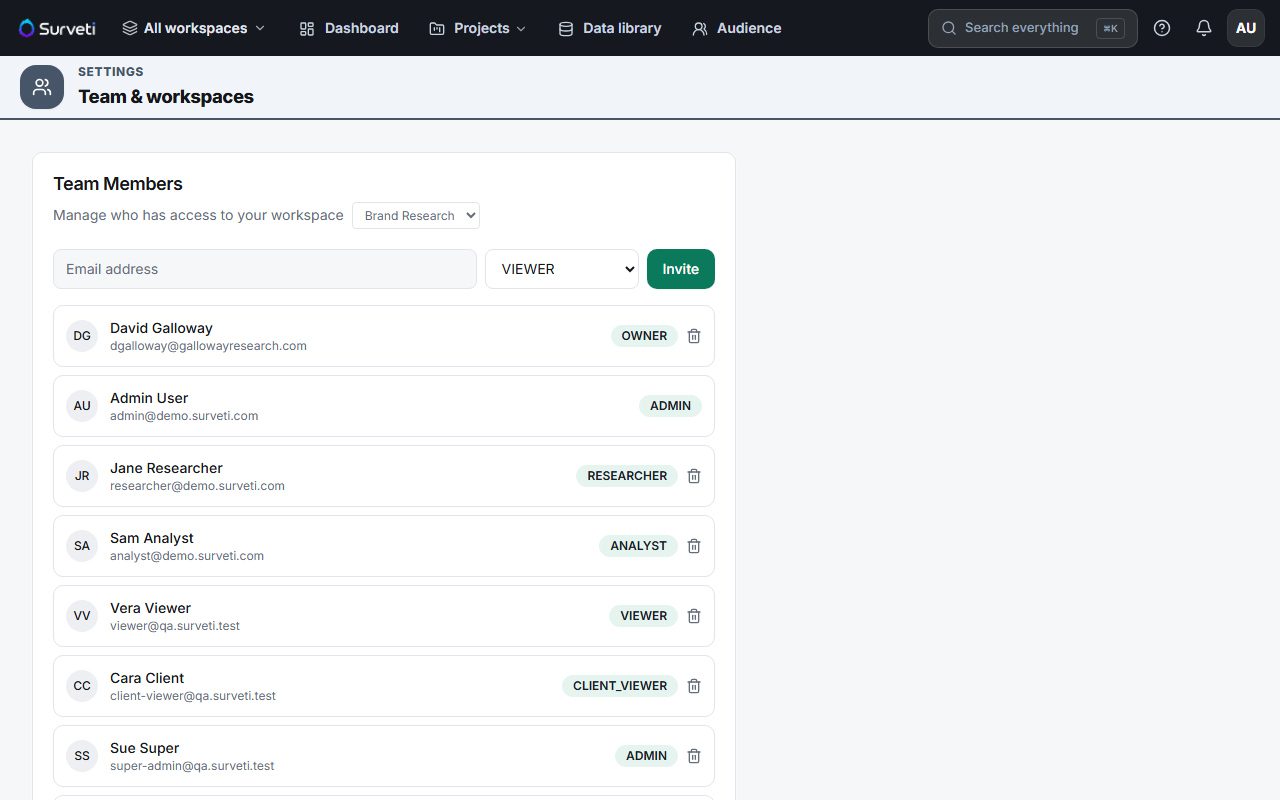
Find the member in the list.
Remove them — click the delete icon on their row and confirm.
Their access ends — their session is revoked, and their seat returns to your pool.
Tips
Tip: Removing a member is the fastest security action available when someone leaves. Do it at offboarding rather than waiting for a plan review — an unused login is a live credential.
Note: Their work stays. Surveys, projects, and responses they created belong to the workspace, not to them, so removing someone never deletes research.
Related articles
- Inviting a New Team Member to Your Workspace — the reverse
- Changing a Team Member's Role After Invitation — downgrade instead of remove
- How Builder Seats and Viewer Seats Differ in Surveti — the freed seat