Account & Billing
Owner Versus Admin: What Each Role Can and Cannot Do
Owner and Admin look similar day to day — the difference shows up around billing and authority.
Overview
Owner and Admin look similar day to day — both manage surveys, members, and settings. The difference shows up around billing and authority.
The difference
| Owner | Admin | |
|---|---|---|
| Build and field surveys | ✓ | ✓ |
| Manage members and settings | ✓ | ✓ |
| Change the plan / billing | ✓ | ✗ (billing is Owner-level) |
| Grant the Owner role | ✓ | ✗ |
| Position in hierarchy | Highest | Second |
Why the authority rule matters
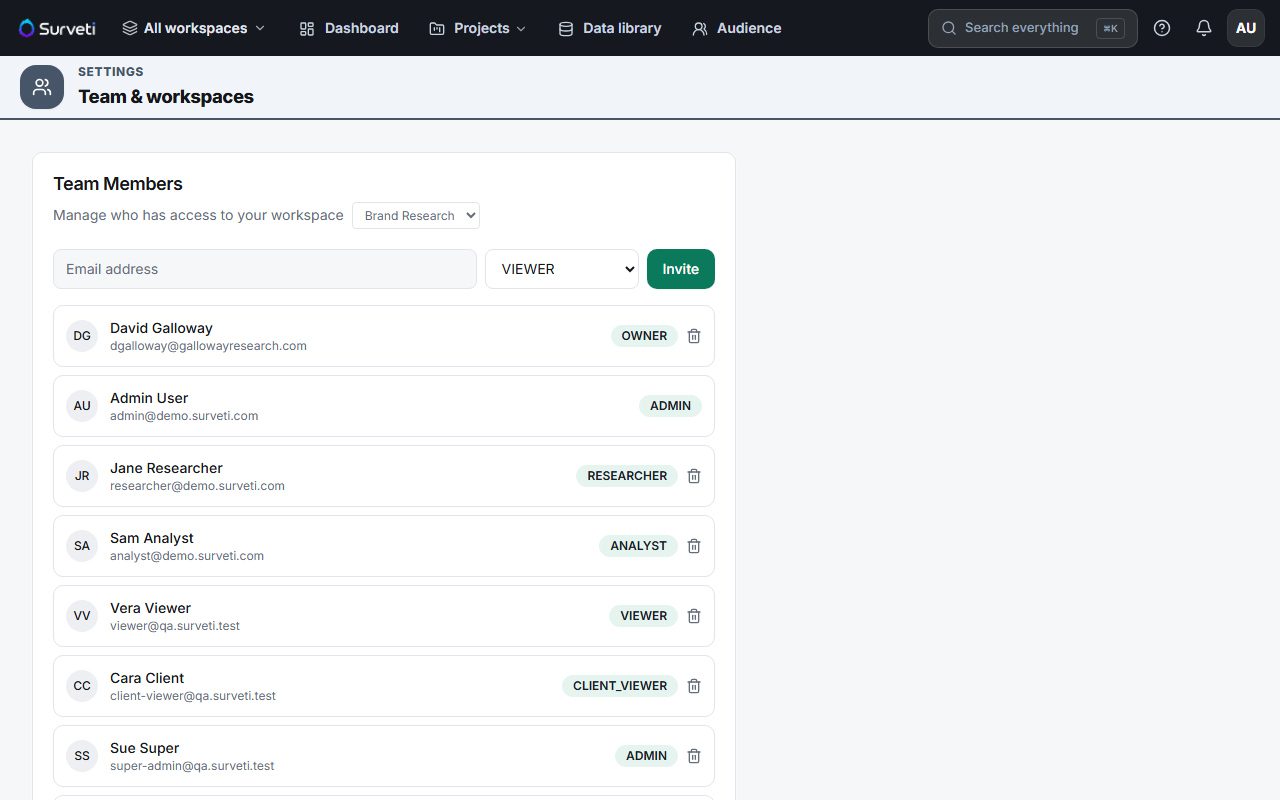
You can only invite or promote someone at or below your own level. So an Admin can create Researchers, Analysts, and Viewers — but cannot mint another Owner, and cannot promote themselves. That's what stops role escalation.
Tips
Tip: Keep at least two people who can act on the account, but don't hand out Owner freely. Admin covers everything operational; reserve Owner for whoever is actually responsible for the subscription.
Note: Both Owner and Admin consume a full builder seat. Making someone an Admin purely so they can "see everything" is an expensive way to grant read access — use Viewer.
Related articles
- Understanding the Six Workspace Roles in Surveti — all six roles
- Changing a Team Member's Role After Invitation — promote or demote
- Upgrading Your Plan and How Prorated Billing Works — an Owner action