Account & Billing
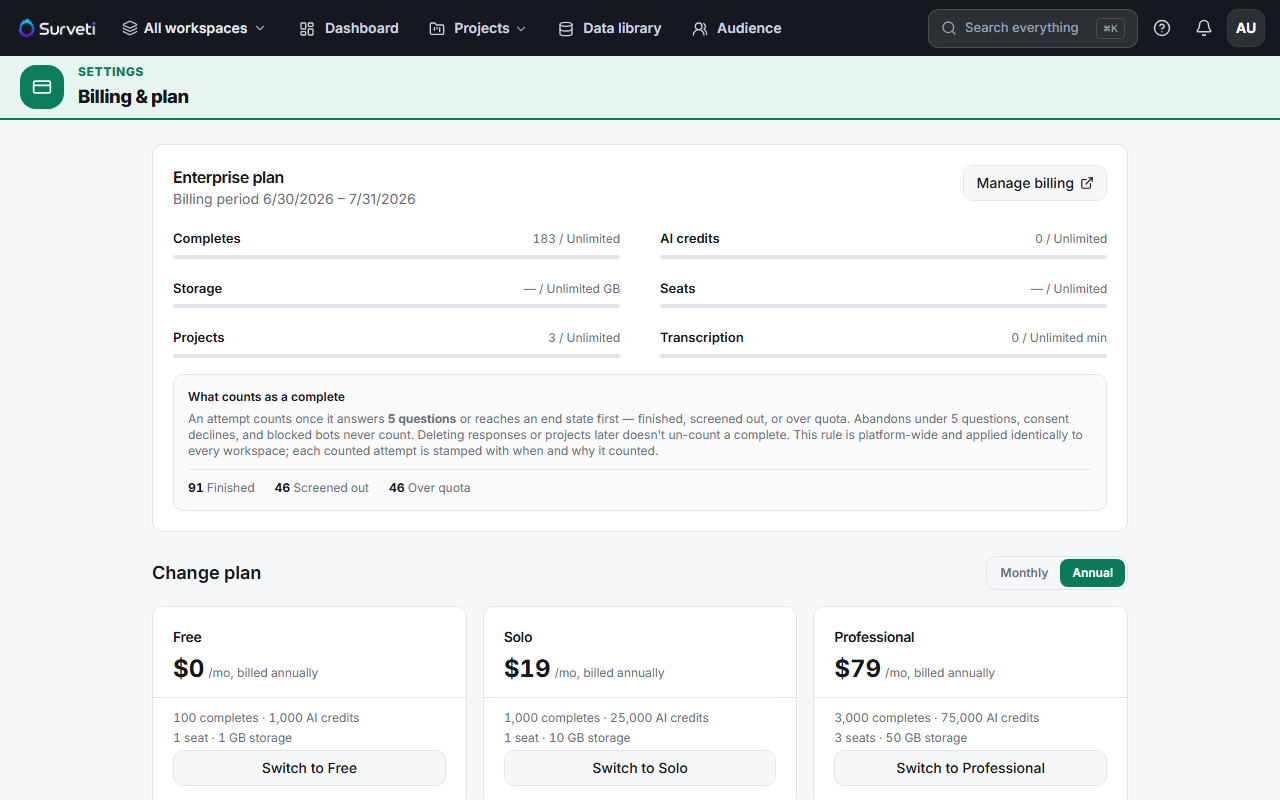
Monthly AI Credits: Allowance Resets and Purchased Top-Up Packs
How AI credits work — your monthly allowance, what consumes it, and how top-up packs behave differently.
Overview
How AI credits work — your monthly allowance, what consumes it, and how purchased top-up packs behave differently from the allowance.
Your monthly allowance
| Plan | AI credits / month |
|---|---|
| Free | 1,000 |
| Solo | 25,000 |
| Professional | 75,000 |
| Team | 150,000 |
| Research Team | 300,000 |
| Enterprise | Unlimited |
One credit = 100 model tokens.
What consumes credits
AI survey import, auto-translation, and text analytics (sentiment + theme extraction) all draw on credits.
Top-up packs
If you run out mid-month, buy a top-up pack: 25,000 credits for $29. The billing page tracks purchased credits remaining separately from your monthly allowance, and shows a combined total remaining.
Tips
Tip: Your monthly allowance resets each period; purchased credits are tracked separately so a top-up isn't wasted when the month rolls over. Buy packs for genuine spikes — a big import or a translation push — not as a permanent substitute for the right plan.
Note: Credit-consuming actions are opt-in clicks (Run text analysis, Auto-translate, Import with AI). Nothing quietly burns credits in the background — but re-running a 100-verbatim text analysis repeatedly does add up.
Related articles
- Viewing Your Current Usage on the Billing Dashboard — check remaining credits
- Running AI Sentiment and Theme Extraction on Open-Ended Responses — a credit-consuming action
- Using AI Auto-Translate to Generate Translations for All Question Text — another one