Account & Billing
Downgrading Your Plan and When the Change Takes Effect
Move to a smaller plan through the billing portal — and know what you lose when the tier drops.
Overview
Move to a smaller plan through the billing portal — and know what you lose when the tier drops.
Step-by-step
Open Settings → Billing and click Manage billing — this opens the Stripe billing portal.
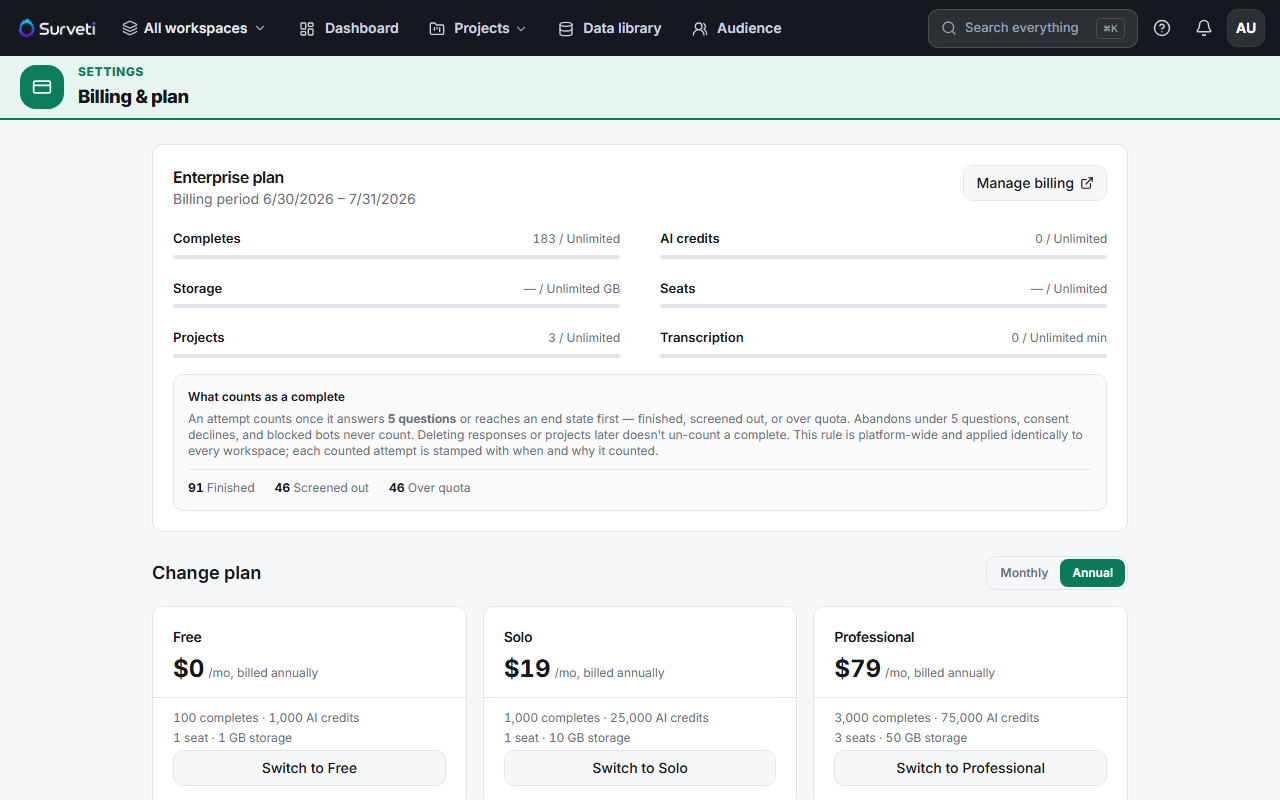
Change or cancel your plan there — plan changes for a live subscription are handled by the portal, which applies Stripe's proration and scheduling rules.
Your tier updates in Surveti automatically — Stripe notifies Surveti and your entitlements follow. If a subscription is canceled outright, the tier falls back to Free.
What you lose on the way down
- Quotas shrink — completes, seats, projects, storage, AI credits, and transcription all drop to the new plan's limits.
- Features gate off — question types and capabilities above your new tier become unavailable. Existing surveys aren't deleted, but the builder flags types your plan no longer supports.
- Paid add-ons drop on cancellation — if the subscription ends (canceled or unpaid), extra seats, storage packs, and the custom-domain add-on are all removed as the tier resets to Free.
Tips
Tip: Export anything you need before dropping a tier, and check your seat count. If you're over the new plan's seats, sort out who stays a builder before the change rather than discovering it when someone can't log in to work.
Note: Downgrading to Free reinstates the hard 100-completes cap that blocks collection — unlike paid plans, Free doesn't accrue overage. Any live survey stops taking new respondents once you hit it.
Related articles
- Upgrading Your Plan and How Prorated Billing Works — going the other way
- What Happens When You Hit Your Free Plan Response Cap — life on Free
- What Happens When a Payment Fails and Your Account Is Past Due — involuntary downgrades