Account & Billing
API Key Scopes: Read-Only Versus Read-Write Access
Decide whether a key can change your data — one checkbox that's worth thinking about before you tick it.
Overview
Decide whether a key can change your data. Surveti keys carry either read or read + write scope, chosen when you create the key.
The two scopes
| Scope | Checkbox | What the key can do |
|---|---|---|
| Read-only | Allow write unticked | Read surveys, definitions, and results |
| Read + write | Allow write ticked (default) | Everything read-only can, plus create and launch surveys |
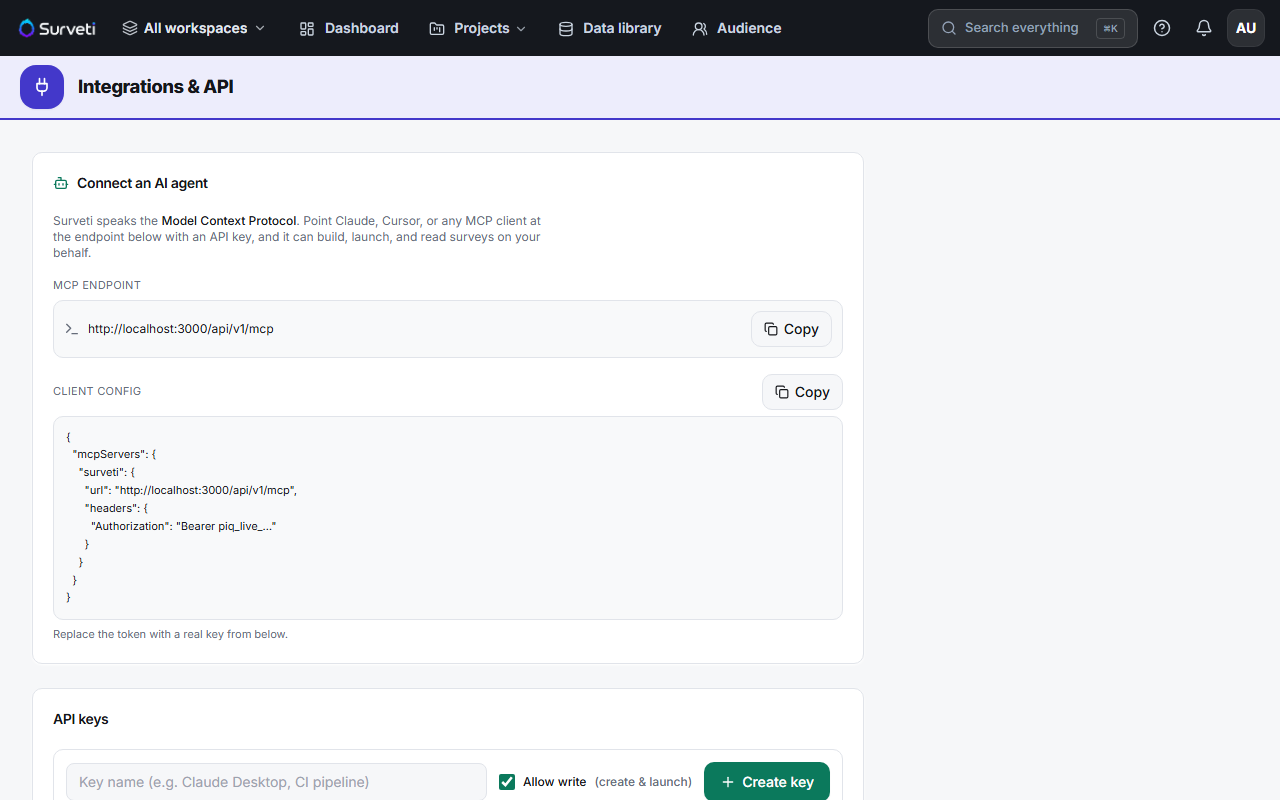
Why it matters for AI agents
Surveti speaks the Model Context Protocol, so you can point Claude, Cursor, or any MCP client at it. The page lists exactly what a connected agent can do and marks which tools are write — create_survey and deploy_survey among them. A read-only key lets an agent analyze your data; a write key lets it launch surveys to real respondents.
Tips
Tip: Default to read-only. Most integrations — dashboards, exports, analysis scripts, an agent answering questions about your data — never need write. Grant write only when the integration's actual job is creating or launching surveys.
Note: Allow write is ticked by default on the create form. If you want a read-only key, untick it deliberately — and remember scope is fixed at creation, so changing your mind means revoking and issuing a new key.
Related articles
- Creating and Revoking API Keys in Surveti — making the key
- What Is Included in the Professional Plan — where API access unlocks