Question Types
Using a Dropdown Question for Long Option Lists
Use a dropdown to keep long lists — countries, industries, states — compact and searchable instead of a wall of radio buttons.
Overview
Use a dropdown to keep long lists — countries, industries, states — compact and searchable instead of a wall of radio buttons.
Step-by-step
Add the question — click + Question and choose Dropdown.
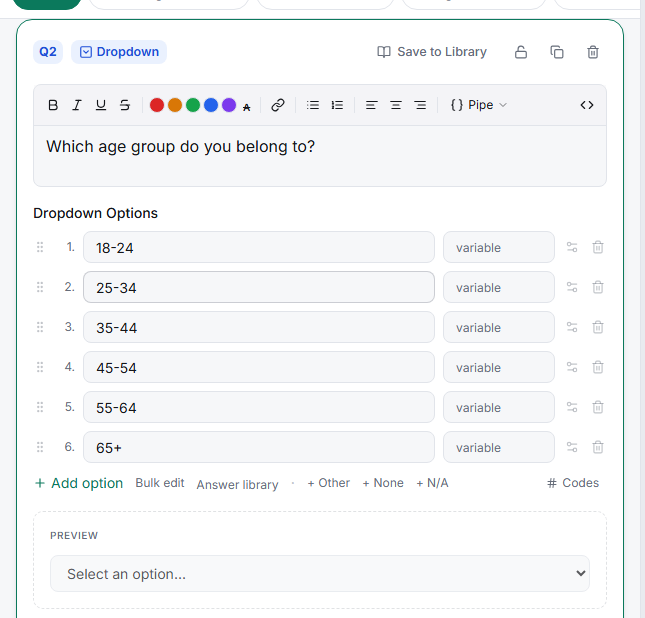
Populate the list fast — click Answer library to apply a saved set (countries, age bands, US states), or Bulk edit to paste one option per line instead of adding rows one at a time.
Leave the search box on Automatic — long lists get type-to-filter in the taker automatically, so respondents type "Ind…" instead of scrolling to India.
Tips
Tip: Reach for a dropdown at roughly 8+ options. Below that, radio buttons win because every choice is visible at once.
Note: Dropdowns hide options until opened, so avoid them where seeing all the choices is part of the task (unaided brand awareness, visual preference) — use radios or image select there.
Related articles
- Adding a Single-Choice Radio Question to Your Survey — the short-list alternative
- Setting Up Multi-Select Checkboxes with Min and Max Selection Limits — multiple answers