Question Types
Building a Star Rating Grid for Multiple Items
Rate several items on a star scale in one grid — rows are the items, each rated with the same number of stars.
Overview
Rate several items on a star scale in one grid — rows are the items, each rated with the same number of stars. It's a rating grid with a friendlier, consumer-familiar control.
Step-by-step
Add the question — click + Question and choose Star Grid.
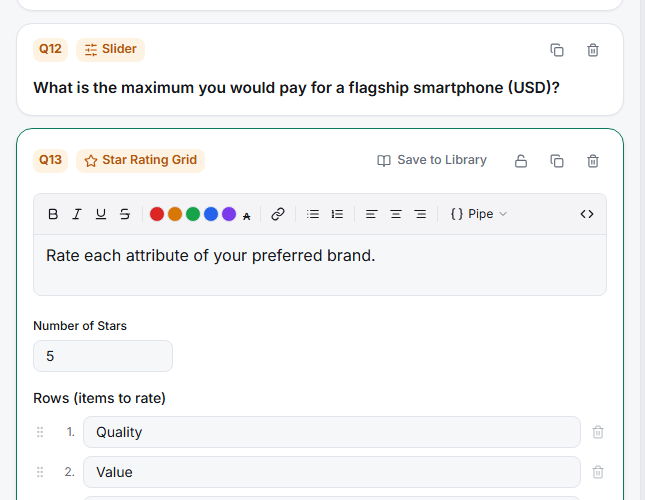
Add the Rows (items to rate) — one row per thing being rated (e.g. "Sales", "Support", "Engineering").
Set the Number of Stars — typically 5. Every row uses the same star scale, which keeps rows comparable.
Choose the Display — Table (all statements) for desktop or Carousel (one statement at a time) for mobile.
Consider dynamic rows — like other grids, you can Build rows from a previous question so respondents only star-rate the items they selected earlier.
Tips
Tip: Stars imply quality/satisfaction, so use a star grid for "how good was each?" — not for agreement or frequency, where numbers or words fit the construct better.
Related articles
- Building a Single-Answer Rating Grid — the numeric/label grid
- Using Dynamic Rows to Pull Prior Answers into a Grid — personalize the rows
- Choosing Between Numeric Star and Emoji Scale Display Styles — stars for single items