Question Types
Adding Low Mid and High Anchor Labels to a Likert Scale
Label the ends and midpoint of a scale so respondents interpret every point the same way.
Overview
Label the ends and midpoint of a scale so respondents interpret every point the same way. Anchors are what turn a row of numbers into a meaningful measurement.
Step-by-step
Add a Scale question — click + Question and choose Scale.
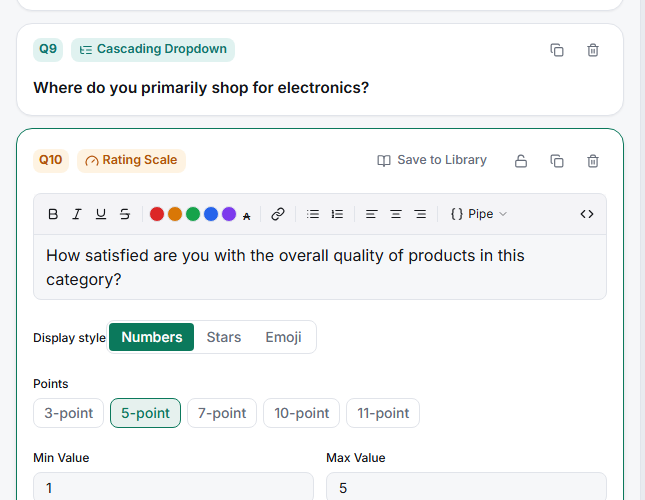
Label the low and high anchors — set the endpoint labels ("Strongly disagree" / "Strongly agree"). These two are the minimum needed for a valid scale.
Label the midpoint — give the middle point a word ("Neutral") so respondents don't treat it as a dumping ground for "no opinion".
Keep the direction consistent — low = negative, high = positive, on every scale in the survey. Mixed directions are the top cause of misread scale data.
Tips
Tip: A labeled midpoint and clear anchors reduce central-tendency bias — respondents commit to a real position instead of parking in an ambiguous middle.
Note: For a battery of items sharing one scale, don't repeat Scale questions — use a Grid, which carries the same anchors across every row.
Related articles
- Choosing Between Numeric Star and Emoji Scale Display Styles — how the scale looks
- Setting Per-Point Labels on a 5-Point Likert Scale — label every point
- Building a Single-Answer Rating Grid — many items, one scale