Question Types
Adding an Open-Ended Essay Text Box to Your Survey
Give respondents a multi-line essay box for longer written answers by enabling the long-answer option on an open text question.
Overview
Give respondents a multi-line essay box for longer written answers by enabling the long-answer option on an open text question. Use it when a single line would cut people off mid-thought.
Step-by-step
Add the question — click + Question and choose Open Text.
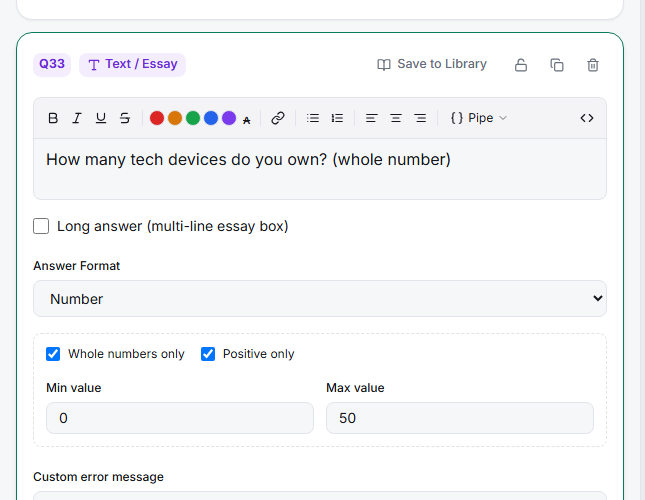
Enable Long answer — tick Long answer (multi-line essay box) in the editor. The single-line input becomes a resizable text area.
Ask a focused question — a big box invites rambling. "Describe a time our product let you down" gets better essays than "Additional comments".
Set the requirement thoughtfully — long answers are effortful; Soft required recovers accidental skips without forcing empty essays from unwilling respondents.
Tips
Tip: One well-placed essay question beats three. Ask it right after the relevant experience (via skip logic from a low rating), where respondents have something specific to say.
Note: Essay answers land in Results as a verbatim listing and in your exports as free text — plan to code or theme them; charts won't summarize prose for you.
Related articles
- Restricting an Open Text Question to Numeric Input Only — the opposite constraint
- Validating Email Phone and URL Formats in an Open Text Question — format validation