Logic & Flow
Using the Flow Canvas to Visualize Survey Branching Paths
See your whole survey's routing at a glance on the Flow canvas — blocks, branches, and where each path leads.
Overview
See your whole survey's routing at a glance on the Flow canvas — blocks, branches, and where each path leads. Once a survey has more than a couple of skip rules, the canvas is the fastest way to understand and debug it.
Step-by-step
Open the Flow tab — in the builder's top tabs, click Flow. The survey renders as a visual map of blocks and the connections between them.
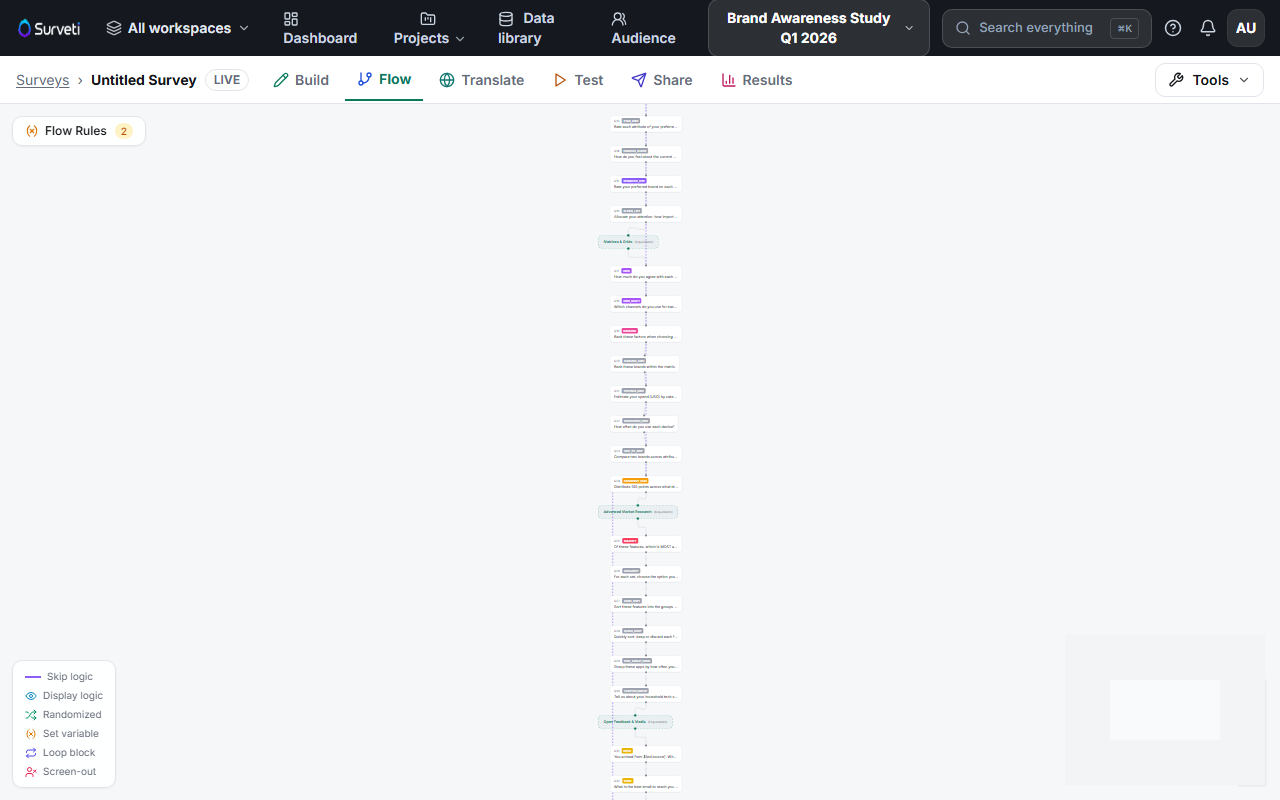
Trace the branches — follow the connectors to see where each skip rule sends respondents, including jumps to END and TERMINATE.
Spot problems visually — orphaned blocks, dead ends, and branches that all converge too early are obvious on the canvas in a way they never are in a list of rules.
Tips
Tip: Review the Flow canvas before every launch. A rule that reads fine in isolation can create a loop or a dead end that only becomes obvious when you see the whole map.
Note: The canvas reflects your logic; it doesn't replace testing. Pair it with a click-through in the Test tab to confirm respondents actually travel the paths the map implies.
Related articles
- Setting Multiple Skip Rules on a Single Question — the branches you'll see on the canvas
- Display Logic vs Skip Logic: When to Use Each — what routes vs what hides