Logic & Flow
Hiding a Question Based on Multiple Combined Conditions
Combine several conditions in one display-logic rule using AND or OR to control exactly who sees a question.
Overview
Combine several conditions in one display-logic rule using AND or OR to control exactly who sees a question — for example, show a question only to enterprise customers who are also dissatisfied.
Step-by-step
Open the question's Logic tab — select it, click Settings, switch to Logic.
Add the first condition under Display Logic.
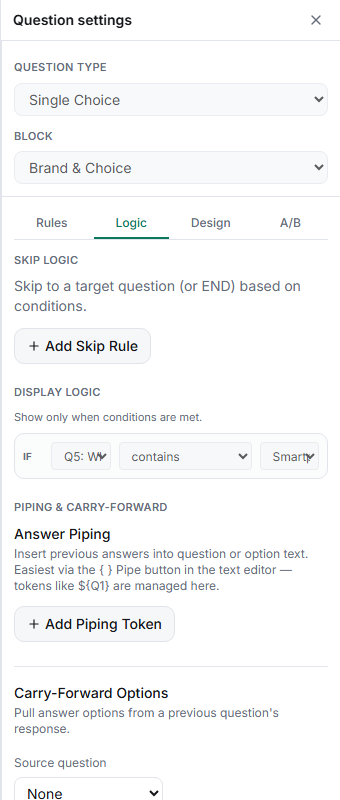
Add more conditions — each new condition joins the group.
Set the conjunction — toggle the group between AND (every condition must be true) and OR (any one is enough).
Test the combinations — in the Test tab, try answers that satisfy all, some, and none of the conditions to confirm the question shows only when intended.
Key options
| Conjunction | The question shows when… |
|---|---|
| AND | every condition is true |
| OR | at least one condition is true |
Tips
Tip: Keep each rule to one conjunction. If you need "(A and B) or C" logic, that mix isn't a single group — restructure into simpler conditions or use skip logic to split the paths.
Note: More conditions mean fewer respondents see the question. Watch its response count in Results — a very low count often means the conditions are stricter than you intended.
Related articles
- Showing a Question Only When a Prior Answer Matches a Condition — the single-condition basics
- Using AND vs OR to Combine Multiple Logic Conditions — AND/OR in depth