Logic & Flow
Display Logic vs Skip Logic: When to Use Each
Updated
Understand the difference between display logic and skip logic so you reach for the right one every time.
All Logic & Flow articles
Overview
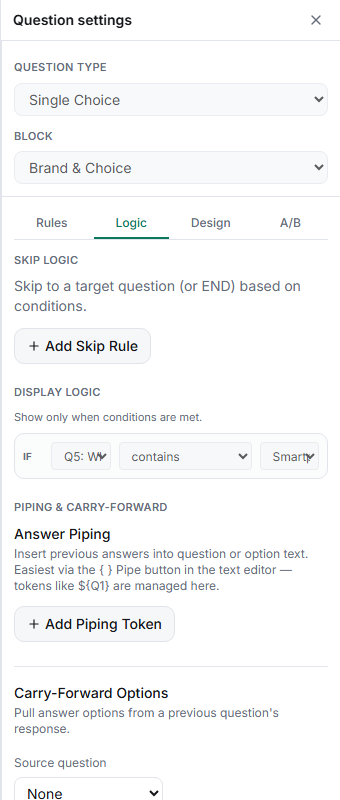
Display logic and skip logic both make a survey conditional, but they work differently. Display logic makes a single question appear or disappear in place; skip logic jumps respondents forward past a range of questions. This article helps you pick.
The difference
- Display logic lives on the question that might be hidden. It answers: "should this question show for this respondent?" Everything else in the flow stays where it is.
- Skip logic lives on the question whose answer triggers a jump. It answers: "given this answer, where should the respondent go next?" It can leap over many questions or end the survey.
When to use which
| Situation | Use |
|---|---|
| Show one optional follow-up to some respondents | Display logic |
| Skip an entire block that doesn't apply | Skip logic |
| Hide a question unless a condition is met | Display logic |
| Branch to different sections by segment | Skip logic |
| End the survey early for certain answers | Skip logic (target END) |
| Disqualify unqualified respondents | Skip logic (target TERMINATE) |
Tips
Tip: Rule of thumb — hiding one question is display logic; changing where the respondent goes is skip logic. If you're toggling a single question's visibility, don't reach for skip.
Note: They can work together. A block can be skipped entirely by skip logic, while individual questions inside it use display logic for finer control when the block is shown.
Related articles
- Showing a Question Only When a Prior Answer Matches a Condition — display logic
- Adding a Skip Logic Rule to Jump Respondents Forward in the Survey — skip logic
- Using the Flow Canvas to Visualize Survey Branching Paths — see the whole flow