Logic & Flow
Adding a Skip Logic Rule to Jump Respondents Forward in the Survey
Add a skip logic rule so an answer jumps respondents forward to a later question, past the ones that no longer apply.
Overview
Add a skip logic rule so an answer jumps respondents forward to a later question, past the ones that no longer apply. The rule lives on the question whose answer triggers the jump.
Step-by-step
Select the trigger question — click its card, open Settings, and switch to the Logic tab.
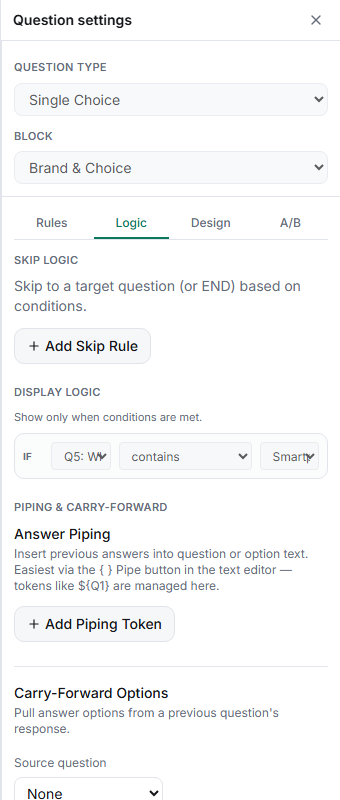
Click + Add Skip Rule under Skip Logic.
Fill in the three parts — If answer to (this question), an Operator (Equals, Contains…), and the Value, then choose the destination under Then skip to — a later question in the list.
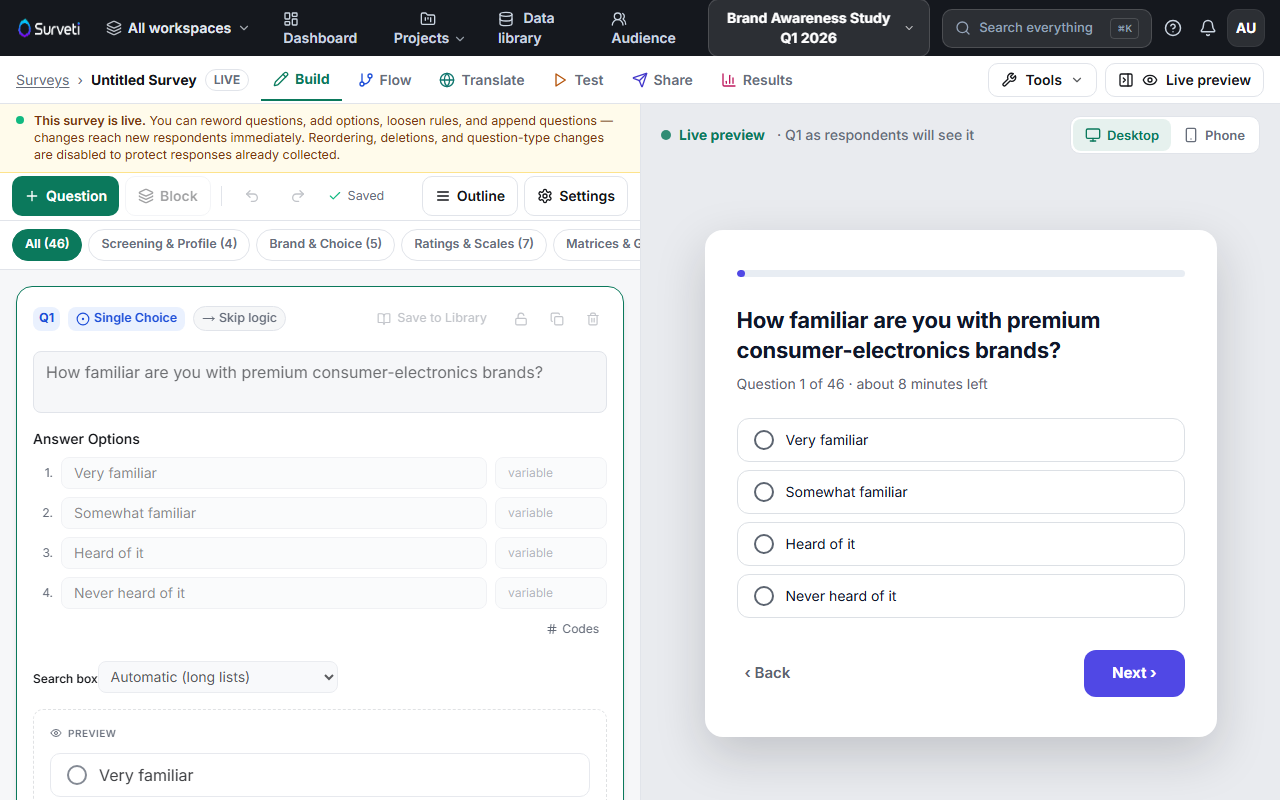
Confirm the chip — the question card shows a → Skip logic chip so routed questions are visible on the canvas.
Tips
Tip: Skip logic only jumps forward. Order your survey so every skip target comes after its trigger — a rule can't send someone back.
Note: Questions the respondent skips over collect nothing, so their response counts in Results will be lower. That's the routing working as intended.
Related articles
- Setting Multiple Skip Rules on a Single Question — branch to different destinations
- Sending Respondents to the End of Survey via a Skip Logic Rule — finish early
- Display Logic vs Skip Logic: When to Use Each — pick the right tool